

Object transform ignores reference point
Hello all,
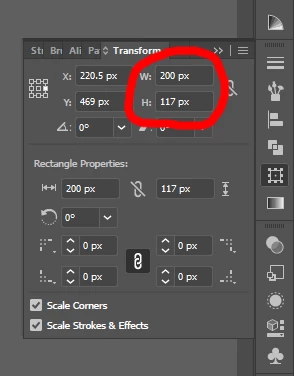
Just switched to CC2017 and I'm having some frustration with the way object transforms are handled. I was used, when I have a rectangle selected and want to change its width, to select a reference point of that transformation, so that the obect is extended/contracted in a direction opposite to the selected reference point. If the center is selected as a reference, then the object expands or contracts symetrically. That is no longer valid for Illustrator CC 2017, and also the reference point selector has been removed from the selection tool dashboard and only available in the Transform panel. Can any of you give me some direction how do you overcome that significant loss of funtionallity, or is it just me missing something?
Here is a quick screen recording of my problem (in case my explanations are not understandable).
Regards,
Alex
 AdChoices