
Participating Frequently
November 12, 2021
Question

Objected remain opaque although it is set at 100% opacity

  • November 12, 2021
  • 4 replies
  • 1112 views

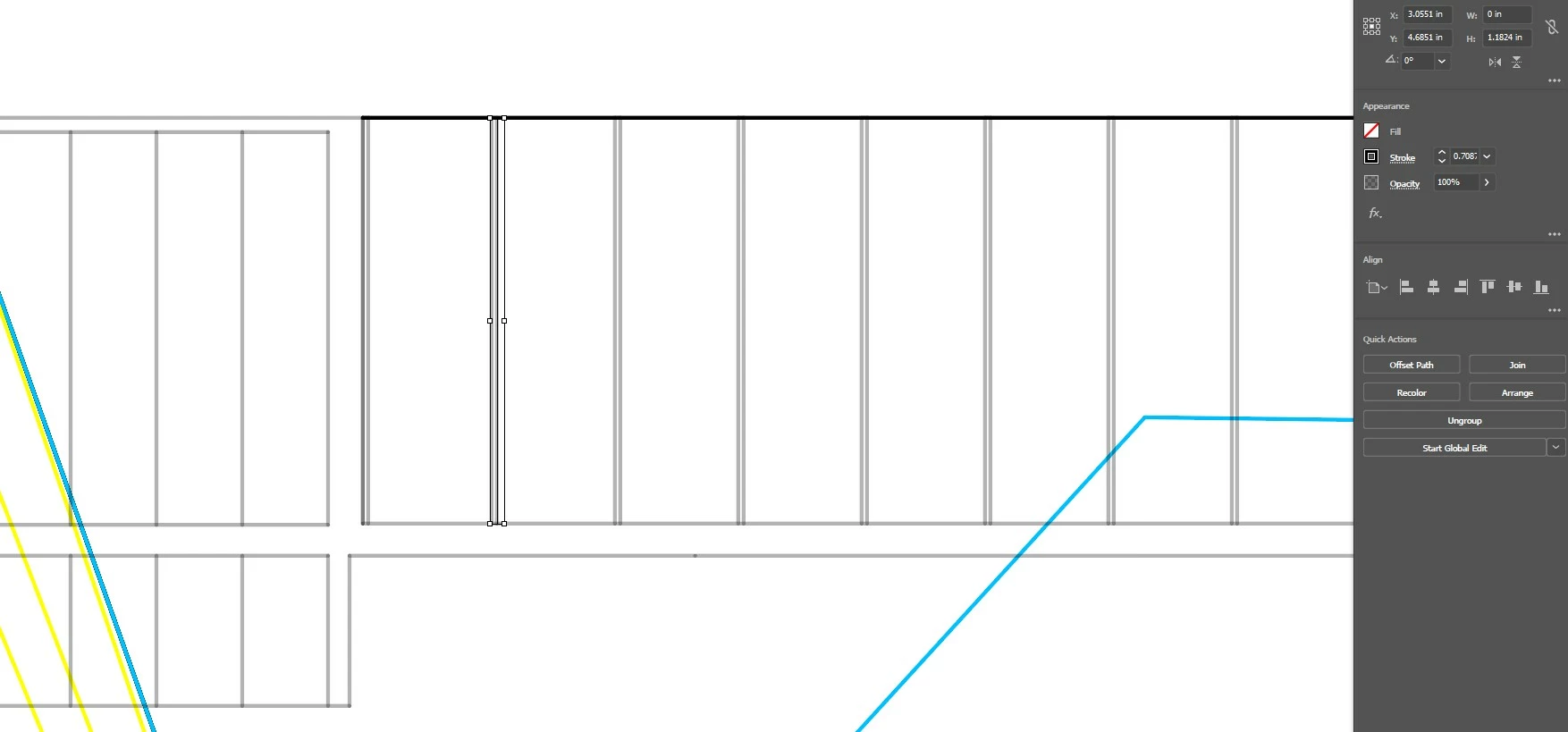
Hey there, I was exporting drawings from Autocad to Illustrator and it seems like some of the lines remain transparent although it is set at full opacity? I have tried using the Apparence panel, but it hasn't worked. I've been using Illustrator for quite a while now and this issue came recently. 
 

This topic has been closed for replies.

4 replies

rehana36276218
Known Participant
November 13, 2021

try to group ungroup these drawings , and then check appreance pannel and transparency panel , also check your color swatch in swatches pannel the cmyk ratio , check as well layers panel in illustrator if there is an  issue there, if not correct then reset illustrator 

Lukas Engqvist
Community Expert
Community Expert
November 13, 2021

From your image it is hard to see where you have a problem.


Opacity is just one property of a fill or stroke, it can be applied at any level ov heirarchy, Stroke, Fill, Object or Group.

There is also the concept of stacking or masking that can cause a stroke not to be visible.

Opacity is closely related to Blending Modes, and combining graphics depending on the individual colours and blend modes may produce results so that the top or bottom image is rendered other than it is created.


An object above another object will normally hide the object bellow.


Clipping and Maskling let you hide an object/group. 


The best place to see this is by learning to understand to decode information in the Layers and Appearance Pannel. If there is any kind of transparency or complex appearance you will see a filled circle next to the object. A stroke under an item heirarchy above the item you are having trouble with denotes that that object is Clipping, A Dashed Stroke under an object implies that that object has an Opacity Mask. I will not delve into Opacity Masks at this point more than to say that they exist.

To be able to help we would need ti clearly understant what you are expecting and what you are seeing as well as seeing a screenshot of the Layers (with the problem selected) and possibly the Appearance Panel (it the Appearance target is filled in)

Met1
Legend
November 12, 2021

I can't see what you mean from this screenshot, it looks like a black line is selected that is slightly offset to the right from two double gray lines behind it. Are you saying that when you de-select it disappears?

Is it part of a group, in a clipping mask, covered by a layer above?

Doug A Roberts
Community Expert
Community Expert
November 12, 2021

Can you select one of the transparent lines and show the appearance panel anyway?

ahthaiAuthor
Participating Frequently
November 12, 2021

What exactly do you mean?


ahthaiAuthor
Participating Frequently
November 12, 2021

When I click Shift+F6, the entire panel on the right side dissapears. It doesn't seem like the apparence box is showing.