Exit
  • Global community
    • Language:
      • Deutsch
      • English
      • Español
      • Français
      • Português
  • 日本語コミュニティ
  • 한국 커뮤니티
0

Offset Path menu is not working

Community Beginner ,
Sep 10, 2024 Sep 10, 2024

Hello,

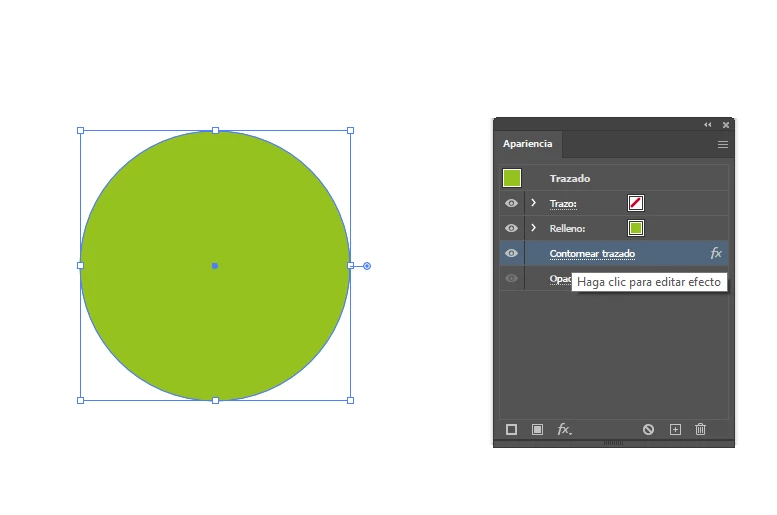
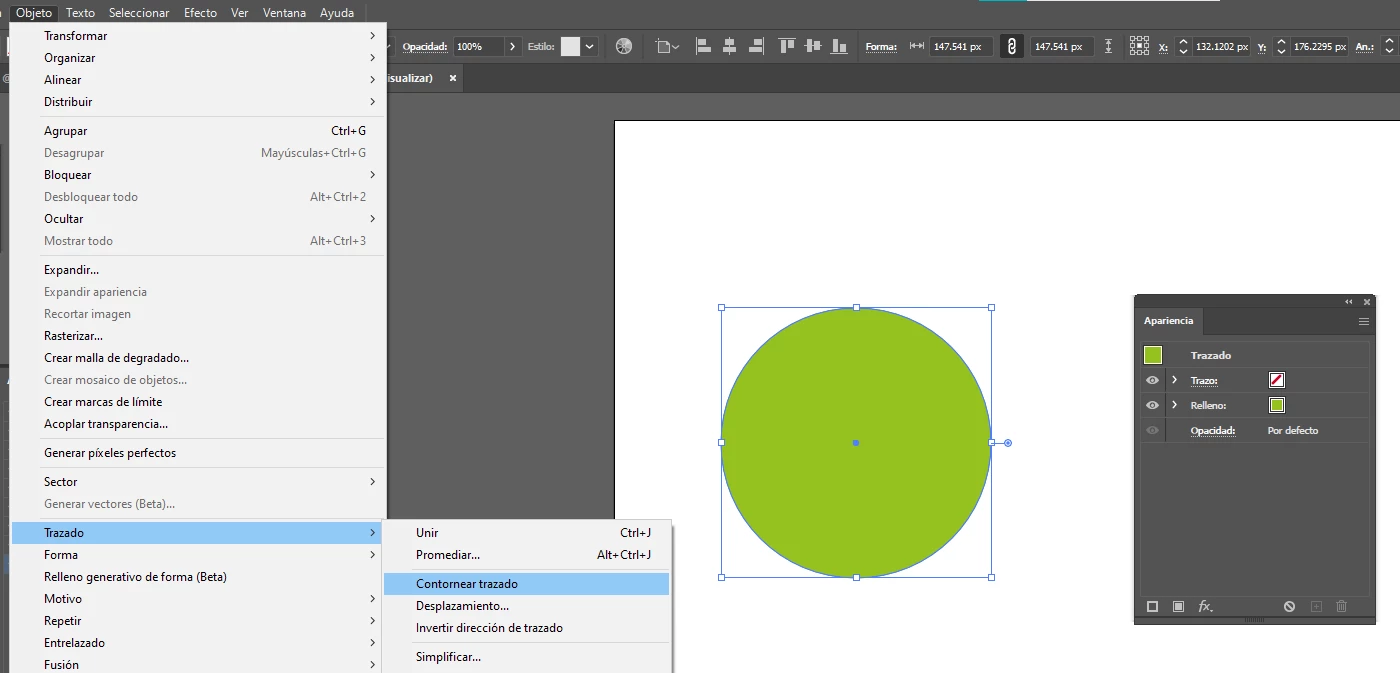
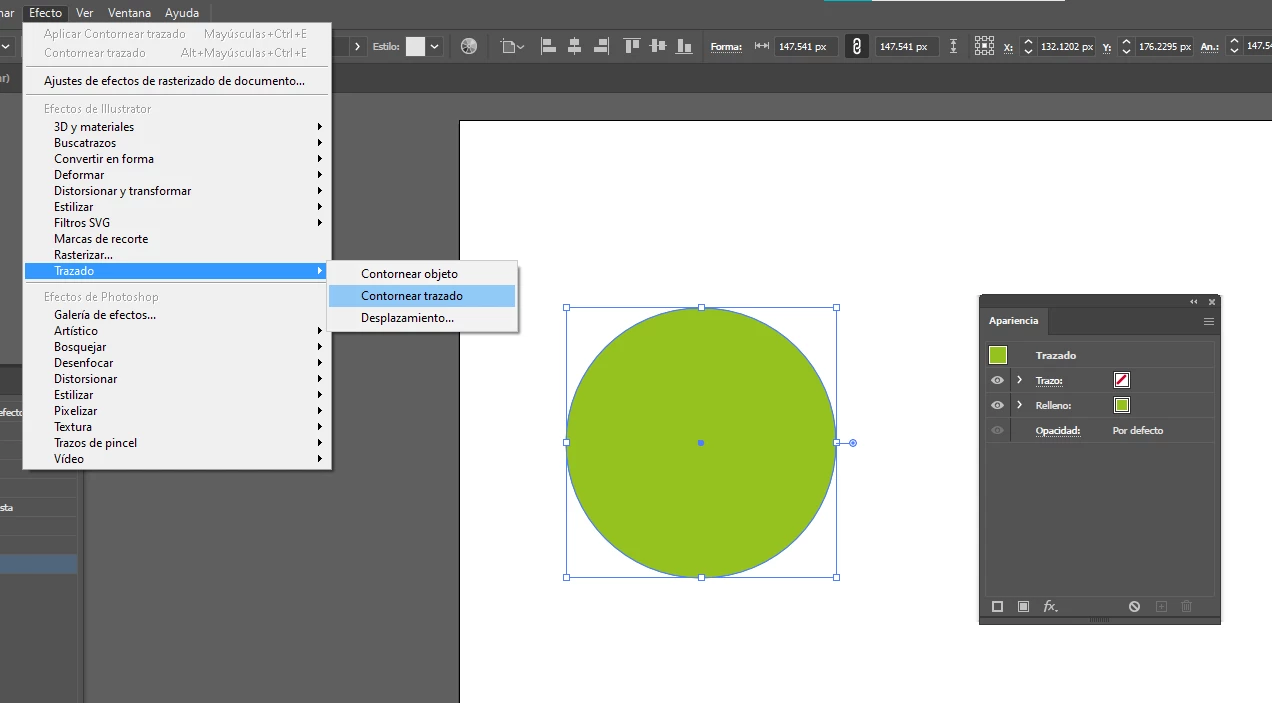
I'm trying to apply an offset effect on a shape, but the menu of options wont open. The effect does appear in the appearance window, but nothing happens when i click to edit the effect.


I'm doing it in Effects> Path> Offset Path , but Objetc> Path > Offset Path isn't working eather.


1.png2.png3.png

TOPICS
Bug , Draw and design , Tools
801
Translate
Report
Community guidelines
Be kind and respectful, give credit to the original source of content, and search for duplicates before posting. Learn more
community guidelines

correct answers 1 Correct answer

Community Expert , Sep 10, 2024 Sep 10, 2024

This is the appearance structure. The first offset path effect is positive, the second negative:

DougARoberts_0-1726001715347.png

You can apply it to a compound path rather than a compound shape, but you get a negative effect when objects intersect

Translate
Adobe
Community Expert ,
Sep 10, 2024 Sep 10, 2024

I think you'd have to choose the "Desplazamiento …" command to apply offset path.

Translate
Report
Community guidelines
Be kind and respectful, give credit to the original source of content, and search for duplicates before posting. Learn more
community guidelines
Community Expert ,
Sep 10, 2024 Sep 10, 2024

You've applied 'Outline Stroke' in that screenshot.

Translate
Report
Community guidelines
Be kind and respectful, give credit to the original source of content, and search for duplicates before posting. Learn more
community guidelines
Community Beginner ,
Sep 10, 2024 Sep 10, 2024

SORRY,  Outline Stroke is the effect thats not working for me, I was using both effects on different shapes  and confound the names in english. 

Translate
Report
Community guidelines
Be kind and respectful, give credit to the original source of content, and search for duplicates before posting. Learn more
community guidelines
Community Expert ,
Sep 10, 2024 Sep 10, 2024

There is no stroke on that object to outline.

Also, the Outline Stroke effect only really works in combination with other effects. What are you trying to do with it?

Translate
Report
Community guidelines
Be kind and respectful, give credit to the original source of content, and search for duplicates before posting. Learn more
community guidelines
Community Beginner ,
Sep 10, 2024 Sep 10, 2024

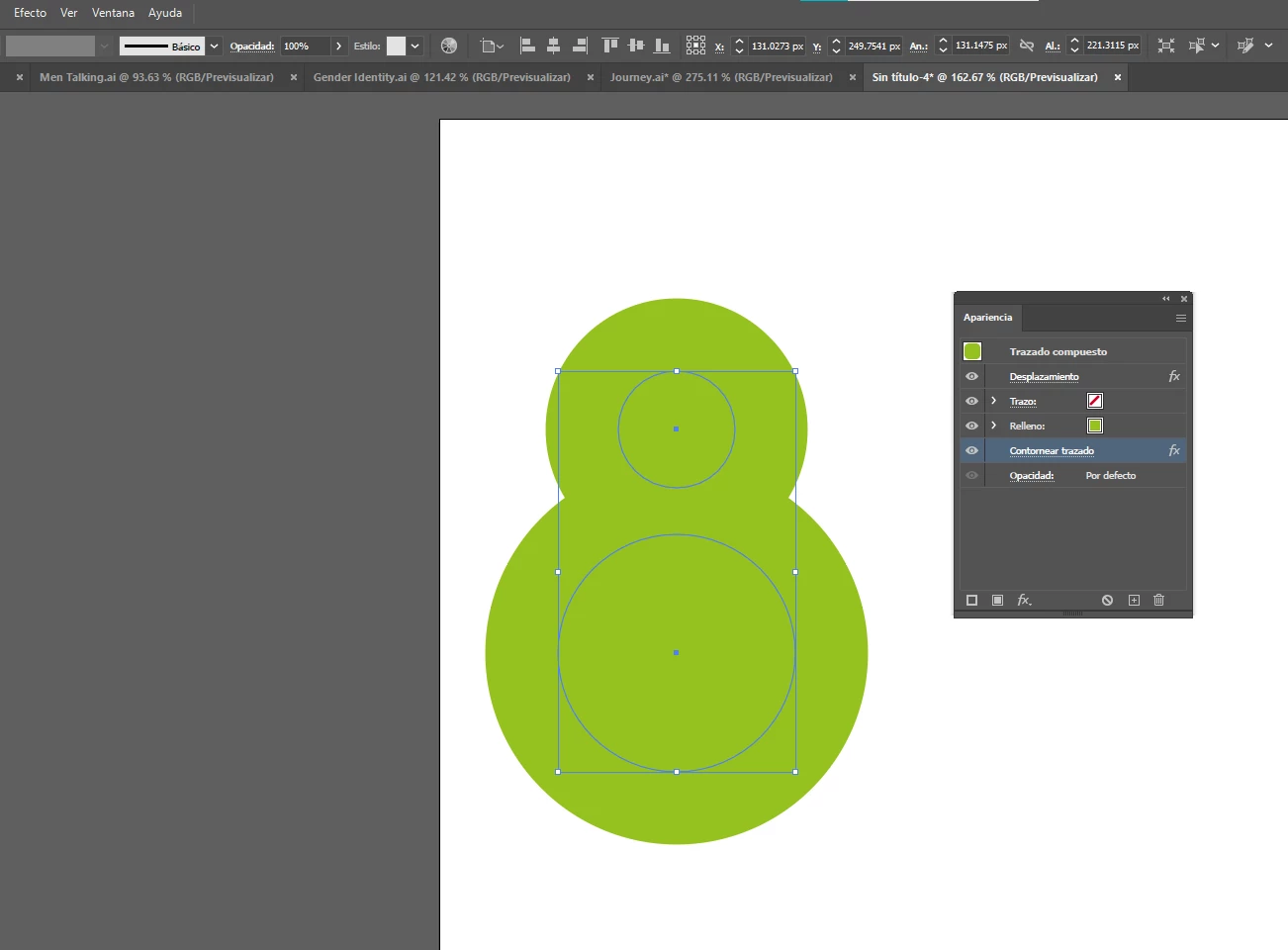
Well, I was trying to make a really cool effect that I know as "Metaball". Its not my first time doing it, but its the first time after some Illustrator updates, so I just wanna check if it's a bug.
The efect create some sort of "liquid" form, like the things floating in a lava lamp. The steps are: 

- Create two objetcs (circles most of the time) one near to each other, and one of them smaller

- Make both objets a Compound Path

-Aply an Offset Path effect with rounded joins

-Apply a Outline Stroke effect where que offset is the same as the offset path but negative, with rounded joins to.

And thats it. But the menu for the outline stroke just doesnt appeare to me anymore 😞 
 

cristinap55999163_0-1726000837879.png


Translate
Report
Community guidelines
Be kind and respectful, give credit to the original source of content, and search for duplicates before posting. Learn more
community guidelines
Community Expert ,
Sep 10, 2024 Sep 10, 2024

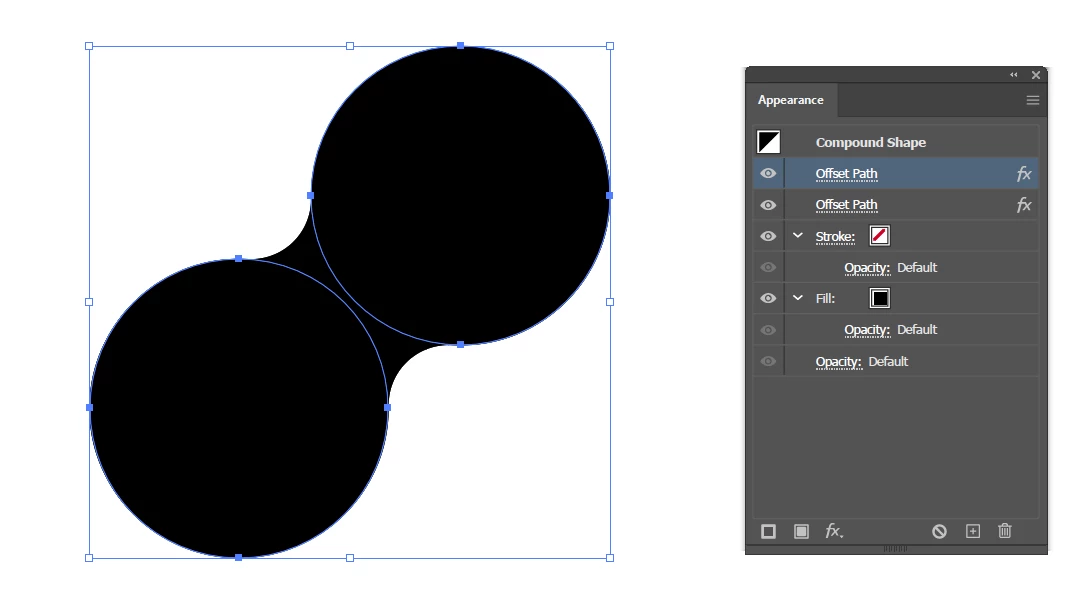
You can do that with two Offset Path effects. No Outline Stroke effect required.


Also, the Outline Stroke effect has no options dialog, just in case you may think so.

Translate
Report
Community guidelines
Be kind and respectful, give credit to the original source of content, and search for duplicates before posting. Learn more
community guidelines
Community Expert ,
Sep 10, 2024 Sep 10, 2024

This is the appearance structure. The first offset path effect is positive, the second negative:
DougARoberts_0-1726001715347.png

You can apply it to a compound path rather than a compound shape, but you get a negative effect when objects intersect

Translate
Report
Community guidelines
Be kind and respectful, give credit to the original source of content, and search for duplicates before posting. Learn more
community guidelines
Community Beginner ,
Sep 10, 2024 Sep 10, 2024
LATEST

Ooo yes that is it, i need to do this more times to remember it thnks 🙂 

Translate
Report
Community guidelines
Be kind and respectful, give credit to the original source of content, and search for duplicates before posting. Learn more
community guidelines