
Participant
September 21, 2020
Answered

Opciones de importación de texto - Error - Perdí todo mi trabajo

  • September 21, 2020
  • 3 replies
  • 14088 views

Hola! Anoche estaba realizando un póster con ilustraciones isométricas y un breve texto, para una tarea de la universidad.


Lo guardaba constantemente y todo normal.


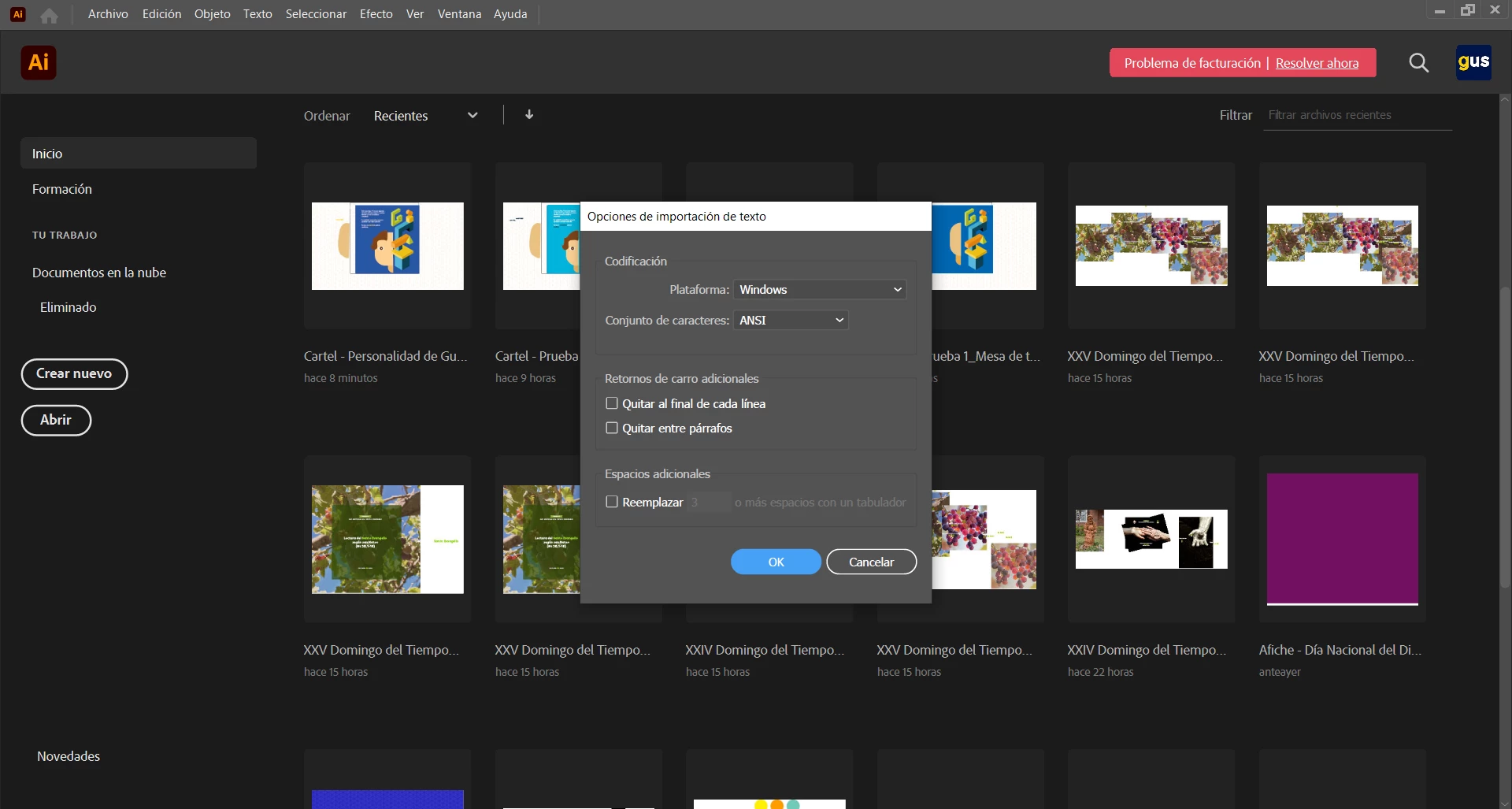
Sin embargo hoy cuando intenté abrirlo me salío esta ventana (en la foto de abajo) y al abrir el archivo, aparece una mesa de trabajo abslutmanete en blanco y con nada del trabajo, a pesar de que en la previsualización del archivo si se ve. 


Tengo Windows 10 y uso Illustrator 2020. Agradecería mucho que alguien pudiera ayudarme 🙂
 

This topic has been closed for replies.
Correct answer Anshul_Saini

Hi @Omar24555423t7mq,


Sorry to hear about that. Generally, when the "text import option" dialog box pops up after opening a file, it means the file has gotten corrupted, but you may upload it to CC and share the download link here or via DM. I will share it with the product team and get it checked.
I must also inform you that file recovery can't be guaranteed with a 100% success. We'll surely try our best.


Please confirm where you saved this file initially and where it is currently stored when you tried opening it (Network Drive/ System HDD/ Shared Folder on System/ External HDD)?


Also, I would suggest you use Cloud Documents to save your work as there is little to no chance of corruption. For more details, you may visit this helpx article (https://helpx.adobe.com/illustrator/using/cloud-documents.html) and learn how to save your work as cloud documents and how they can be useful for your workflow.


I will be looking forward to your response.


Thanks & Regards,

Anshul Saini

3 replies

Participant
May 22, 2022

Hola, a mi también me sale la misma ventana y es extraño por que solo es en dos archivos y no encuentro solución al problema, espero alguien me pueda ayudar como solucionarlo.

Anshul_Saini
Community Manager
Anshul_SainiCommunity ManagerCorrect answer
Community Manager
May 26, 2022

Hi @Omar24555423t7mq,


Sorry to hear about that. Generally, when the "text import option" dialog box pops up after opening a file, it means the file has gotten corrupted, but you may upload it to CC and share the download link here or via DM. I will share it with the product team and get it checked.
I must also inform you that file recovery can't be guaranteed with a 100% success. We'll surely try our best.


Please confirm where you saved this file initially and where it is currently stored when you tried opening it (Network Drive/ System HDD/ Shared Folder on System/ External HDD)?


Also, I would suggest you use Cloud Documents to save your work as there is little to no chance of corruption. For more details, you may visit this helpx article (https://helpx.adobe.com/illustrator/using/cloud-documents.html) and learn how to save your work as cloud documents and how they can be useful for your workflow.


I will be looking forward to your response.


Thanks & Regards,

Anshul Saini

Ashutosh_Mishra
Inspiring
September 26, 2020

Hi there,


Sorry to hear about this. In addition to what Carlos has suggested, you may also follow instructions given on this help article to troubleshoot similar scenario. Hope it helps.


Regards,

Ashutosh

carlosgarro
Community Expert
Community Expert
September 21, 2020

Hola:

Muchas veces esto ocurre porque el archivo se está salvando en una carpeta que se sincroniza con algún servicio como Dropbox o OneDrive.

Cierra el Illustrator, suspende temporalmente la sincronización de archivos y trata de abrir el archivo nuevamente.

La otra es que el archivo se corrompio por motivos desconocidos.

Dale un vistazo a este post: https://helpx.adobe.com/illustrator/kb/troubleshoot-damaged-illustrator-files.html

Y a este otro: https://community.adobe.com/t5/illustrator/text-import-option-window/td-p/9691061?page=1

Saludos