Participant
July 12, 2017
Answered

OPEN TYPE - SWASH

  • July 12, 2017
  • 5 replies
  • 3888 views

WINDOW 10

ILLUSTRATOR CC

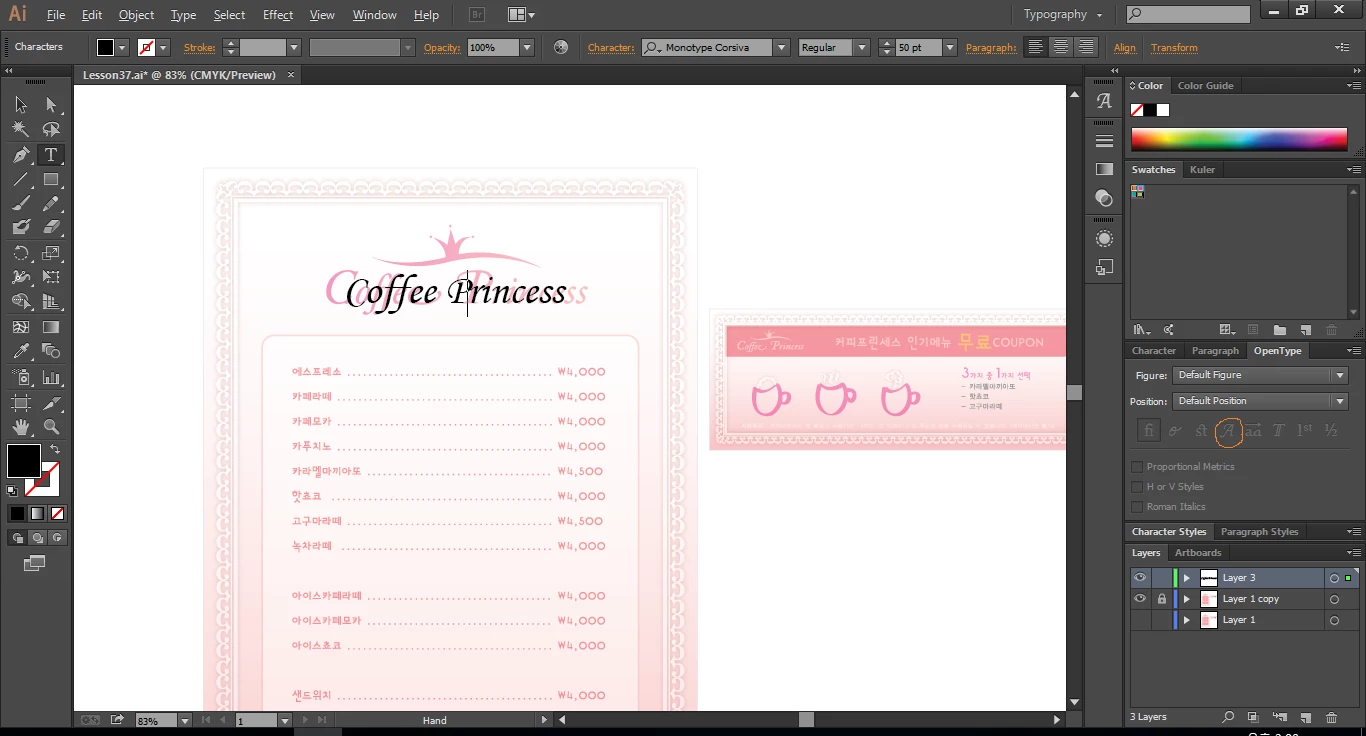
How can I use OPEN TYPE - SWASH(RIGHT)?

Is it impossible  with the font, MONOTYPE CORSIVA?

    This topic has been closed for replies.
    Correct answer Bill Silbert

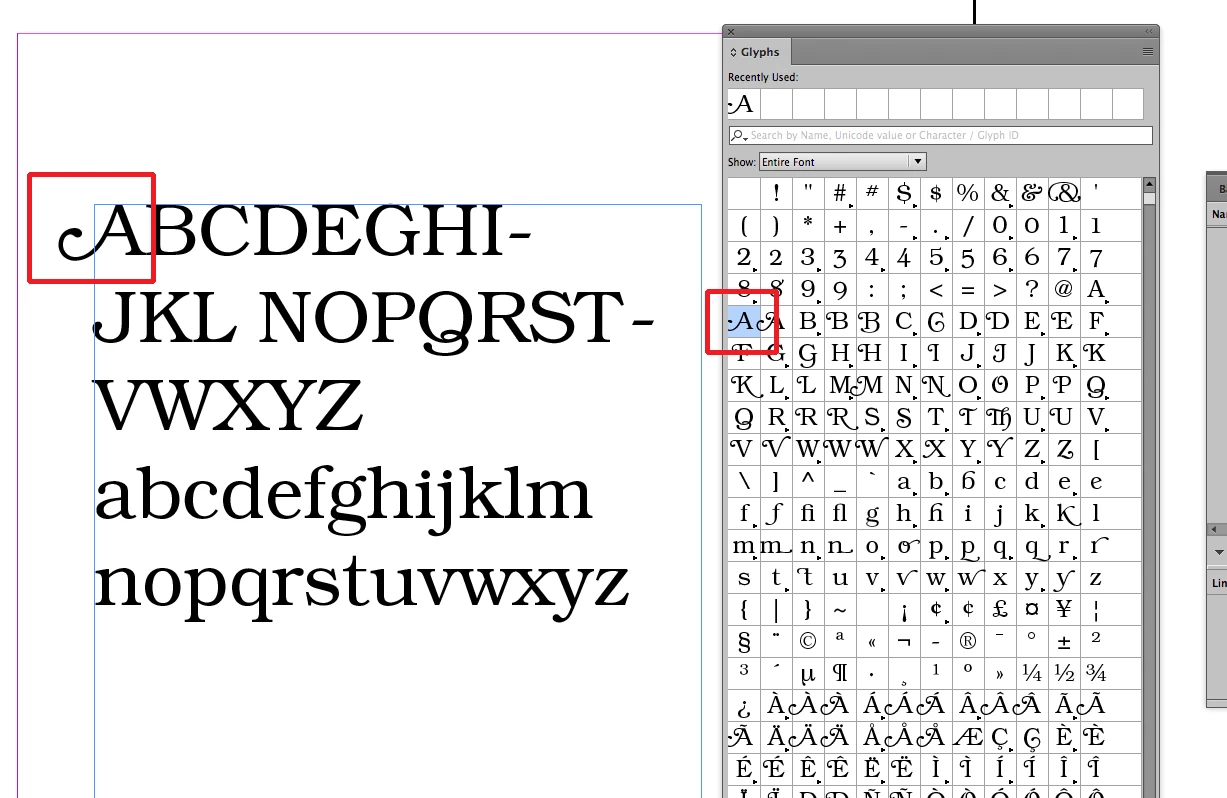
    The use of swashes as alternate characters applies only to certain fonts that come with these specific characters (known as glyphs). It's a little hard to find fonts that have them but doing searches on different font sites will inevitably turn up the names of some that do. Look for OpenType versions of fonts since they have many more glyphs provided per font than either Truetype or Postscript Type 1 fonts. Once you've found a font it is easy to substitute swash glyphs for regular ones using Illustrator's glyphs panel. The example below uses Bookman ITC Std:
    5 replies

    JonathanArias
    Legend
    July 12, 2017

    correct, yes.

    JonathanArias
    Legend
    July 12, 2017

    if the option is not available on the swatch pallet it means that feature is not available with that font you are using.

    Bill Silbert
    Community Expert
    Community Expert
    July 12, 2017

    JonathanArias  wrote

    if the option is not available on the swatch pallet it means that feature is not available with that font you are using.

    I assume that Jonathan actually meant to say Glyphs Panel.

    Bill Silbert
    Community Expert
    Bill SilbertCommunity ExpertCorrect answer
    Community Expert
    July 12, 2017

    The use of swashes as alternate characters applies only to certain fonts that come with these specific characters (known as glyphs). It's a little hard to find fonts that have them but doing searches on different font sites will inevitably turn up the names of some that do. Look for OpenType versions of fonts since they have many more glyphs provided per font than either Truetype or Postscript Type 1 fonts. Once you've found a font it is easy to substitute swash glyphs for regular ones using Illustrator's glyphs panel. The example below uses Bookman ITC Std:

    Jongware
    Community Expert
    Community Expert
    July 12, 2017

    Yes it is impossible. Monotype Corsiva does not contain Swashes. The "Swash" function does not add swashes to any existing font, it just enables it if present in that font. And that's exactly why the button is disabled.

    It's not a limitation of (presumably) the Microsoft version that you have, the official dealer also does not claim it contains swashes: Monotype Corsiva® Italic Font - Licensing Options | Linotype.com

    Ton Frederiks
    Community Expert
    Community Expert
    July 12, 2017

    I don not have the font to check.

    If the font contains Swash characters you can turn them on by checking the Swash icon in the View > Type > Glyphs panel.