Hi @tuilorraine
Which workspace are you using? If you are using Essentials, then by default you are getting the Basic toolbar, which does not have all of the tools. If you are using Essentials Classic, the Default is the Advanced toolbar with all of the tools.
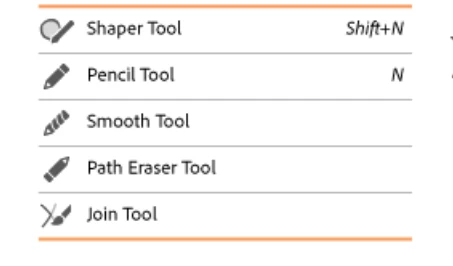
The Pencil tool is in the same group with the Shaper tool. The Shaper tool is in front by default. You can drag out tools that you don't use and then save it as a new toolbar.
@tuilorraine wrote:
The drawer also looks very "greyed out" as though it has no intention of doing what it's told.
When the tools in the Edit Toolbar window are grayed out, it means they are already in your toolbar.
See this Help file:
https://helpx.adobe.com/illustrator/user-guide.html/illustrator/using/tools.ug.html
and ask here if you have more questions.
~ Jane


 AdChoices