
Outline Issue Adobe Illustrator
I was working on something in Adobe Illustrator when suddenly i noticed an issue with the outline of shapes. I have no clue what might have prompted this sudden change but as you can see from the pictures below, when zoomed out, the outline looks uneven in width and colour, however gets better when zoomed in (although not perfect).
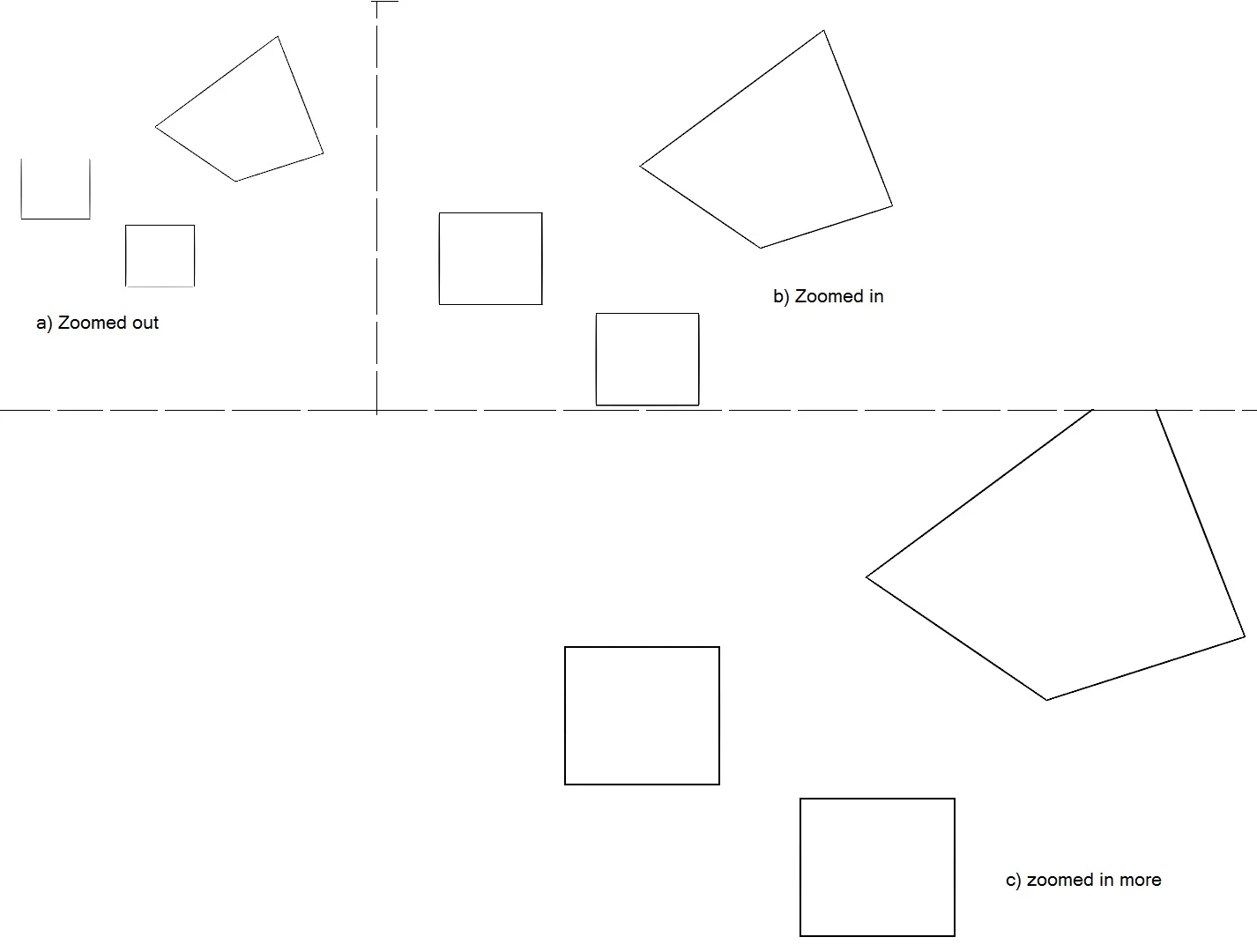
The squares were created using the rectangle tool, however in part (a), while zoomed out, the top of the square is completely cut off. The top of the square then becomes visible when zooming in (as shown in (b) and (c) ), however, it is still uneven.
Also, when i zoom into the square a bit more, there seem to be some slight imperfections in the corners (which end up fixing themselves up when i continue to zoom in further)
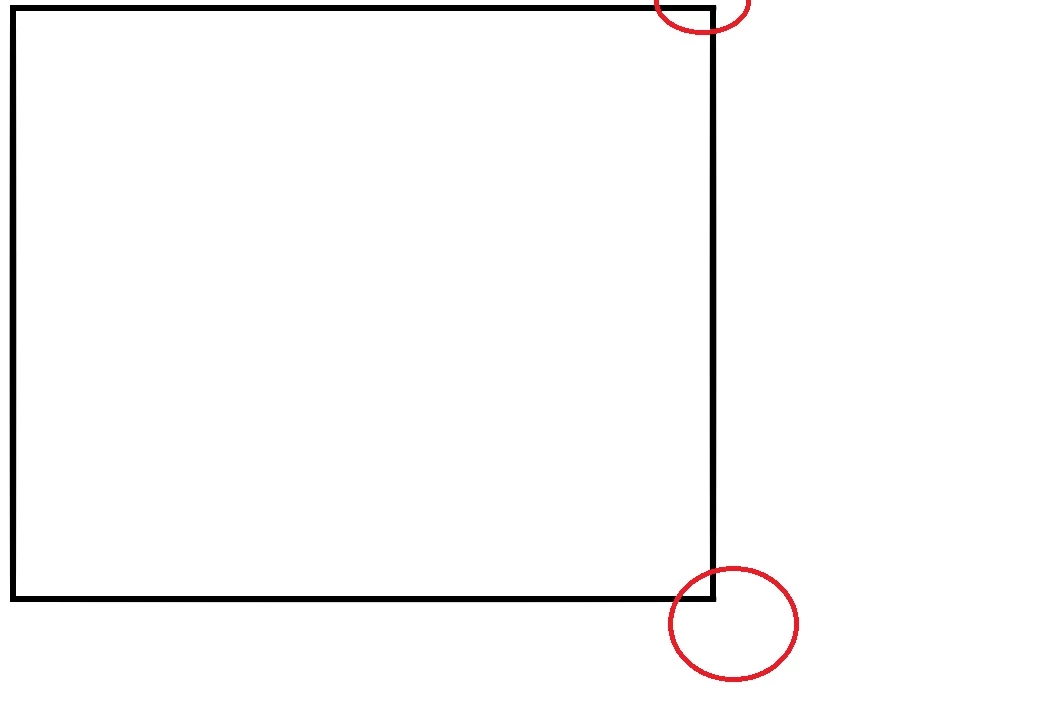
It may be difficult to see, but the uneven side lengths are certainly there.
If anyone has any insight as to what the issue may be, the help would be greatly appreciated.
 AdChoices