
Outline path not working
Urgent request that's stopping publication: I am the creator of a railway track map book. Until today, I was able to use Object->Path->Outline Stroke to take a line (i.e. an open path), and turn it into a closed path that I can apply a stroke to. This is required to give a thin 0.1pt stroke to a faint yellow line so it will be visible on the printed page.
When I use the same process I've used for years now, the path in the middle of the stroke remains of the same appearance, but with infinitely more handles, plus a few of what look like small "bullseye" style symbols appear as well.
If I draw a line with the pen tool and stroke that path it works, but if I use any existing line, also created with the pen tool, it fails. 100% repeatable and it's preventing me from going to press. I'm willing to hire someone, if necessary, to figure out what's wrong here because without this feature I cannot publish.
This is how it looks after applying the Outline Stroke feature now. It looked the same "before," except far fewer handles. Yet if I create a line immediately beside the path, in the same layer, it behaves correctly.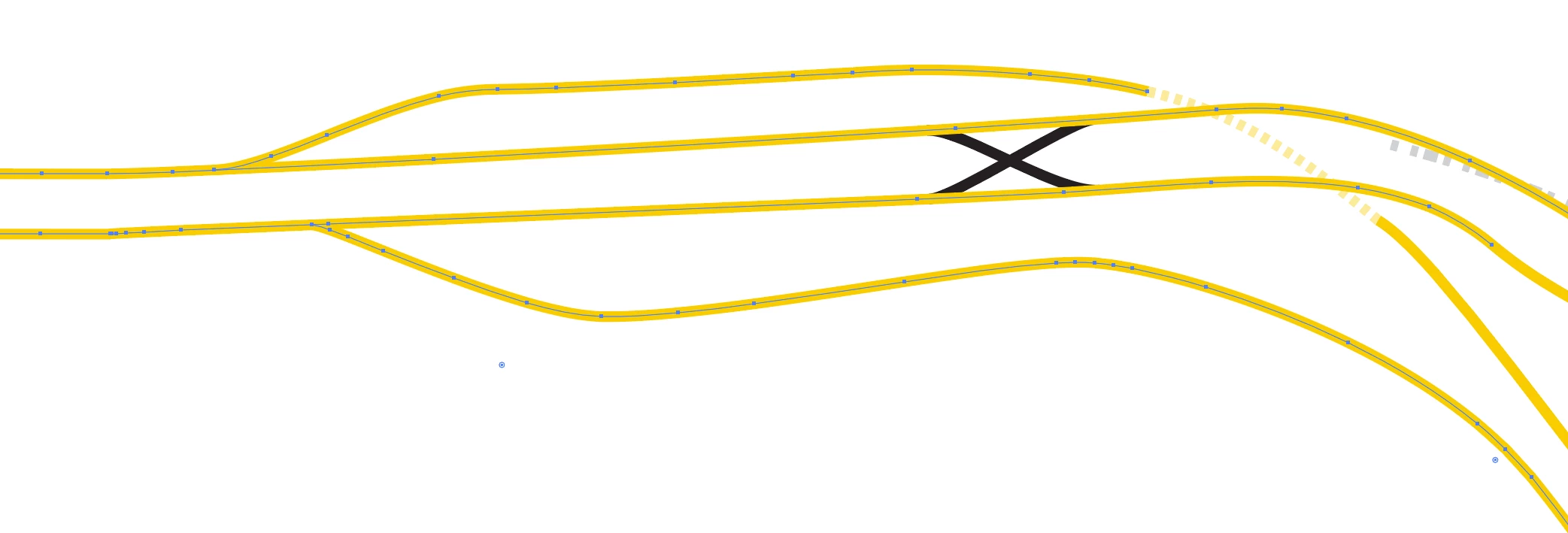
And from the exact same file, with absolutely nothing changed or different earlier today:
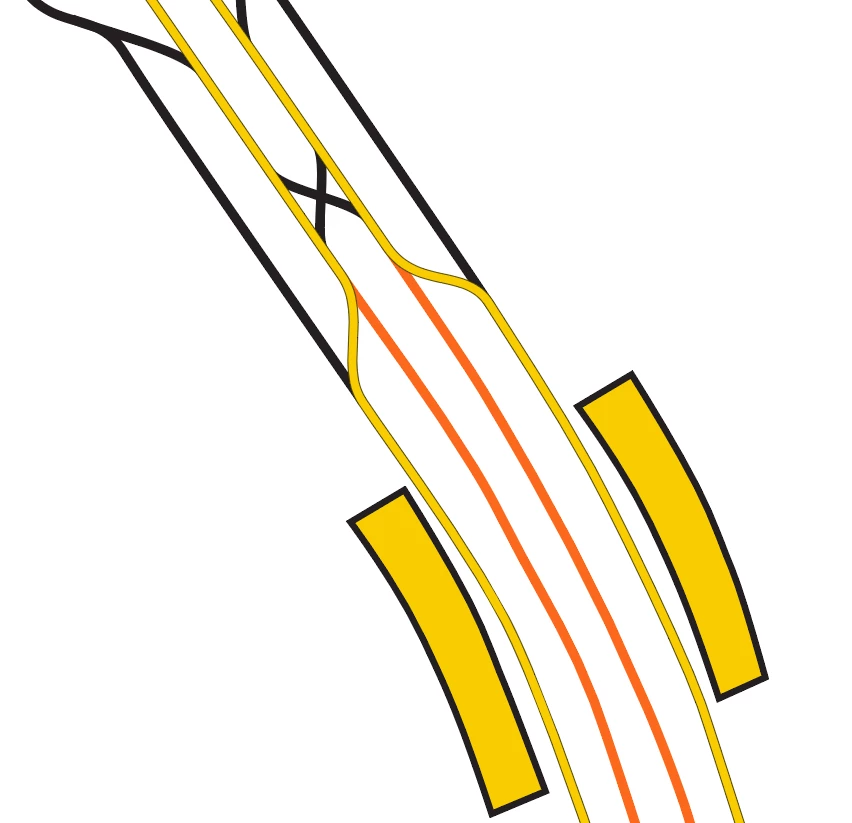
This is precisely what I need to do with yellow lines, and it's worked the same way for many years. Help! Please!!
 AdChoices