MahaB82A
April 2, 2025
Answered

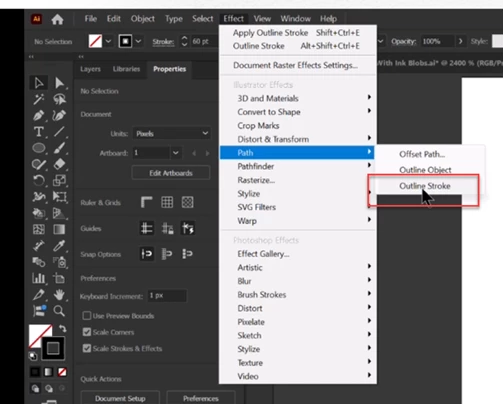
Outline Stroke

  • April 2, 2025
  • 2 replies
  • 737 views

What are changes take place when you Outlined the Stroke because I cannot see any changes in the image? 
 

Correct answer Monika Gause

You cannot see that, but it prepares the artwork for something else to happen later.


Like here: https://youtu.be/HDo3c5CKsRg 

2 replies

Monika Gause
Community Expert
Monika GauseCommunity ExpertCorrect answer
Community Expert
April 2, 2025

You cannot see that, but it prepares the artwork for something else to happen later.


Like here: https://youtu.be/HDo3c5CKsRg 

MahaB82A
MahaB82AAuthor
April 2, 2025

Thanks.

April 2, 2025

Hey @MahaB82A 

"It's a simple way to convert a path with a thick stroke into an object and then use it as a building block in your designs. Adobe Illustrator turns your object's stroke value into the dimensions of a new shape."

Outline Stroke is quite useful when you want to make adjustments to a certain "Font Style". Maybe you want to make the Font style thinker, thinner, wavy, or you simply just want to modify the text to suit your project.

Diana Toma

Cheers

O.Nate

Monika Gause
Community Expert
Community Expert
April 2, 2025

If you want to make a font thicker or thiner, just apple the Offset path effect.
