
Answered
Paint bucket help
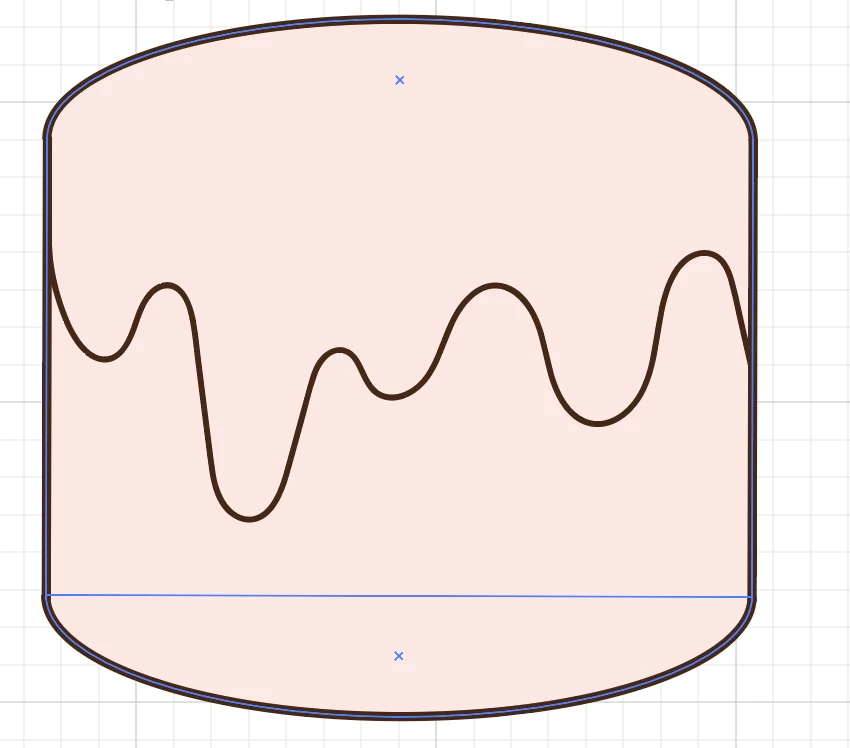
HELLO, I'm new to Illustrator and anything adobe related. I've been trying to figure this out for hours and it's driving me crazy because it's such a simple thing to do and I so far can't find anything online that helps me. The dripping line in the middle is a separate stroke from the cylinder shape, however, I want the top part and bottom part (dripping line being divider) to be two different colours. Everytime I use the paint bucket option, it just fills in the entire thing, which I don't want. How do I combine my stroke to another shape so that the cylinder can have two colours (top and bottom).
THANK YOUU & pls help me
 AdChoices