
Inspiring
January 26, 2020
Answered

Palettes on 2nd monitor look clunky and large - Illustrator

  • January 26, 2020
  • 1 reply
  • 566 views

Illustrator 2020, Mac Mojave -- just setting up a brand new computer. My palettes in InDesign and Photoshop on the 2nd monitor look correct. In Illustrator they seem about 20-25 larger, and the text is not sharp. Overall they appear blurry.  Any ideas to correct that ?  I have used this 20" Apple Cinema Display for years as my 2nd monitor, and it just came off my older system - where it worked fine.
This topic has been closed for replies.
Correct answer CMcDowall

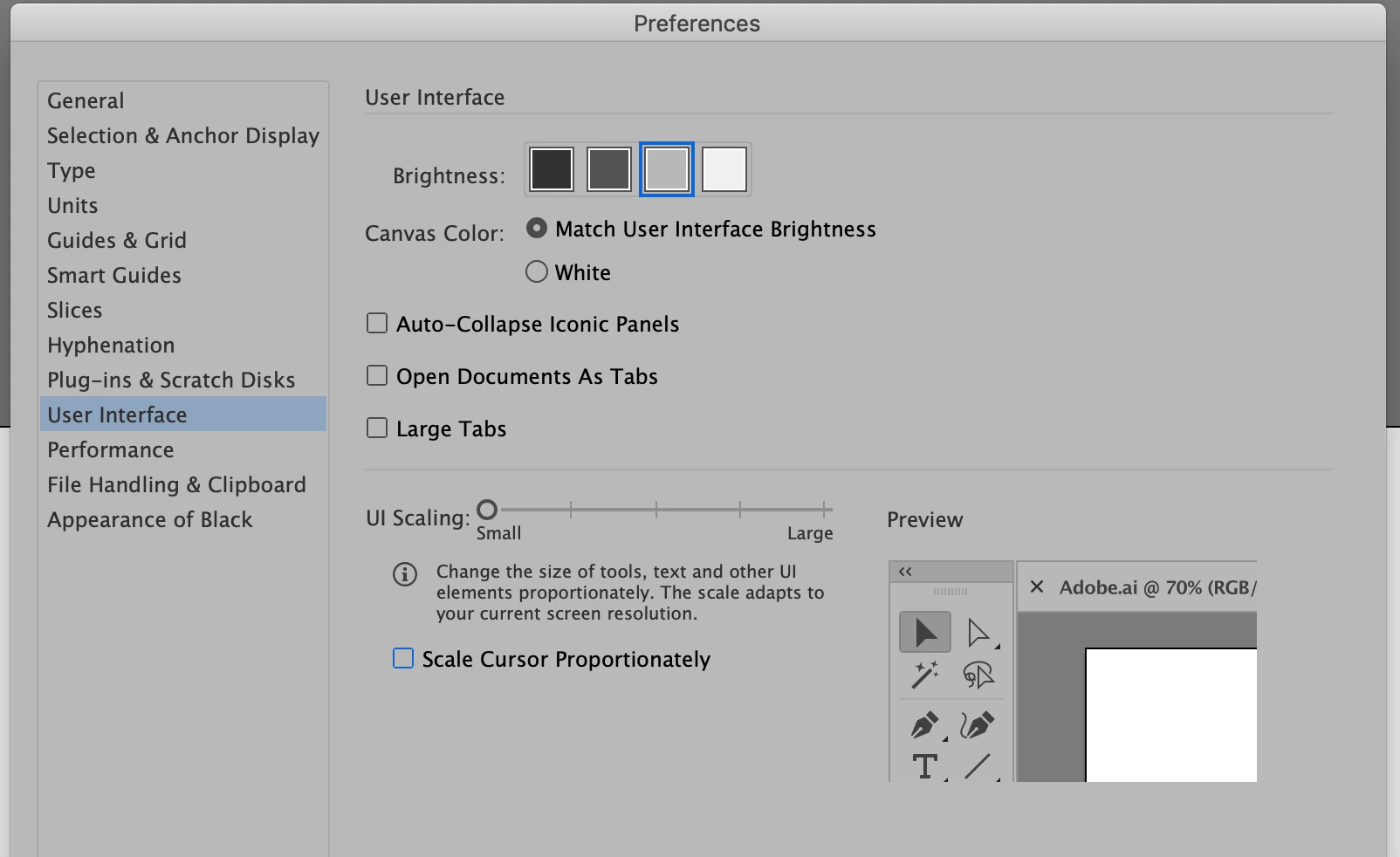
The solution to this is in the Illustrator > Preferences > User Interface.

Under "UI scale", I set the slider to small (one click to the left), and after a restart, the palettes shrunk down quite a lot, and opened up much of the 2nd monitor screen. Solved (thanks to a similar post from 2015).

1 reply

Monika Gause
Community Expert
Community Expert
January 26, 2020

It's maybe not compatible with your graphic card.

CMcDowallAuthor
Inspiring
January 26, 2020

I will have a look at that, perhaps you are right.