Participating Frequently
October 28, 2023
Answered

Pantone color issue

  • October 28, 2023
  • 3 replies
  • 679 views

How can I find or add "2228C" pantone color in Pantone Solid Uncoated library. Currently not available this color in Adobe Illustrator. 

This topic has been closed for replies.
Correct answer silk-m

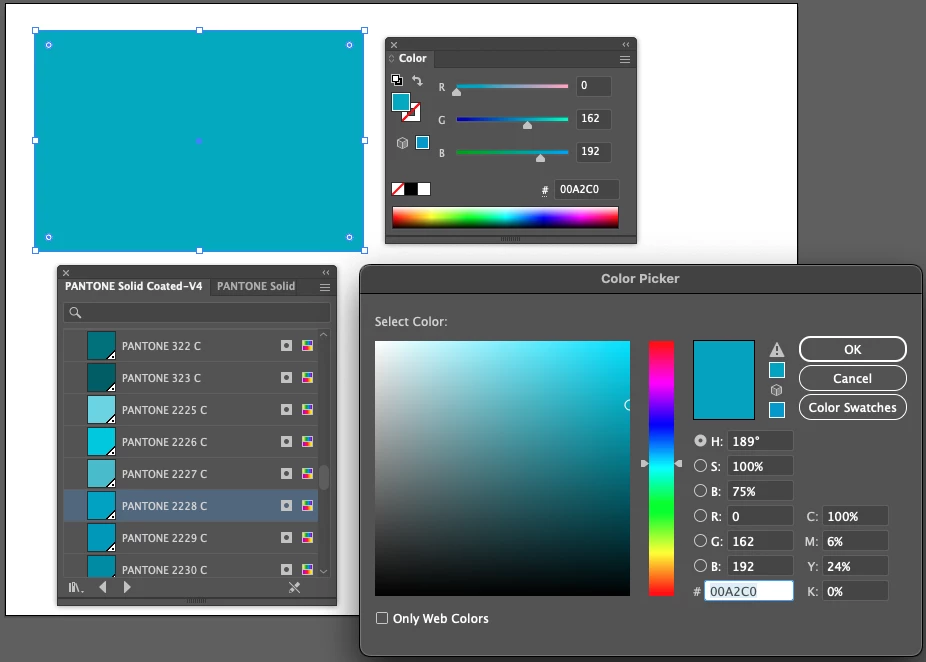
Pantone 2228C is a relatively new color that is not included in "PANTONE+ Solid Coated.acb" that was previously bundled with Adobe.
It was possible to install Pantone Color Manager when it was available, but it has now been discontinued by Pantone.


"2228C" is Pantone Solid Coated

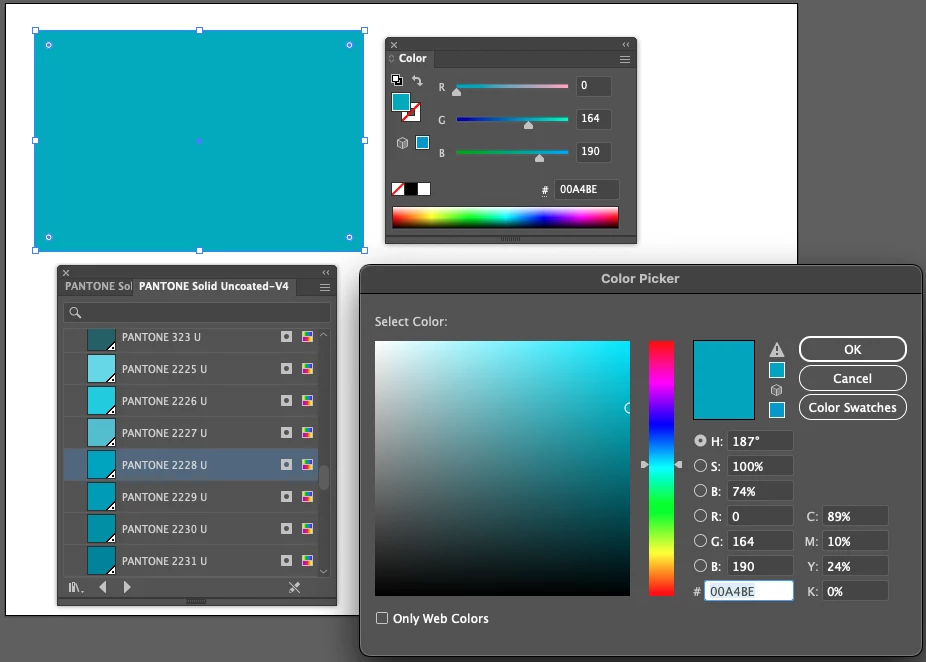
"2228U" is Pantone Solid Uncoated


The RGB values are as follows.
3 replies

silk-m
Community Expert
silk-mCommunity ExpertCorrect answer
Community Expert
October 28, 2023

Pantone 2228C is a relatively new color that is not included in "PANTONE+ Solid Coated.acb" that was previously bundled with Adobe.
It was possible to install Pantone Color Manager when it was available, but it has now been discontinued by Pantone.


"2228C" is Pantone Solid Coated

"2228U" is Pantone Solid Uncoated


The RGB values are as follows.
--Susumu Iwasaki
Community Expert
October 29, 2023

One nice thing is Adobe Illustrator will apparently preserve the 2228 U spot color when opening an AI file created by a rival application that has newer Pantone color books. I ran a test to see if the spot color would turn black when the file was opened in Illustrator. It looks alright to me.

Monika Gause
Community Expert
Community Expert
October 29, 2023

That turning black doesn't even happen in Photoshop anymore. 


Community Expert
October 28, 2023

The 2228 C spot color (or 2228 U for uncoated) is a newer color not available in any of the Pantone swatch books that used to be included in Adobe's applications. Pantone's idea is that you subscribe to their Connect service (for $14.99 per month or $89.99 per year) just to get some updated digital swatch books. Rival applications such as CorelDRAW and Affinity Designer still have Pantone swatch books included and those are up to date in the current versions of those applications.


I wonder how Pantone's "strategy" is working out for them. 

Monika Gause
Community Expert
Community Expert
October 28, 2023

So you have that library? Ported from an old version of Illustrator?


Maybe the color is just too new. Then you will need either Pantone Connect or just set up a spot color swatch, call the exact same name you need and set it up to roughly that color for preview. Talk to the printer about the matter.