

Paragraph justification Ai vs ID
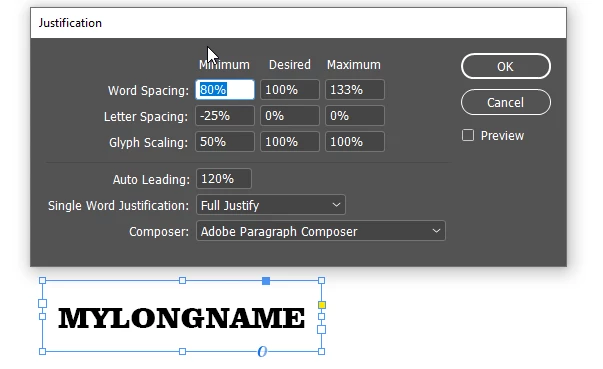
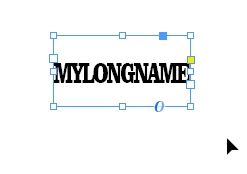
I used the justification settings in InDesign to set the glyph scaling to 50% minimum, 100% desired and 100% maximum. When I decreased the width of the text frame in InDesign, the text inside came closer and closer together per the letter spacing settings, then it scaled down the width of the glyphs and the text became compacted inside as expected.
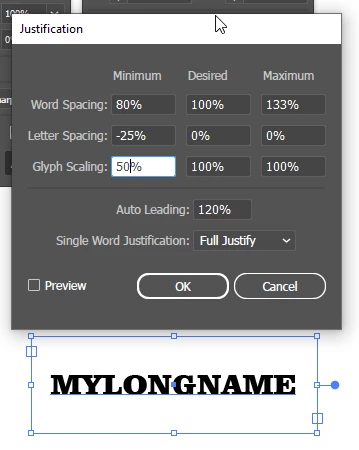
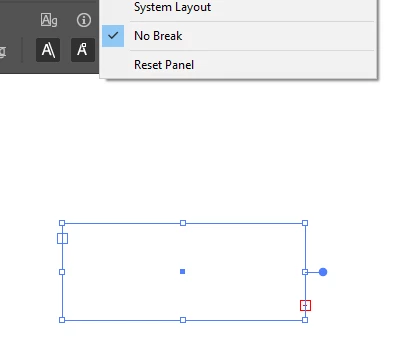
However, in Illustrator all the same settings are available but they just don't work. Decreasing the width of the Illustrator text frame just makes the text wrap, or disappear completely if "No Break" is set in the characters panel. The only time it seems to have any effect is if I set the paragraph justification to 'full justify' and then the text letters get spread out to where they touch the sides of the text frame at all times. But this isn't what I want, I want it to squish down like in InDesign such as when you widen the text frame, the characters will stay in the middle and only decrease in size and spacing when the text gets smaller.
Is this a bug/feature that there's a secret workaround for, or has it been like this for decades and everyone just lives with it?
ILLUSTRATOR:
INDESIGN:
 AdChoices