Participant
April 23, 2023
Answered

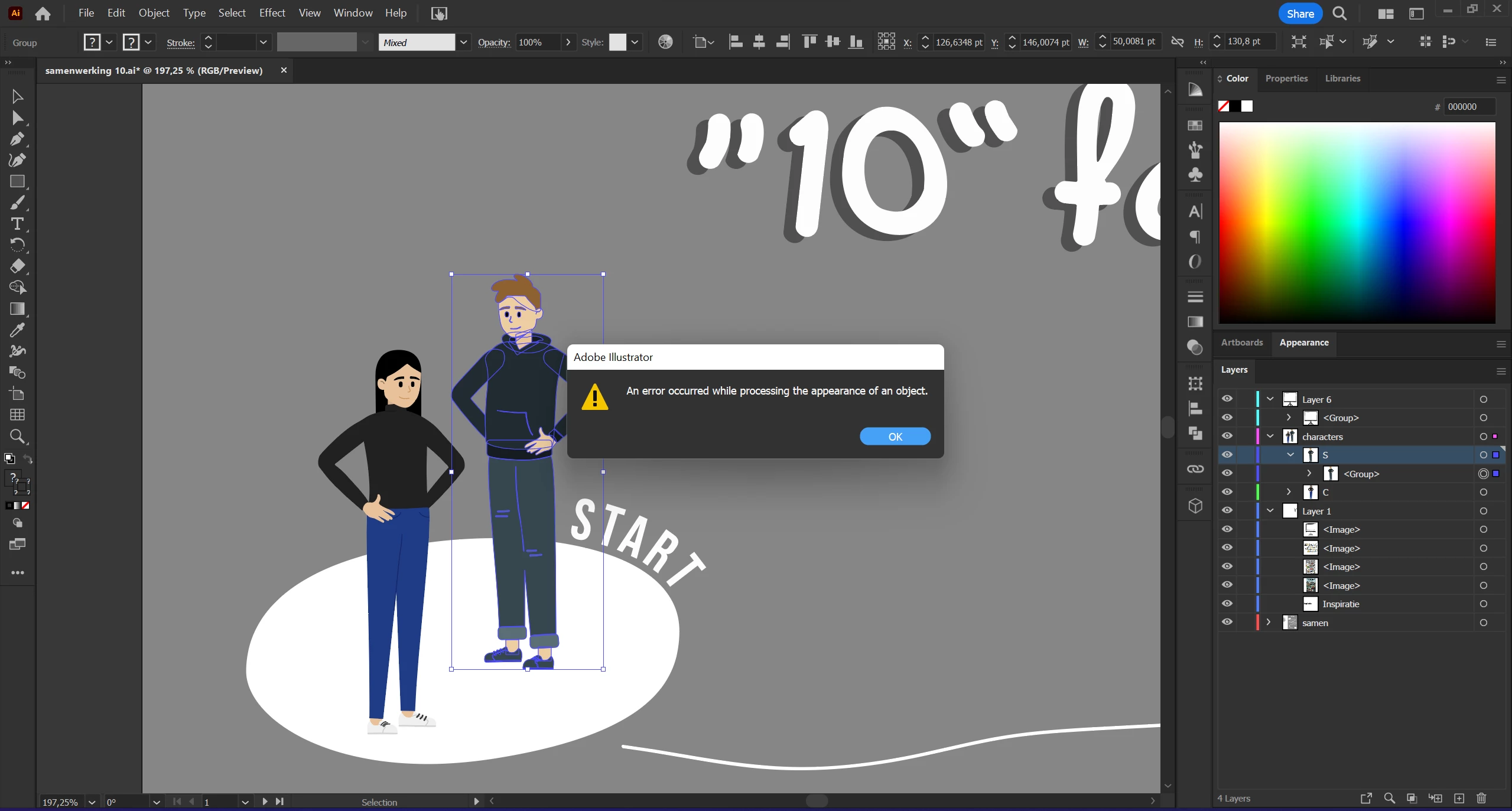
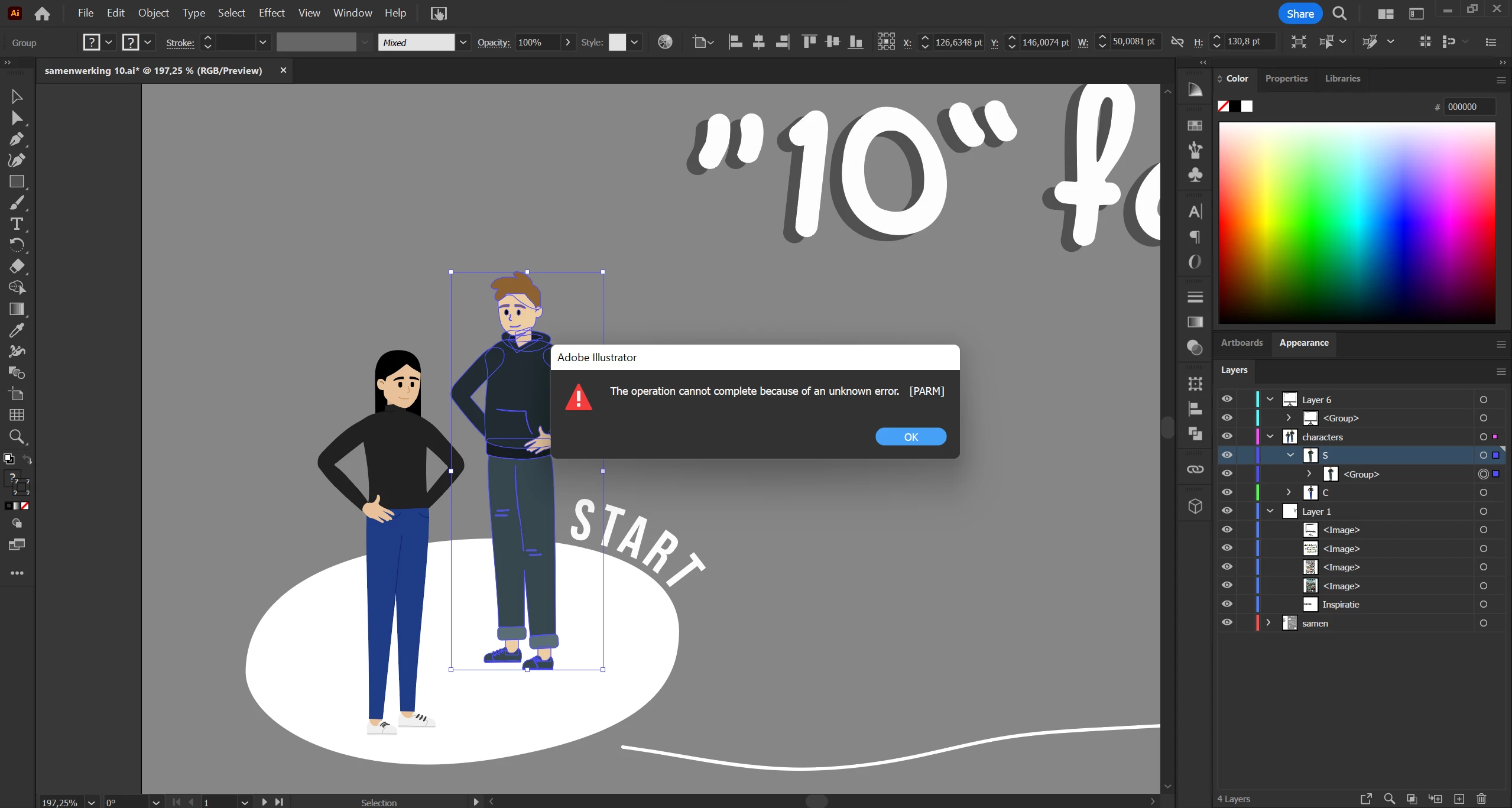
PARM error and error occured while procession the appearance of object in Illustrator

  • April 23, 2023
  • 3 replies
  • 1245 views

Hi,

In my project ive made these avatars. My illustrator crashed and after that evertime I try to scale my avatars I get these 2 errors. If I ungroup the parts of my avatars I dont get the error, but if I select the whole avatar or if I group it and scale it the error comes back.


Please tell me theres a sollution to this because ive tried alot. Changing color settings, restarting, reinstalling, I've tried to copy and paste to a different document, nothing works.


I hope someone has an anwser!
This topic has been closed for replies.
Correct answer Thomas1221

Hey,

i dont know if you ever were able to resolve this issue but i just recently had the same issue. Illustrator crashed while using my ipad and then i started having this issue.  I searched for a solution and wasnt able to find anything and spent countless hours with support trying to figure it out.  When i copied the entire file to a new document i got the same error messages.  I decided to try and copy layer by layer to a new document to isolate the problem.  When i isolated the layer i started coping path by path to the new document until i found the issue.  On one path where the object was smooth, and at the top the stroke was "touch calligraphy" but in the appearance tab it was "thick pencil 2".  in the appearance tab when i click on "thick pencil 2" and changed it to "basic".  I then selected the entire file and copied and pasted to a new document and no issues.  In the original file i saved and closed it and reopened it and the issue has been entirely resolved.  


i hope this helps someone experiencing this issue

3 replies

Thomas1221Correct answer
Participant
December 21, 2024

Hey,

i dont know if you ever were able to resolve this issue but i just recently had the same issue. Illustrator crashed while using my ipad and then i started having this issue.  I searched for a solution and wasnt able to find anything and spent countless hours with support trying to figure it out.  When i copied the entire file to a new document i got the same error messages.  I decided to try and copy layer by layer to a new document to isolate the problem.  When i isolated the layer i started coping path by path to the new document until i found the issue.  On one path where the object was smooth, and at the top the stroke was "touch calligraphy" but in the appearance tab it was "thick pencil 2".  in the appearance tab when i click on "thick pencil 2" and changed it to "basic".  I then selected the entire file and copied and pasted to a new document and no issues.  In the original file i saved and closed it and reopened it and the issue has been entirely resolved.  


i hope this helps someone experiencing this issue

Anshul_Saini
Community Manager
Community Manager
April 27, 2023

Hello @chloe1706,


Sorry to hear that you are facing issues with your project. A number of different factors can cause the errors you are receiving, but one common cause is corrupt data/objects within the file.


I suggest trying to isolate the problem by creating a new file and copying the contents of your avatars one by one into the new file. Remove one layer at a time from the group and check which layer is causing the issue. This can help identify which object or part of your artwork is causing the issue.


If that doesn't work, would you mind confirming the OS & Illustrator version and sharing the file (https://community.adobe.com/t5/illustrator-discussions/share-your-files-in-6-simple-steps/td-p/12967531) in which you are getting the error?


I will be looking forward to your response.


Best,

Anshul Saini

Nancy OShea
Community Expert
Community Expert
April 23, 2023

[Moderator moved from Using the Community forums to Illustrator.]

Nancy O'Shea— Product User & Community Expert