
Participant
July 9, 2022
Answered

Part of colors turn yellow when opening a pdf file.

  • July 9, 2022
  • 3 replies
  • 919 views

Hello,

I draw a figure using GMT (Generic Mapping Tools) and save it as a pdf file. 

When I opened it with Adobe Acrobat Pro DC, it worked just fine:
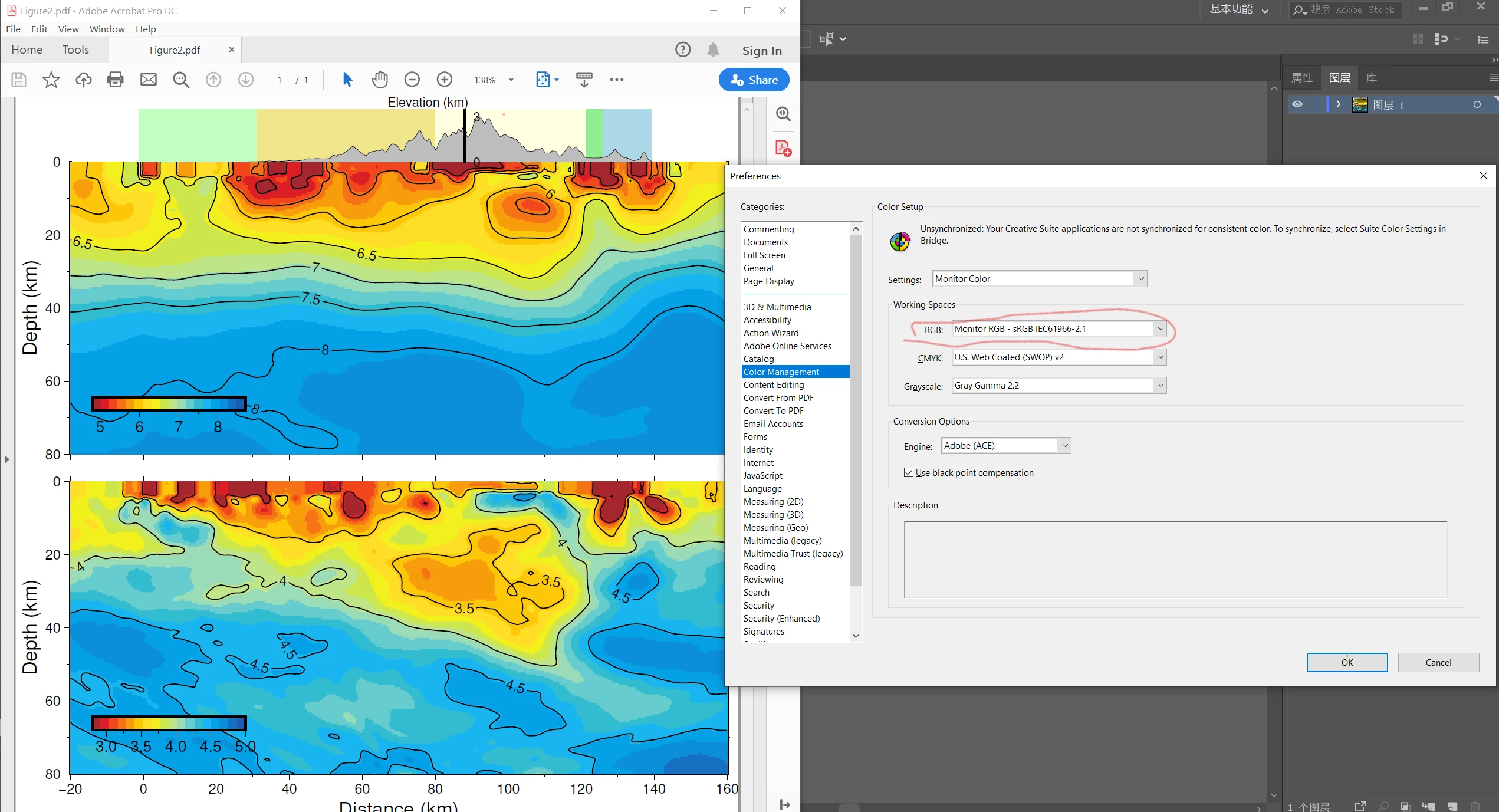


But when I opened it with Illustrator (version 2018, tried 2022 but still the same), it looked like this:
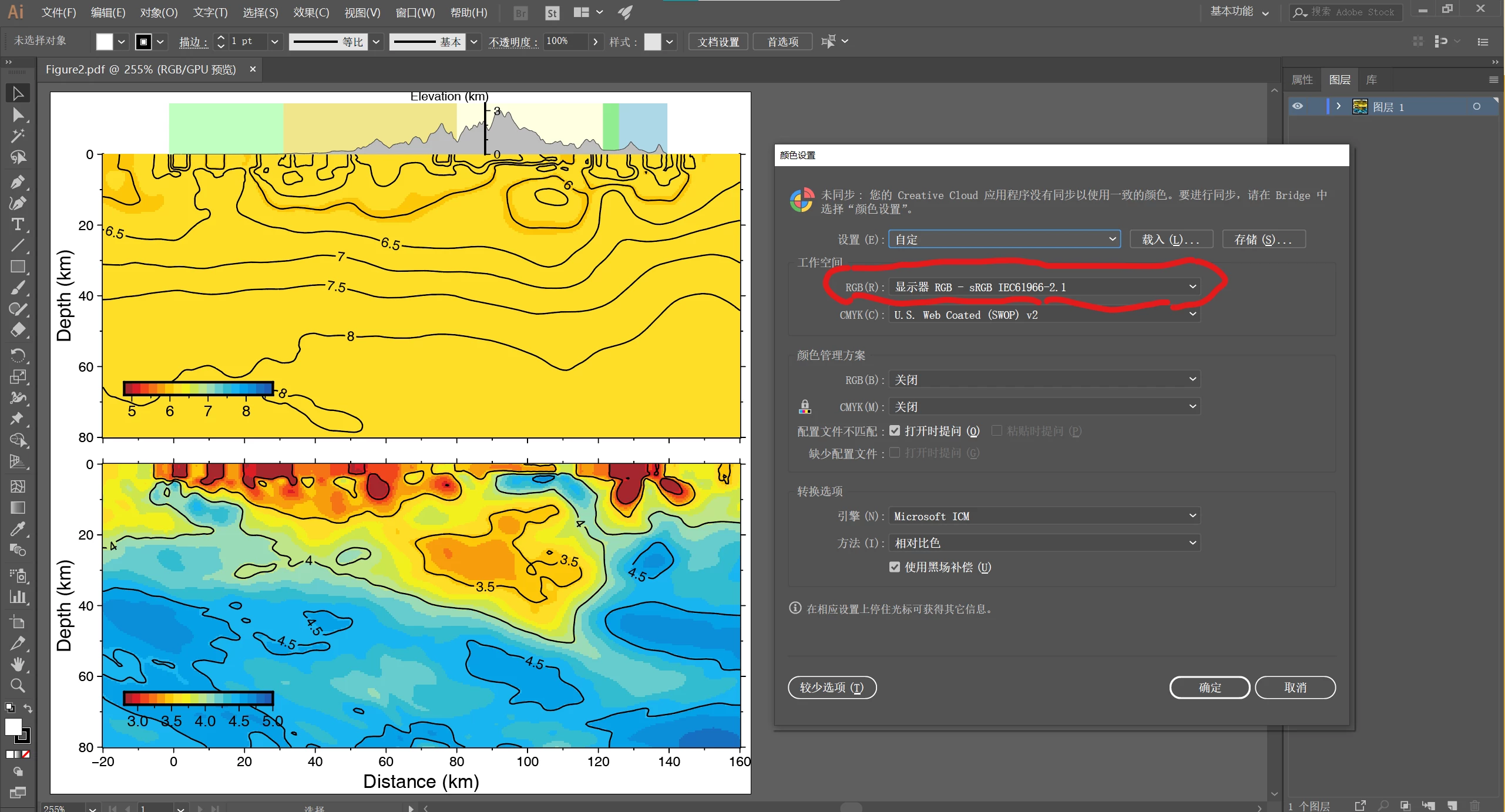
The colors in the middle panel went missing and all turned yellow.  These two apps use the same color space as shown in the figures above. 

Is there anyone who knows how to fix this?

This topic has been closed for replies.
Correct answer Anshul_Saini

Thanks for sharing the file. I am also able to reproduce the issue on my end. Illustrator is opening these temperature maps as linked images rather than a vector. The quick fix was to copy these images from Acrobat and paste them into the Preview app on macOS, or you can use paint on Windows and then save them as PNG. Now, please open the file in Illustrator, select the images and relink & replace it with these PNGs.


I hope this helps!


Regards,

Anshul Saini

3 replies

Anshul_Saini
Community Manager
Community Manager
July 13, 2022

HI @Qiwen,


We are sorry to hear about this. Would you mind confirming the exact version of AI installed on your machine? Also, would it be possible for you to share this PDF file with us? We'll check at our end.


Looking forward to your response.


Thanks & Regards,

Anshul Saini

Participant
July 14, 2022

Hi @Anshul_SainiThe exact version of AI installed on my PC is 26.3.1 (64bit) and the 'problematic' PDF file is attached with this reply. Thanks for your time and looking forward to your reply!

Anshul_Saini
Community Manager
Anshul_SainiCommunity ManagerCorrect answer
Community Manager
July 15, 2022

Thanks for sharing the file. I am also able to reproduce the issue on my end. Illustrator is opening these temperature maps as linked images rather than a vector. The quick fix was to copy these images from Acrobat and paste them into the Preview app on macOS, or you can use paint on Windows and then save them as PNG. Now, please open the file in Illustrator, select the images and relink & replace it with these PNGs.


I hope this helps!


Regards,

Anshul Saini

Legend
July 11, 2022

llustrator isn't a general PDF editor. Great when it works, but when it doesn't that's pretty much how it is. Best never to get nto the position of replying on Illustrator to edit general PDFs as a crucial part of your workflow, one day it will let you down.

Mylenium
Legend
July 9, 2022

Probably soem issue with the paths and how they are combined into groups and compound objects and/ or they are simply too complex and exhaust AI's internal limits. The yellow being used for the medium ranges and having lots of "holes" by ways of the otehr regions would probably fit each of these scenarios. anyway, check the structure in the layers group and reorganize things. Eventually things will start reappearing.


Mylenium

QiwenAuthor
Participant
July 12, 2022

Hi Mylenium,

Thanks for the reply! I tried to draw the figure as simply as possible (i.e. the problematic panel only and without any decoration)

but as you can see the missing colors still did not appear.