
Pathfinder not Uniting two shapes in Illustrator CC
I am absolutely FUMING with this software.
I am trying to follow this tutirial below:
https://www.youtube.com/watch?v=W-p3MojvdBA&list=PLMg--LMGA9rTvbCqbFafRqBBRYFksl7EZ&index=10&t=0s
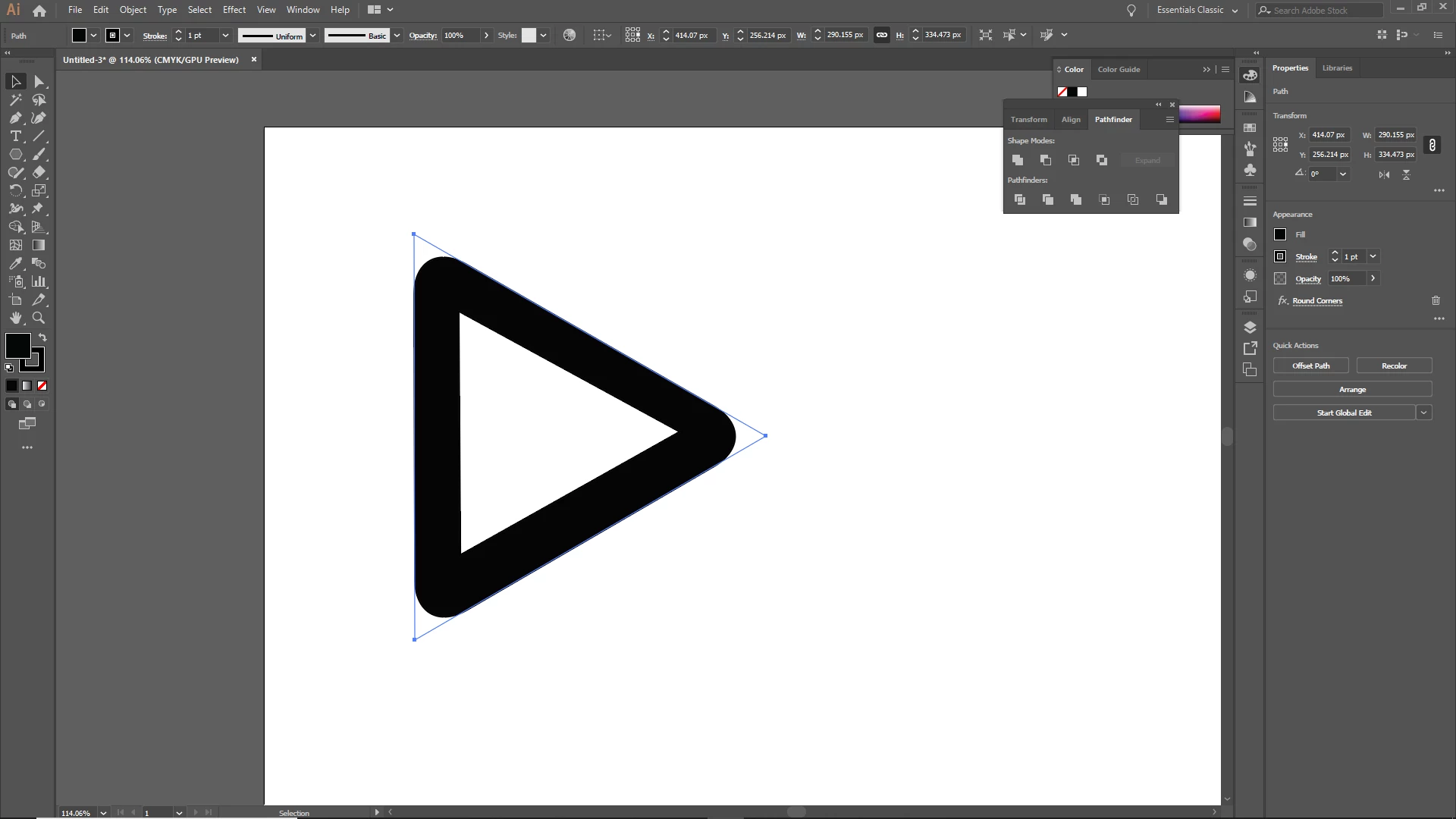
Shckingly enough, everythings find until 2.50 when I just cannot Unite the two shapes in Pathfinder.
- I select the bottom layered back triangle and click "United" - nothing.
- I select both triangles and it gets rid of the white triangle and turns the back triangle into a white one. Neither result is the same as in the tutorial!
I am getting really angry and frustrated that I try to follow a set of simple instructions TO THE LETTER & NOTHING WORKS!
Is there a bug in this software or simething because I'm really losing my temper with this piece of crap.
Can somebody please explain why I try everyting, every work-around, every other solution and nothing bloody works? Why is it when I follow a simple set of Insutrction, Illustrator decides to do someting completey different?!
Sick to the back teeth of this! I am going to get so angry that I'm going to scream. I am the user, it is the software. The software does what the user tells it do.
If I tell it to "Unite", it "Unites". It's that simple. I should not have to go on these forums and ask why it works for everybody else and not for me!
 AdChoices