Inspiring
June 27, 2023
Answered

Pathfinder unite tool making strokes too thick

  • June 27, 2023
  • 1 reply
  • 937 views

Hello, 

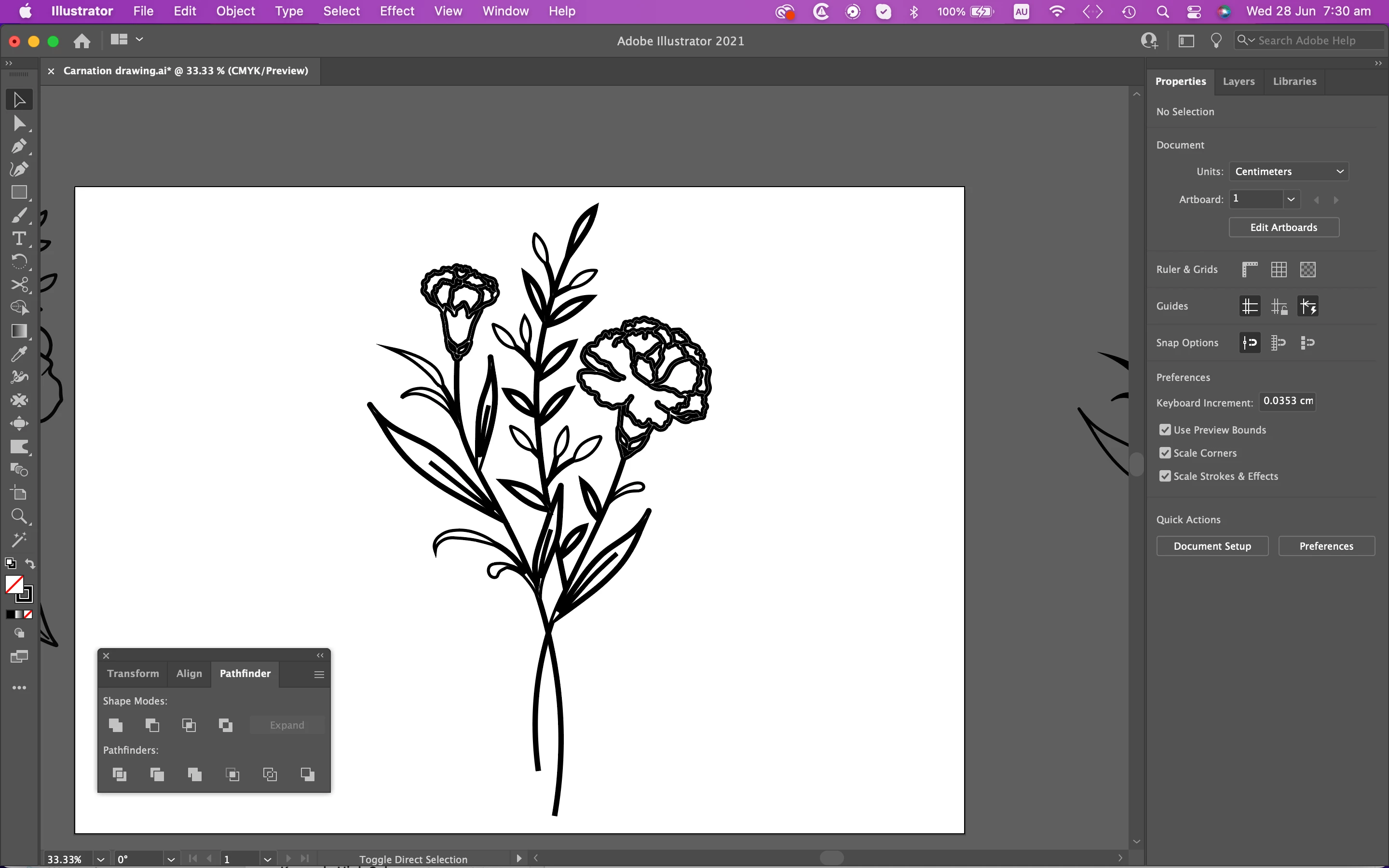
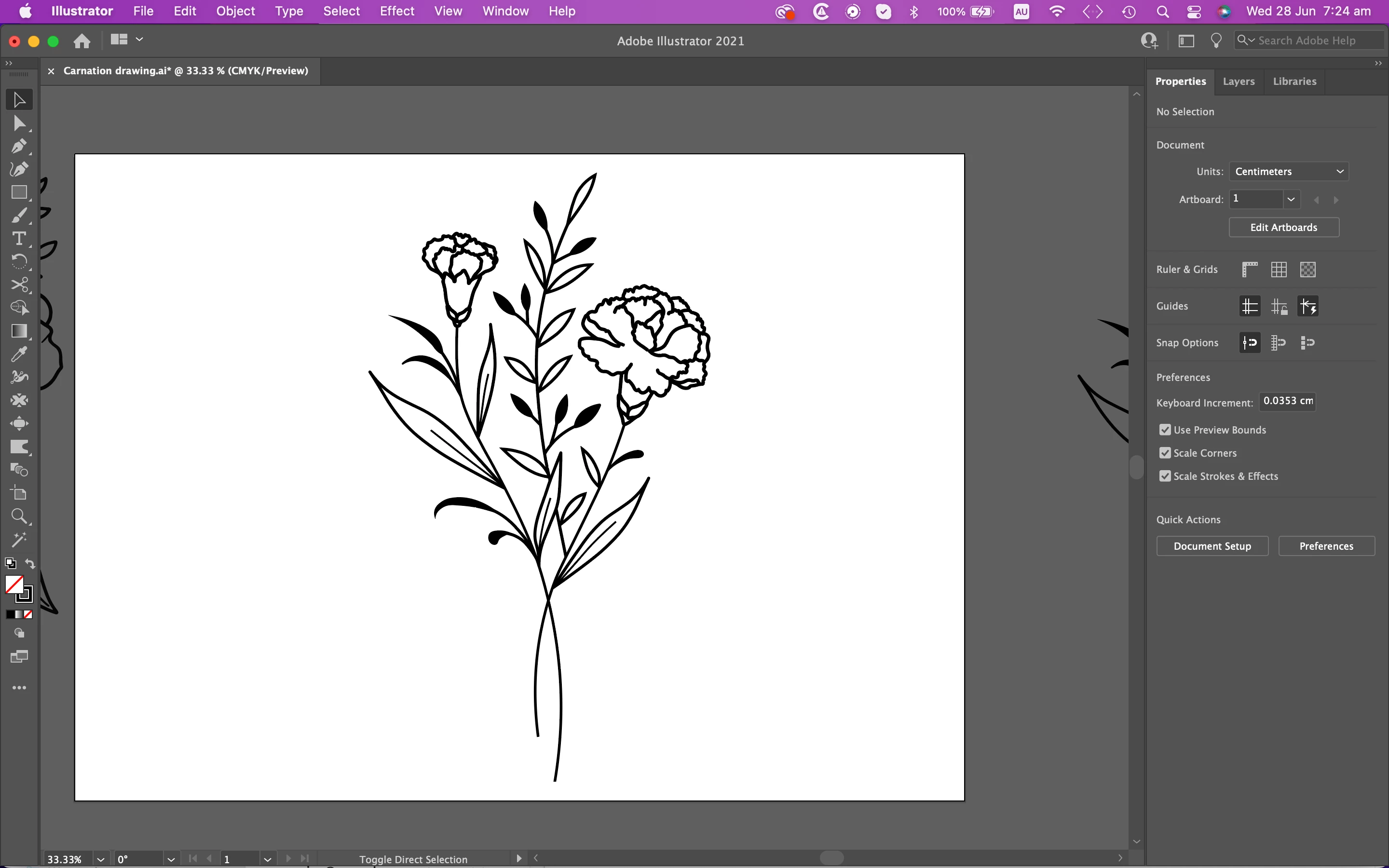
I'm trying to outline my drawing and unite it but the lines are thickening in the process. I may not be doing the correct steps. First, I'm pressing object/path/outline stroke and next I'm pressing window/pathfinder/unite. Can someone please explain how I can outline and unite the drawing but keep the original stroke size? Thank you!

Macbook Pro Version 12.4

Illustrator 25.4.8
 

This topic has been closed for replies.
Correct answer Ton Frederiks

It looks like you stroked the outlined stroke instead of filled it. Can you switch the fill and stroke to no stroke black fill?

1 reply

Ton Frederiks
Community Expert
Ton FrederiksCommunity ExpertCorrect answer
Community Expert
June 27, 2023

It looks like you stroked the outlined stroke instead of filled it. Can you switch the fill and stroke to no stroke black fill?

JNKAJ7Author
Inspiring
June 27, 2023

YES!!! That worked! Sounds so obvious once I know now. Thank you soooo much as I've been trying to figure it out for hours. Much appreciated Tom!

Ton Frederiks
Community Expert
Community Expert
June 27, 2023

Good to hear that helped.