Participating Frequently
October 25, 2024
Question

Pattern brush - compressed lines and overlapping corners

  • October 25, 2024
  • 1 reply
  • 378 views

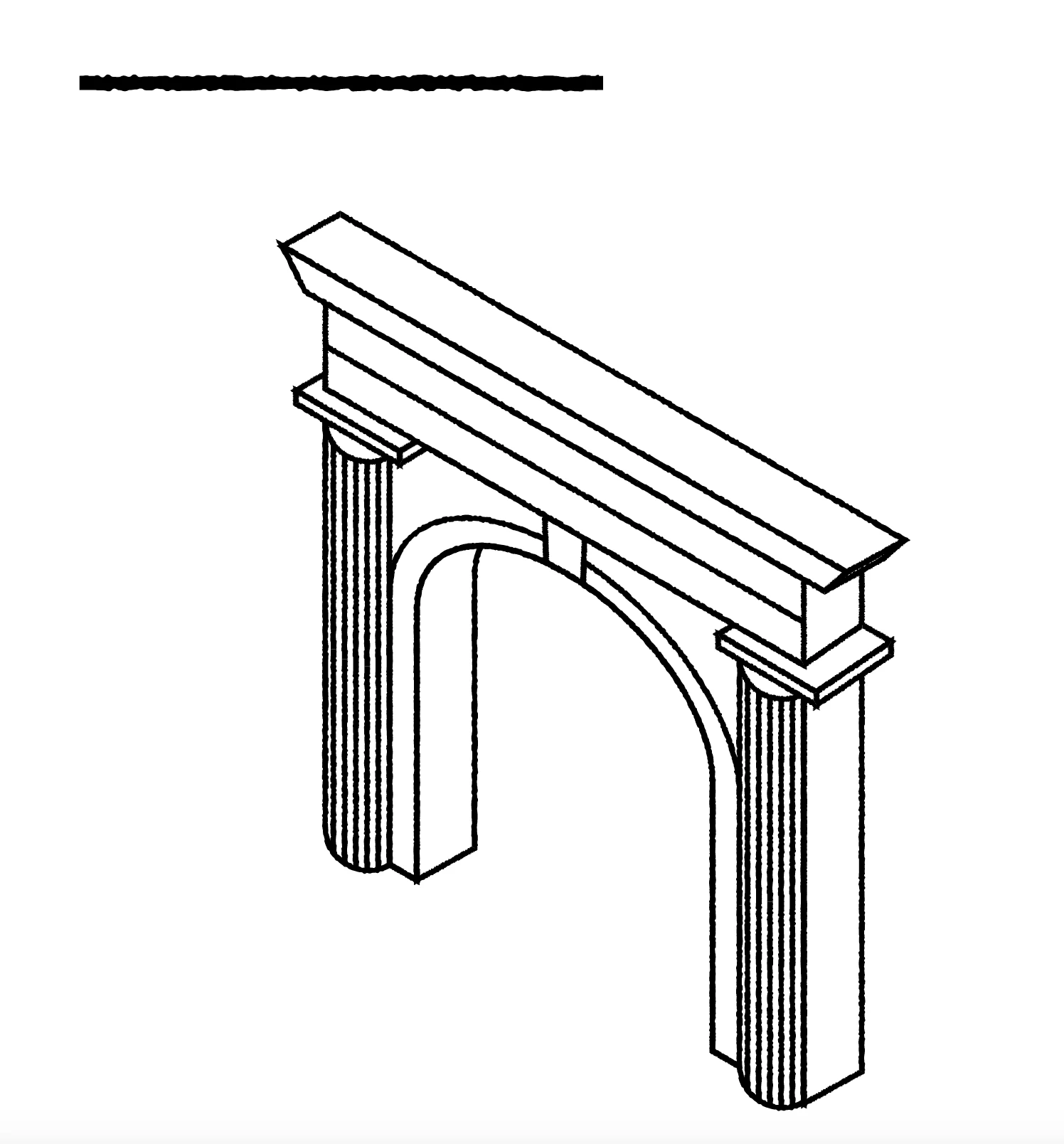
I've been trying to create a textured pattern brush in Illustrator to apply to an illustration of a stone gateway (see below). 

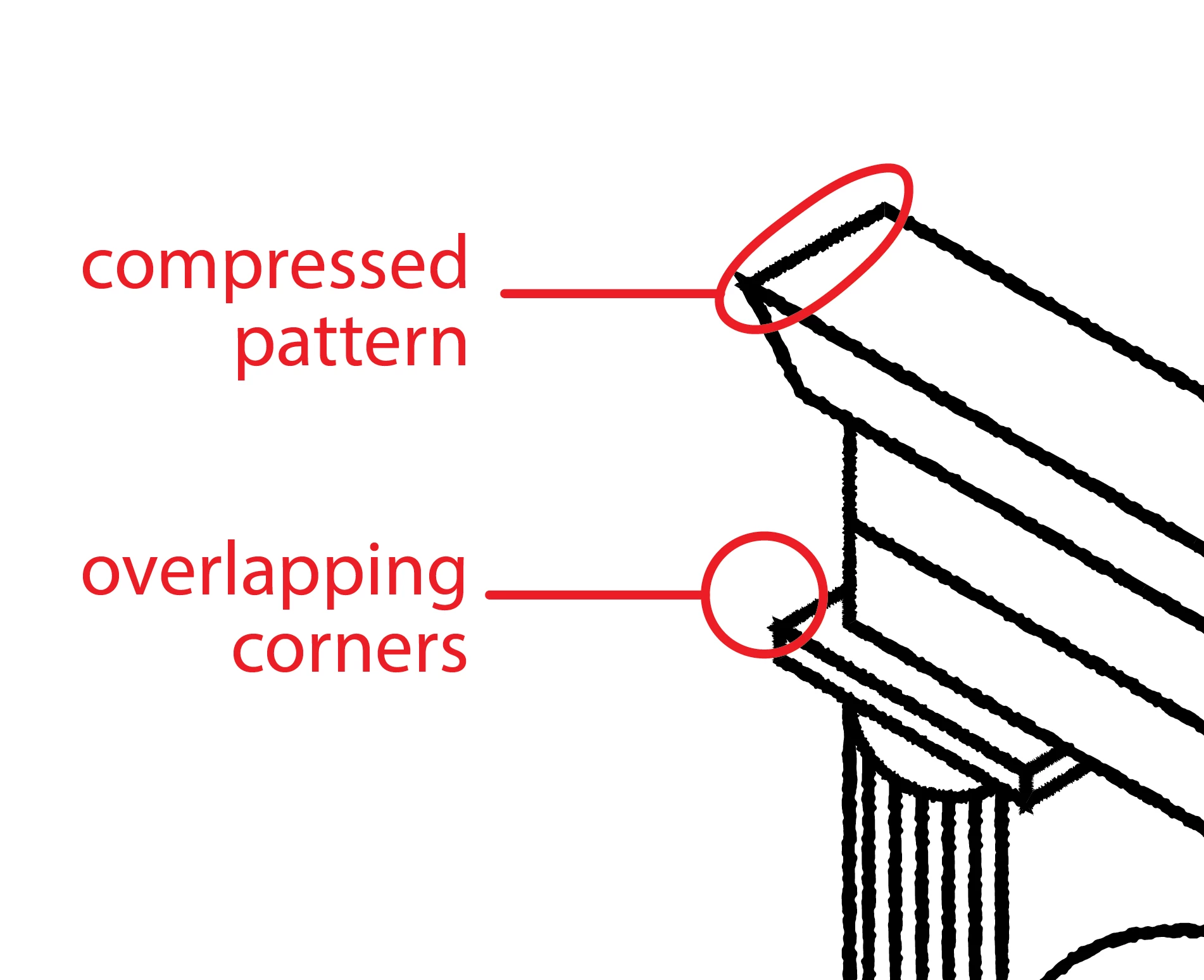
But on the shorter lines the pattern is compressed, and I want it to stay the same no matter what length of line. I can't find a way of solving this though.

Also, the corners are overlapping. If I apply rounded cap/corners to the lines that doesn't make a difference.

Anyone have any clues how to solve these two problems?
 

This topic has been closed for replies.

1 reply

Monika Gause
Community Expert
Community Expert
October 25, 2024

Pattern brush won't work. But you can build this with effects.

Open the Appearance panel

Apply Effect > Path > Outline stroke

Apply Effect > Distort  Transform > Roughen

Move ROughen below outline stroke

Set up roughen. It needs to be "Absolute"


https://youtu.be/pTK0wufTvxM

Participating Frequently
October 28, 2024

Thank you for responding so quickly, Monika.

I've tried the method you suggested and it approximates what I'm looking for, but isn't quite there (it's not textured enough, even if I adjust the settings).

I'd seen this magazine illustration by Leon Edler and noticed that, whatever the length, his textured lines maintain the same texture and don't compress the pattern when shorter. I feel there must be a way of achieving this, but I'm foxed!


Thanks again.


Monika Gause
Community Expert
Community Expert
October 28, 2024

Can you please show what is not textured enough (together with settings)?


Possibly that example has been drawn either in Photoshop or in Fresco (which has a jittery brush). Or in a completely different app.