

Pattern Brush Weirdness
I create a lot of pattern brushes and I almost always have the same problems so I thought I would ask here to see if anyone "gets it".
This time I wanted to create a pattern brush that could be used for PCBs for strip lighting. I create the basic rectangular PCB and drag it to the brush pallet and select new Pattern Brush.
It looks good except of course for the corners and the end. On one side it has approximated a corner which is not too bad. The other corner doesn't offer an approximation and nothing on the ends.
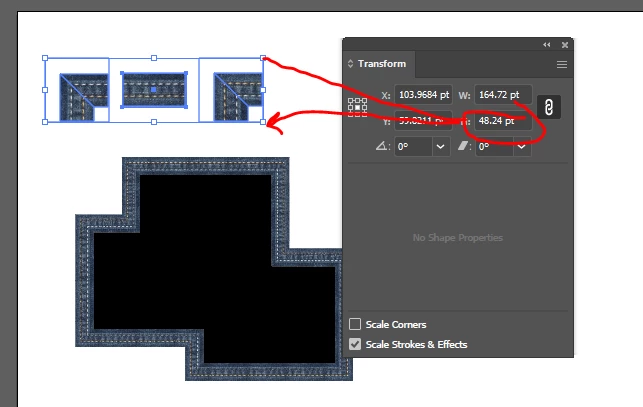
So I create my custom corner piece and drag it to the first corner location in the brush pattern and when I look at the brush again, now the corners are huge compared to the rest of the thing.
I've gone back and forth about a dozen times tweaking the sizes to get them to make sense and nothing is working.
I've even tried dragging the brush to the page where I can see the individual cells so I can make the correct corners match the sizes they provide and it still is too big.
I had this problem the other day modeling wires using the pattern brush. Any advice on the following:
A) how do I size the corners to fit and align with the rest of the brush?
B) how do I size the endcaps to fit and align
C) how do I keep the endcaps from distorting shape while allowing the line to approximate the path?
Any help would be greatly appreciated.
 AdChoices