
Copy link to clipboard
Copied
I've always exported to PDF X-1A using the same setting for bleed and trim as shown in the picture. Recently though, AI CC exports in this format do not include any bleed area. The trim marks go right up to the image edge. I've tried every combination of setting Document Prefs and export prefs (as shown) with no luck. How do I get my bleeds back? Thanks!
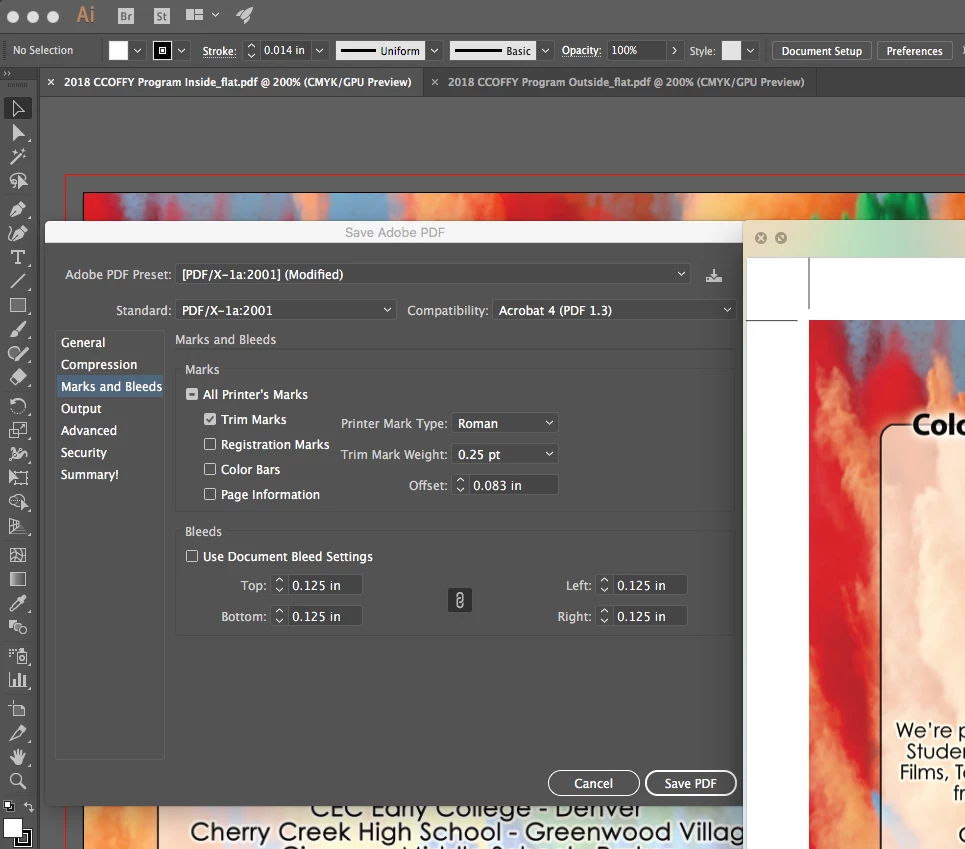
you need to do two things
run your art to the bleed, right now you are not doing that.
and you need to check the "use document bleed settings" option.
Copy link to clipboard
Copied
you need to do two things
run your art to the bleed, right now you are not doing that.
and you need to check the "use document bleed settings" option.
Copy link to clipboard
Copied
Thank you. That seems rather obvious in review but I must have set up files differently in the past. Perfect!
Copy link to clipboard
Copied
this is how art should look when you want it to bleed:

this is what you have:

run the art to or pass the red line.
Get ready! An upgraded Adobe Community experience is coming in January.
Learn more