
wasifanjum
Participant
March 4, 2022
Answered

PDF(Exported from Indesign) Text/Object disappears when opened in illustrator

  • March 4, 2022
  • 2 replies
  • 417 views

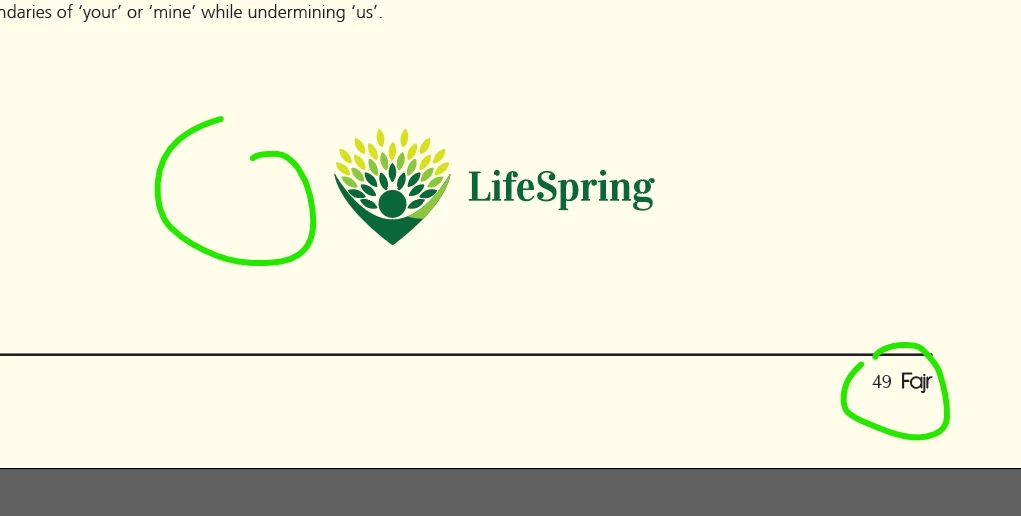
Hello! I'm struggling with this problem. Everything seems fine in PDF. But when placed/opened in illustrator the specific text got disappeared. Even in Indesign, I've put a stroke in master page for Page Number. It also got disappeared while placed the exported pdf in illustrator. Tried the flatten transparency>outline texts in illustrator but didn't work.
This topic has been closed for replies.
Correct answer wasifanjum

I think glitch is the issue. However I solved it. What I found is that text and the seperator stroke line were not 100k black. They were gradient. After I changed them to solid black, They didn't get missed this time.


Thanks for your response.

2 replies

Legend
March 4, 2022

Illustrator is not a universal PDF editor. You can expect some glitches (and lots of nested clipping groups) when you attempt to work this way. It would be best to create the art directly in Illustrator if that is where you need it to be.

wasifanjum
wasifanjumAuthorCorrect answer
Participant
March 5, 2022

I think glitch is the issue. However I solved it. What I found is that text and the seperator stroke line were not 100k black. They were gradient. After I changed them to solid black, They didn't get missed this time.


Thanks for your response.

Kevin Stohlmeyer
Community Expert
Community Expert
March 4, 2022

It appears there may be embedded subset fonts that you do not have active on your computer.

If you switch to outline mode - are there actually text objects in those spaces when opened in AI?

wasifanjum
Participant
March 5, 2022

Fonts are active. No text objects in those spaces.