Since my name was invoked in this thread, I will give an “official” response on behalf of Adobe (based on nearly 28 years at Adobe and 25 years experience with PDF print publishing workflows):
(1) In the general case, PDF files are not Adobe Illustrator files and vice versa.
(2) When you save an Adobe Illustrator file as a .AI file, what you actually get depends on the Illustrator version you save to:
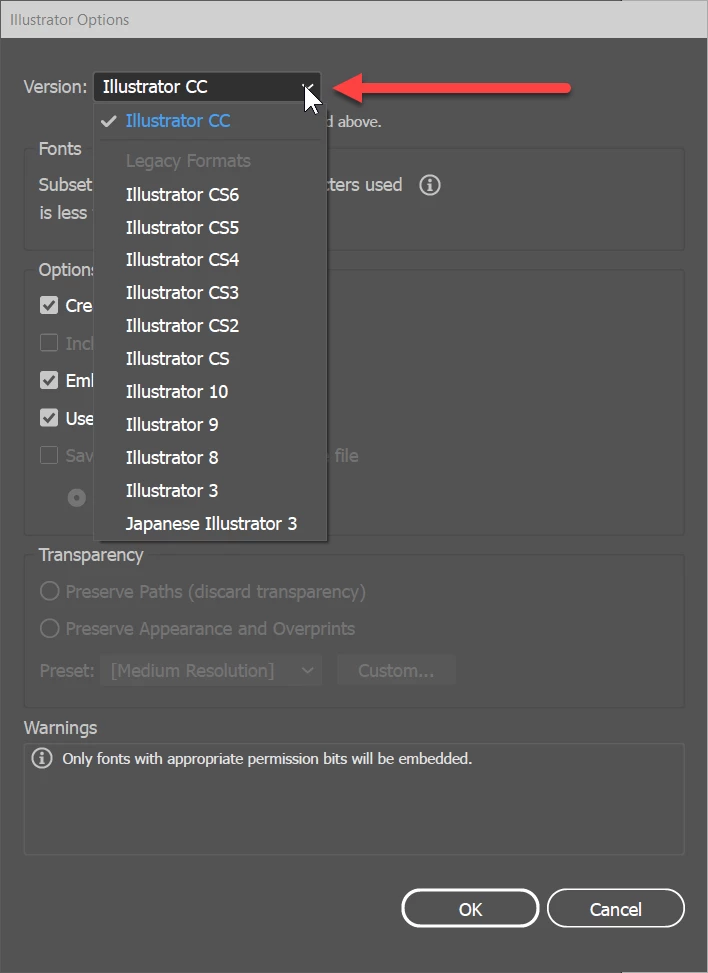
If you choose Illustrator 8 or earlier, you end up with a file that looks like, but isn't, an EPS file. That format doesn't support live transparency, color management, etc.
If you choose Illustrator 9 or later, you end up with what is a shell of a PDF file. The actual Adobe Illustrator content is stored as “private data” within the PDF file; such data is not accessed by any standard PDF viewer. However, you are given the option to create a “PDF Compatible File” along with options for embedding ICC profiles and compression:
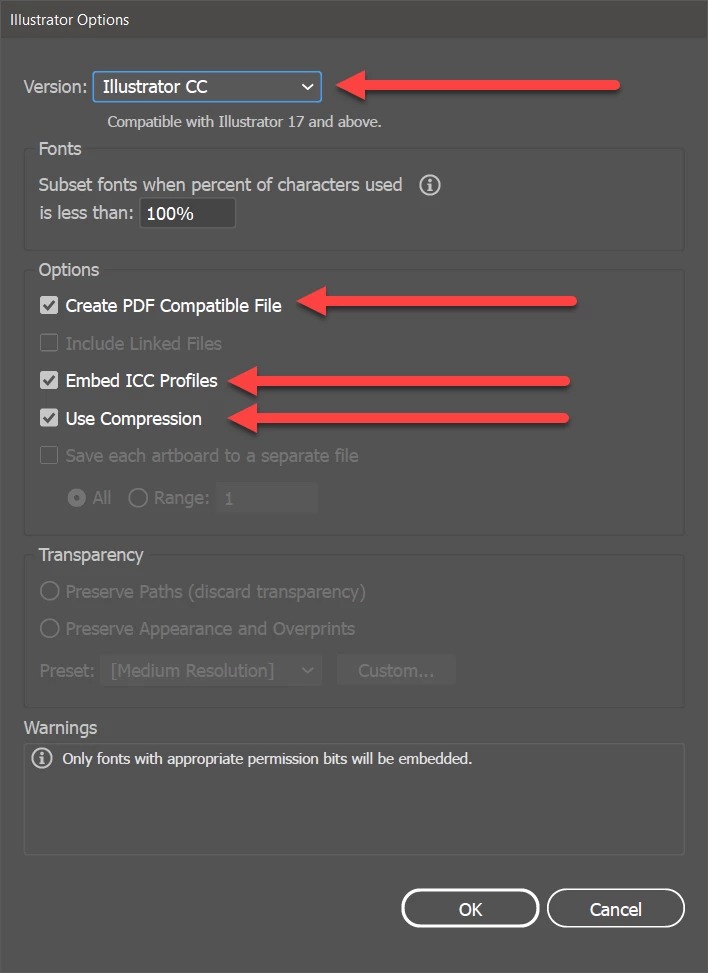
If you choose this option, the resultant file is a .PDF file that can be opened, viewed, and printed as any other PDF file might be.
(4) However, if you do choose this “PDF Compatible File” option, be aware that you don't have access to the myriad of PDF save options that you have when you explicitly save as a PDF file from the save dialog, including support for PDF/X standards, PDF version, image compression settings, etc. In other words, such PDF is of limited utility at best!!!!
(5) If you do save as a PDF file, you also have some interesting options:
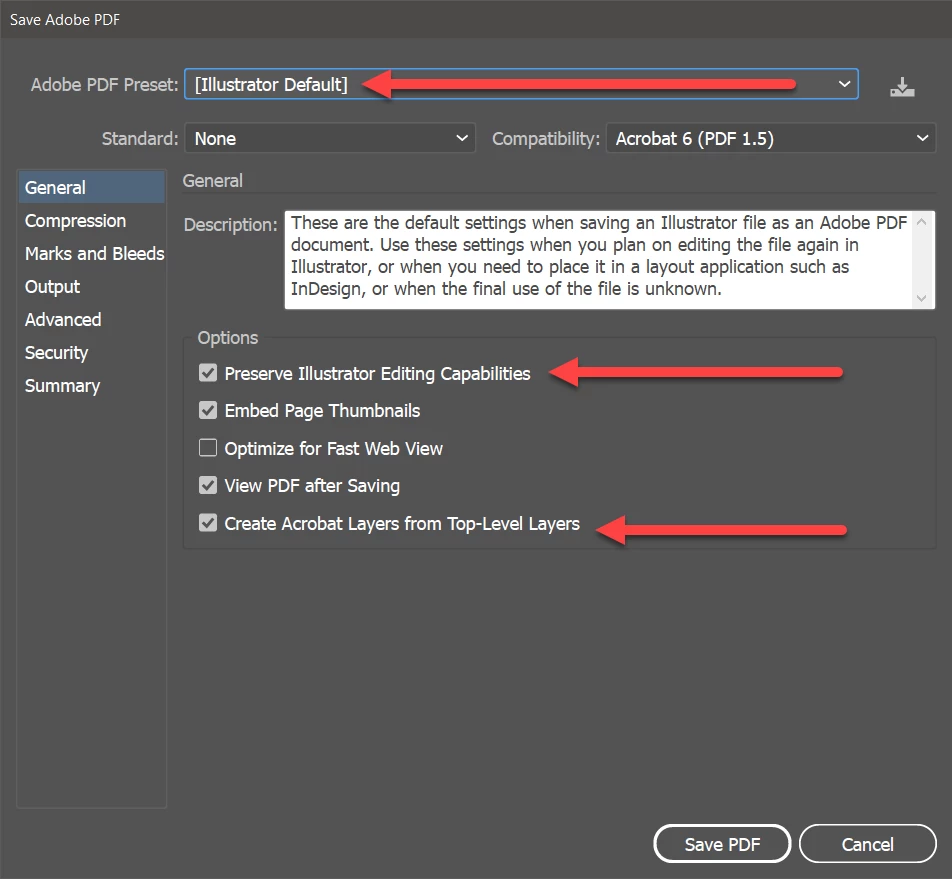
For many of the Adobe PDF Preset options within Illustrator, you have the option of “Preserve Illustrator Editing Capabilities.” If you specify this option, all the actual Adobe Illustrator content is stored as “private data” within the PDF file, although again such data is not accessed by any standard PDF viewer. You are also given the option of specifying PDF layers from the topmost layers within the original Illustrator content. However, note that if you choose a useful preset, such as PDF/X-4, the “Preserve Illustrator Editing Capabilities” is unavailable.
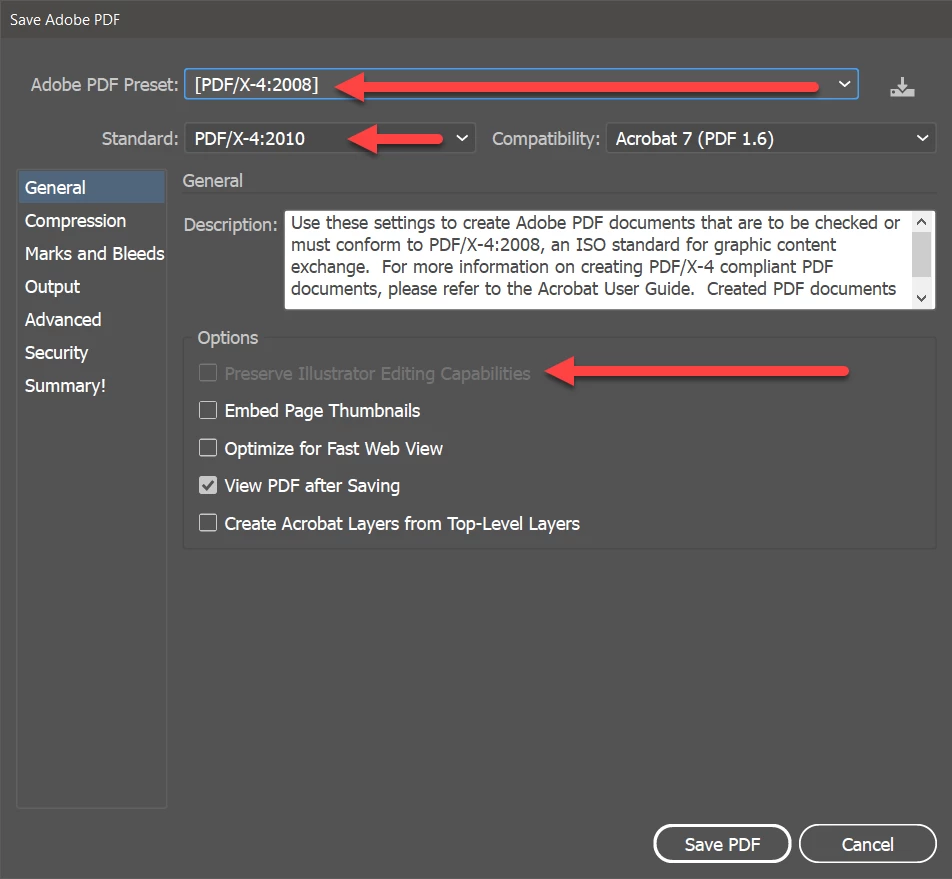
Thus, if you are going to produce a PDF file that is most useful for modern print publishing workflows, you cannot have a combo PDF and Illustrator file.
(6) Note that if you do have such a combo PDF and Illustrator file, the moment you do any manipulations of that PDF file in Acrobat, you effectively kill the synchronization between the PDF graphical content and the Illustrator data! Thus, such files should be considered read only in Acrobat (which doesn't enforce anything like that!).
(7) If you do attempt to open such non-modified combo PDF and Illustrator files in Adobe Illustrator, be aware that you (a) must have all fonts referenced by the the artwork installed on your system (no, the PDF embedded fonts will not suffice), (b) any linked content placed in the file must be in their original locations, and (c) any color profiles referenced must also be installed on your system.
(8) In the general case, i.e., when you have a PDF file that was created by Illustrator without specifying the “Preserve Illustrator Editing Capabilities” option or was created by any other application including Adobe InDesign, Photoshop, and FrameMaker as well as PDF files created from Microsoft Office applications, including those created by Acrobat's own PDFMaker feature within Office, opening such PDF files in Adobe Illustrator is as best a crap shoot! Simple content in a single color space may open and edit fine. However with more complex content, you may see (a) rasterization or outlining of type, (b) change of fonts and layout changes, (c) loss of objects, (d) conversion of object color spaces (Illustrator only supports either CMYK or RGB, not both simultaneously other than for placed content), etc. Why is this the case. Simply stated, Adobe Illustrator is not, repeat is not, repeat yet again is not a general purpose PDF file editor. The Illustrator imaging model, as rich as it is, does not support the full PDF imaging model and it doesn't have all the heuristics to convert general PDF to Illustrator objects.
(9) Over the last nearly 18 years since Illustrator moved to saving content in this pseudo-PDF format, more problems from print service providers and their customers have been reported to Adobe than you can imagine, all due to the misconception that PDF and AI files are one and the same and that Illustrator can be used as a general purpose PDF editor. Open a PDF/X-4 file from InDesign, for example, in Illustrator and simply save it and you may cause irreparable damage!
PERSONAL RECOMMENDATION – Based on the above, I most strongly recommend that users treat AI and PDF as totally separate file formats. Don't try to save a few bytes by trying to make one file do for two. Save your Illustrator content as a .AI file without the PDF content and then, when you need a real PDF file, “save a copy” as a PDF file, specifying all the appropriate options you really need for your final purpose. And don't use Illustrator as a PDF file editor!
- Dov

 AdChoices