

varxtis
Inspiring
March 3, 2020
Answered

PDFs and Print come up blank

  • March 3, 2020
  • 1 reply
  • 891 views

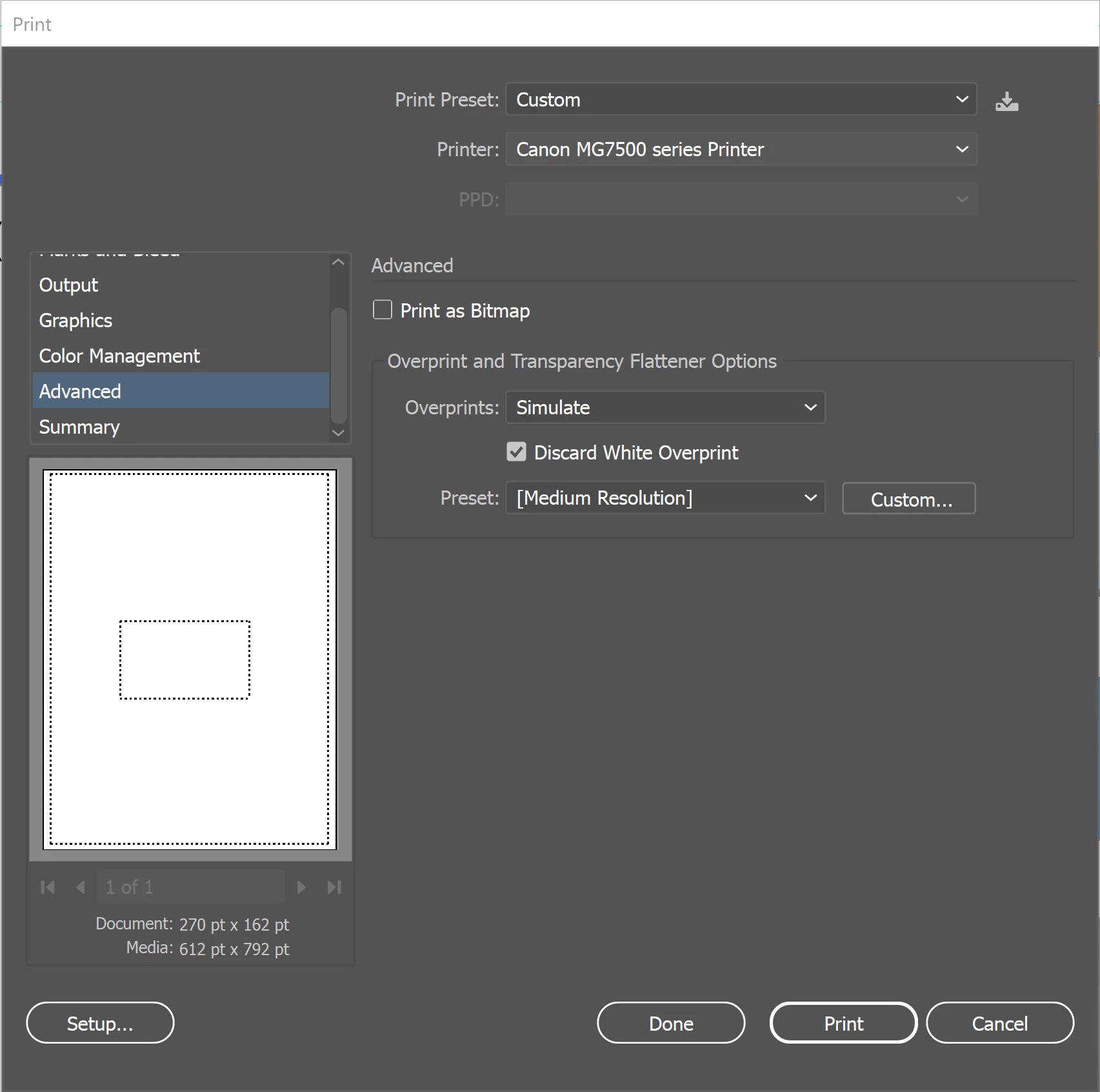
Im trying to safe some PDFs of project files for a client. However when I went to open the resulting PDF, it was blank. I remember running into this, so I went to print preview and saw the same thing, blank. I remmebr being able to follow some tips HERE and it fixed the issue, but now its still persisting. This is a problem Im running into with Illustrator itself, not specific to any one project file.
Anyone have any thoughts?

This topic has been closed for replies.
Correct answer varxtis

Im posting this as a "reply" so it isn't overlooked by others facing the issue. As noted above, I had made sure that "discard White Overprint" had been checked. I had also looked at each layers options (double click on the layer) to make sure "print" was ticked for each one. Well. . . I thought I had.

http://www.justskins.com/forums/illustrator-saved-pdf-files-59196.html

Post #6 brought to my attention that if a layer name is in Italices, then it wont show up to print.
Neglected to check the top most root layer (the project layer), and this was in italices. Once I corrected that, the print and PDFs worked as it was supposed to.


Solution: Make sure all Layers are checked and that "print" is ticked. Layers not checked will show with Italicized titles.

1 reply

varxtis
varxtisAuthorCorrect answer
Inspiring
March 7, 2020

Im posting this as a "reply" so it isn't overlooked by others facing the issue. As noted above, I had made sure that "discard White Overprint" had been checked. I had also looked at each layers options (double click on the layer) to make sure "print" was ticked for each one. Well. . . I thought I had.

http://www.justskins.com/forums/illustrator-saved-pdf-files-59196.html

Post #6 brought to my attention that if a layer name is in Italices, then it wont show up to print.
Neglected to check the top most root layer (the project layer), and this was in italices. Once I corrected that, the print and PDFs worked as it was supposed to.


Solution: Make sure all Layers are checked and that "print" is ticked. Layers not checked will show with Italicized titles.