
Participant
December 15, 2019
Answered

Pen pressure sensitivity not working in Illustrator 2020 on macOS

  • December 15, 2019
  • 15 replies
  • 48463 views

When I try to draw on Illustrator using the calligraphic brush tool the line doesn't respond to pressure sensitivity. I am using Illustrator 2020, a MacBook Pro 19, a Wacom Bamboo Capture, and a calligraphic brush that worked for me in the past. I know that the issue is with Illustrator because I'm able to draw pressure sensitive lines using Photoshop.

If I try to create a new calligraphic brush, Fixed and Random are the only options, Pressure and the others are all greyed out.
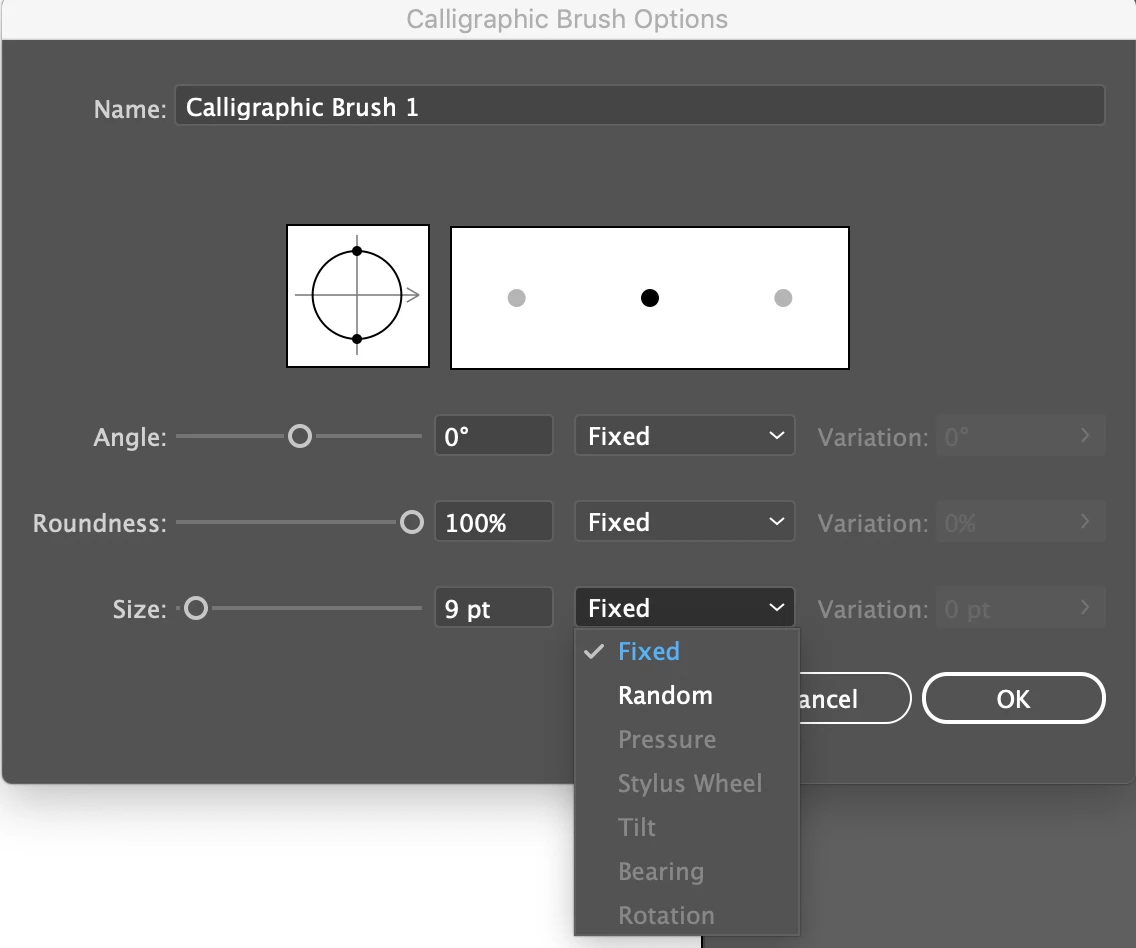
I've spent about 2 hours trying every solution to similar issues that I've seen posted here, including restarting my computer, resetting my preferences, deleting and reinstalling Illustrator, and giving Illustrator access to my computer in security & privacy settings, but nothing has worked. My tablet isn't the issue, as it works fine in other programs. Does anyone know a fix for this?


{Renamed by MOD}

Correct answer DeZnas11534645

Hello @Deznas9275178,

Sorry to hear about this experience. Would you mind trying to run Illustrator under a different administrator account (Windows) and checking if it helps? If the problem persists, kindly share more details, like the exact version of the Illustrator and the System Information Report (https://adobe.ly/3MLTevW), so that we can investigate this further.


Looking forward to hearing from you.


Thanks,

Anubhav


It's all good, i found what the issue was. I had turned off Touch Screen earlier in the day because i was getting annoyed at my hand constantly interfering while i was trying to draw. I found now that i can turn it on, create the brushes i want to use then turn it off again once i've saved the brushes.

15 replies

juliocrrnz
Participant
March 11, 2020

Thank you! This fixed the issue!

Participant
February 13, 2020

Okay. So after a few hours of trying out almost everything on my macOS Catalina and it didn't work for me, I finally managed to enable the pressure function on Illustrator. Ofcourse having wacom drivers enabled on "Accessibility" and "Input Monitoring" all under Security & Privacy is also necessary (I believe).


https://www.wacom.com/en-us/support?linkId=57269870&guideTitle=Is-there-a-compatible-driver-for-Mac-OS-10.14-Mojave%3F&guideId=014-001


Realising that in Automation from Security & Privacy, "TabletDriver" was disabled. Once i ticked it, the pressure and all the other features were not greyed out anymore. Hope this works for people who still are finding a solution.


Participant
December 1, 2020

Yeah, but what if I have the exact same issue, but yet there is no Automation in Security & Privacy settings?

taylorelizabethgrant
Participant
December 16, 2020

that is my problem too. there is no Automation in Security & Privacy. Please help!

Inspiring
December 17, 2019

try this

open Wacom Tablet Utility, enter your password and click the Remove button

Srishti Bali
Community Manager
Community Manager
December 16, 2019

Hi there,


So sorry to hear about the trouble you are facing with Illustrator. What Monika is referring to "6d Art Pen Brushes" library. To open that, open the flyout menu of Brushes panel, then click Open Brush Library > Wacom 6D Brushes > 6d Art Pen Brushes. 

If that doesn't help either, please try following the steps shared here https://helpx.adobe.com/in/illustrator/kb/illustrator-cc-crash-wacom-drivers.html and share your observations. 


Regards,

Srishti

harlowAuthor
Participant
December 17, 2019

Hi Srishti, thanks for replying! The Wacom 6D brushes don't work either. I followed the link you sent but I've already tried reinstalling my drivers and the pressure sensitivity works fine in Photoshop, and the pressure option in Illustrator is grayed out, so the issue is definitely with Illustrator and not with my tablet.

Srishti Bali
Community Manager
Community Manager
December 24, 2019

Hi there,


I would like to know if the steps shared by te_co helped resolving the issue.


Regards!

Monika Gause
Community Expert
Community Expert
December 16, 2019

Can you try if it works when you use the Wacom 6D brush library?

harlowAuthor
Participant
December 16, 2019

Do you mean the Illustrator document? It doesn't work there either, but it works in any program I've tried besides Illustrator