
Participant
July 2, 2024
Answered

Permanently disabling pdf editing capabilities

  • July 2, 2024
  • 3 replies
  • 1694 views

I have been working on a project that require that I export pdfs from illustrator. Often times the pdf is meant for client to review progress and give feedback but I find that when I use export for screens (cmd+Opt+E) I'm able to simiply select specific artboards and save those out as a single pdf file but because I save through this method I never see the pdf 'save as dialogue box' and so the pdf is automatically saved with editing capabilities and I don't want that. I have combed through setting from 'General to Devices' and I can't find any setting that allows me to turn off editing capabilities for pdfs permanently until I want to turn it on. If there is a setting like tha,t I will be glad to know it. If not, then I really think that I'll need that setting on the next update cause I can't keep reopening a pdf just to save as so I can access the save as options only to turn off editing capabilities. 
This topic has been closed for replies.
Correct answer Ton Frederiks

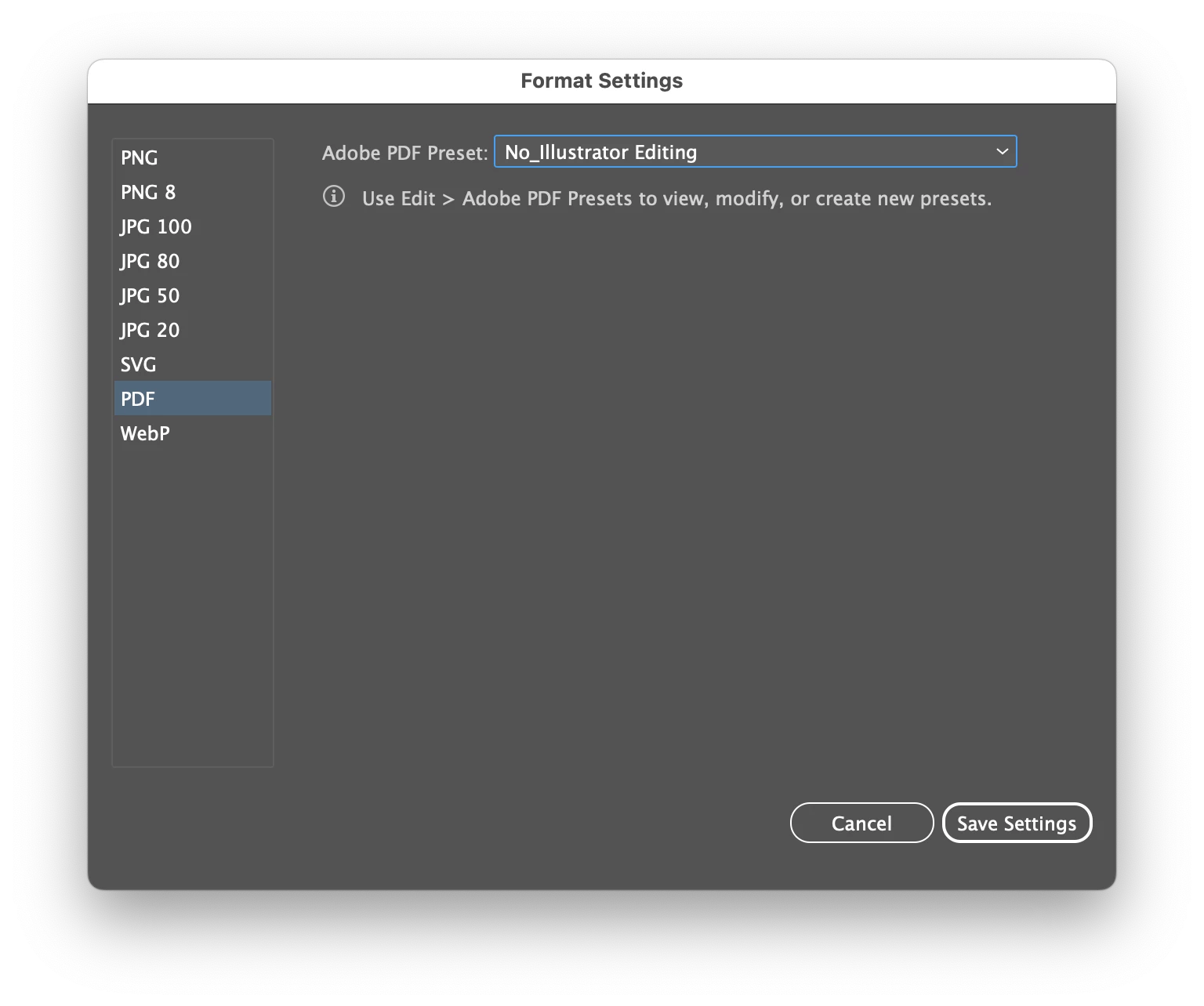
You first need to create a PDF  preset with the editing option disabled.

Then you can choose it in the Export for Screens dialog by clicking on the cog wheel.

3 replies

Ton Frederiks
Community Expert
Ton FrederiksCommunity ExpertCorrect answer
Community Expert
July 2, 2024

You first need to create a PDF  preset with the editing option disabled.

Then you can choose it in the Export for Screens dialog by clicking on the cog wheel.

Participant
July 2, 2024

Thanks Frederiks 
I created a custom preset and disabled it. I've attached screenshots for any who may face the same problem and need solutions

Ton Frederiks
Community Expert
Community Expert
July 2, 2024

Good to hear that worked.

barbara_a7746676
Community Expert
Community Expert
July 2, 2024

At this time, there is no way to do that.

Community Expert
July 2, 2024

Are you trying to protect artwork, to keep clients from extracting elements (and giving those elements to competitors to get cheaper bids)? If that is the case the only real solution is rasterizing the art elements and giving the client a copy of that. Password protection at the edit level can be broken easily. I don't like giving clients PDF sketches with the vector content rasterized (and even deliberately polluted with watermarks, patterns, etc) but if the client is new and is clearly shopping around then I'll have no choice but to degrade the artwork for protection.


Even if the artwork isn't password protected, and the only step chosen is un-checking the "Preserve Illustrator Editing Capability" option, clients can still open PDF files and then extract and edit any vector elements included inside the document. Working with the PDF wouldn't be nearly as easy, but it's still do-able. Using Illustrator and a plugin like Vector First Aid will solve a lot of problems with PDFs that aren't saved in an edit-friendly manner (like the default setting how Illustrator saves PDF files). If the client is using applications other than Illustrator to attempt opening, extracting and editing content from a PDF they'll have a considerably more difficult time doing so.