
Perspective Distort of Hash/Tick Marks
Prior to the CC 2018 version of Illustrator, I was using the Perspective Distort Tool to recreate the hash marks for Speedometers (and other dials) that I need to re-create artwork for. Now, the Perspective Distort tool seems to be just one tool which is the transform tool. I am unable to figure out how to distort of group of hash marks. The video's and articles that I've read all seem to deal with using perspective distortion on a single piece of artwork. When I use the free transform tool to pull the corners, they all move in one direction. I need to move them in both directions as a group WITHOUT changing the width or length of the marks. This is the original dial that I'm re-creating. Help in explaining the new way of doing things would be most appreciated.
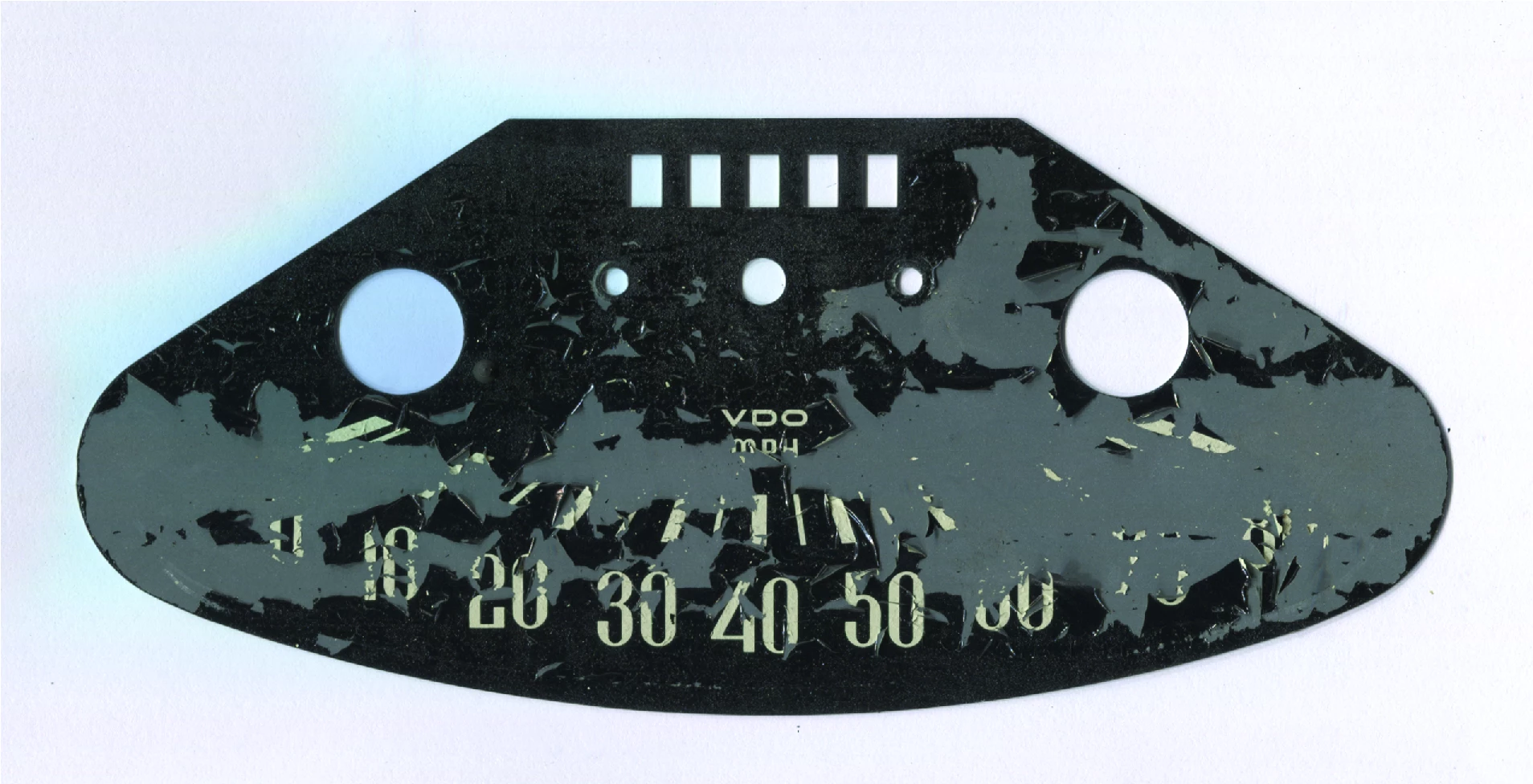
For those of you that are interested, this is for a 1960 Heinkel Speedo. I need the hash marks evenly spaced (although they are of two different widths to represent the major and minor hash marks) There are 15 hash marks in total.
 AdChoices