Answered
Perspective grid question
How do I get the circled text onto the other side of the perspective grid? (the yellow side)
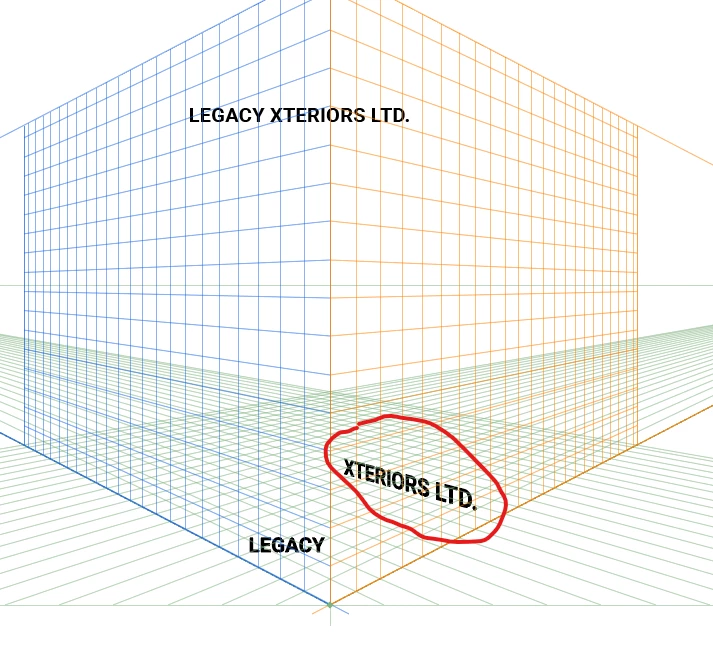

How do I get the circled text onto the other side of the perspective grid? (the yellow side)
Grab it with the perspective selection tool, move it and while moving press the 3 key
Already have an account? Login
Enter your E-mail address. We'll send you an e-mail with instructions to reset your password.
 AdChoices