
Participant
July 6, 2017
Answered

photocopy effect

  • July 6, 2017
  • 4 replies
  • 5456 views

Hello there,

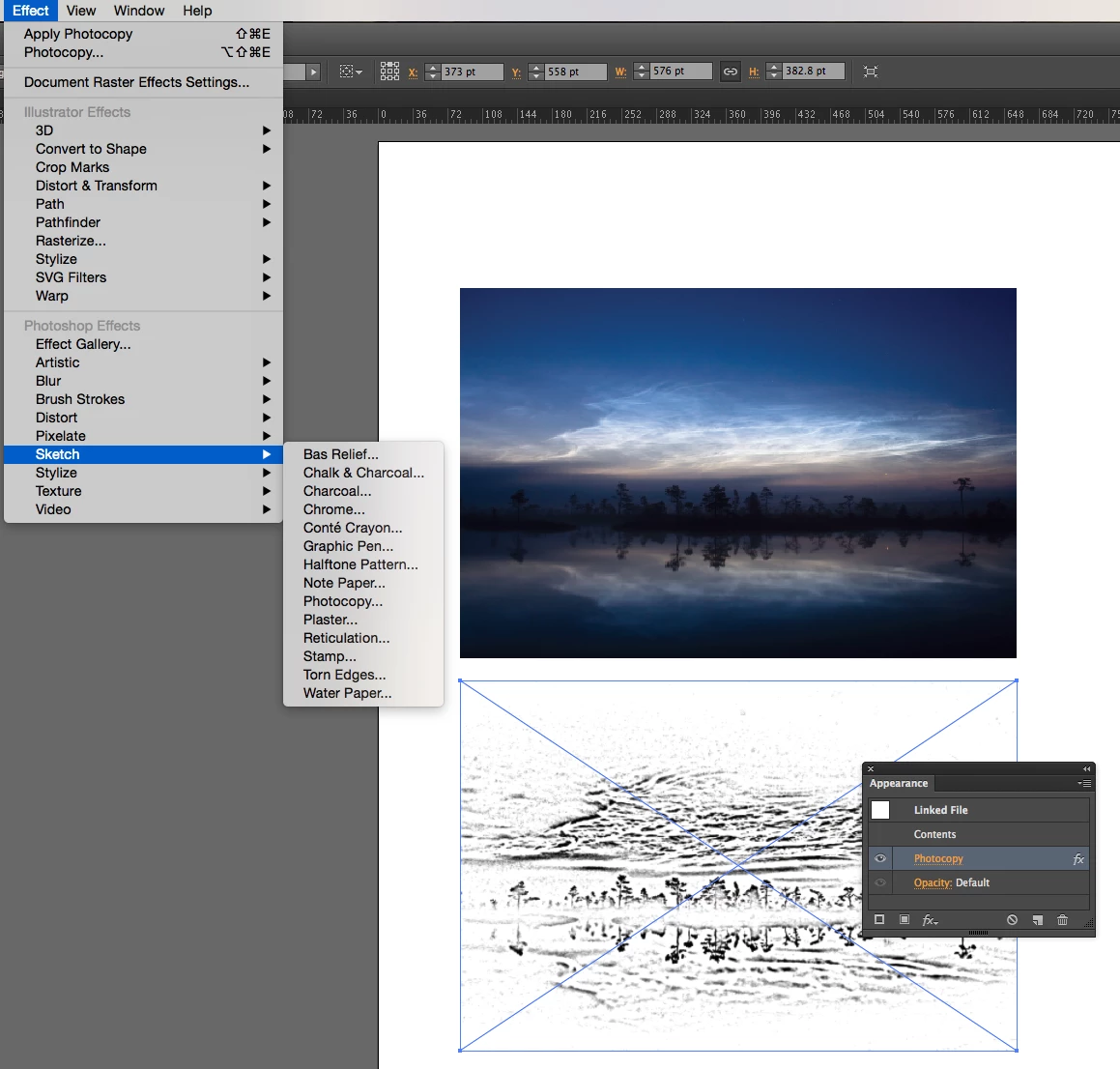
I have a question for the experts. I am an illustrator and I am looking to creat the look of photocopy. The look from the attached photo although I am not sure if that is illustrator. I would be so grateful if anyone could help me!Thanks!

    This topic has been closed for replies.
    Correct answer Mike_Gondek10189183

    I agree with pfaffenbichler photoshop is better suited for this.  Illustrator has an extensive amount of  Photoshop effects, but will take you more steps in illustrator, to colorize and and chloral correct to you liking.

    You asked for photcopy, and yes there is an effect named that, but what I believe you really want is a stipple effect, and there si a plug in you can purchase to have illustrator do that.

    Stipplism - Astute Graphics

    4 replies

    Monika Gause
    Community Expert
    Community Expert
    July 6, 2017

    That's not a photocopy effect. This rather looks like the output of an ancient 300 dpi inkjet printer.

    Even in Photoshop this might be difficult to achieve. I would split it into channels and then convert each of the channels to bitmap (diffusion dither and then combine them again.

    John Mensinger
    Community Expert
    Community Expert
    July 6, 2017
    Mike_Gondek10189183
    Community Expert
    Mike_Gondek10189183Community ExpertCorrect answer
    Community Expert
    July 6, 2017

    I agree with pfaffenbichler photoshop is better suited for this.  Illustrator has an extensive amount of  Photoshop effects, but will take you more steps in illustrator, to colorize and and chloral correct to you liking.

    You asked for photcopy, and yes there is an effect named that, but what I believe you really want is a stipple effect, and there si a plug in you can purchase to have illustrator do that.

    Stipplism - Astute Graphics

    c.pfaffenbichler
    Community Expert
    Community Expert
    July 6, 2017

    I think this task is not a good fit for Illustrator and you should ask on the Photoshop Forum.