adamk38272848
Participating Frequently
July 29, 2021
Answered

Pink Outlines everywhere on Imported .DWG file

  • July 29, 2021
  • 2 replies
  • 1715 views

Hello anyone - 


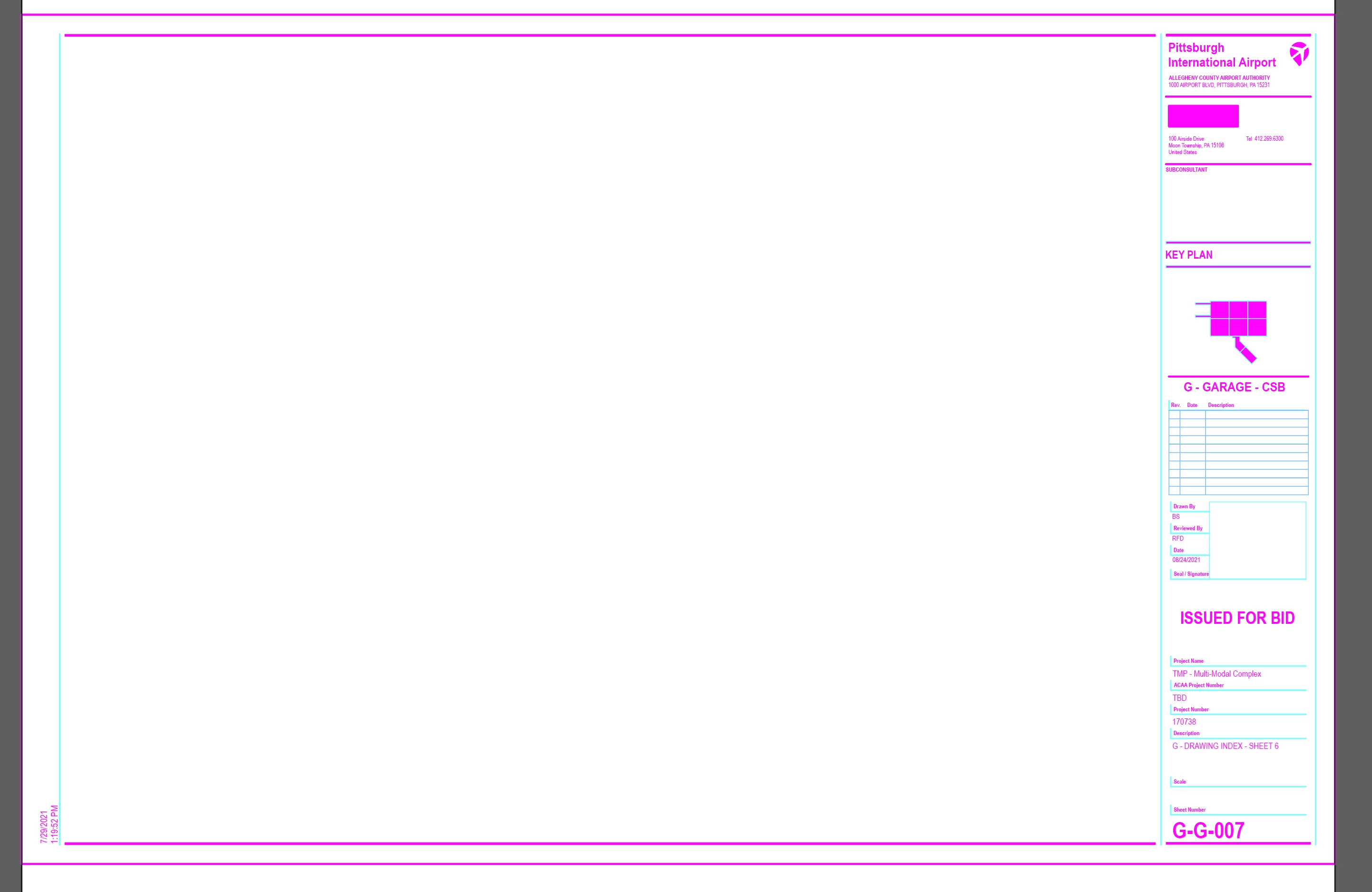
I imported a DWG file into illustrator 2021 and everything has a pink outline, no just text but also lines and boxes. Anyone know how to turn that off?


Thanks!

Adam 
This topic has been closed for replies.
Correct answer SJRiegel

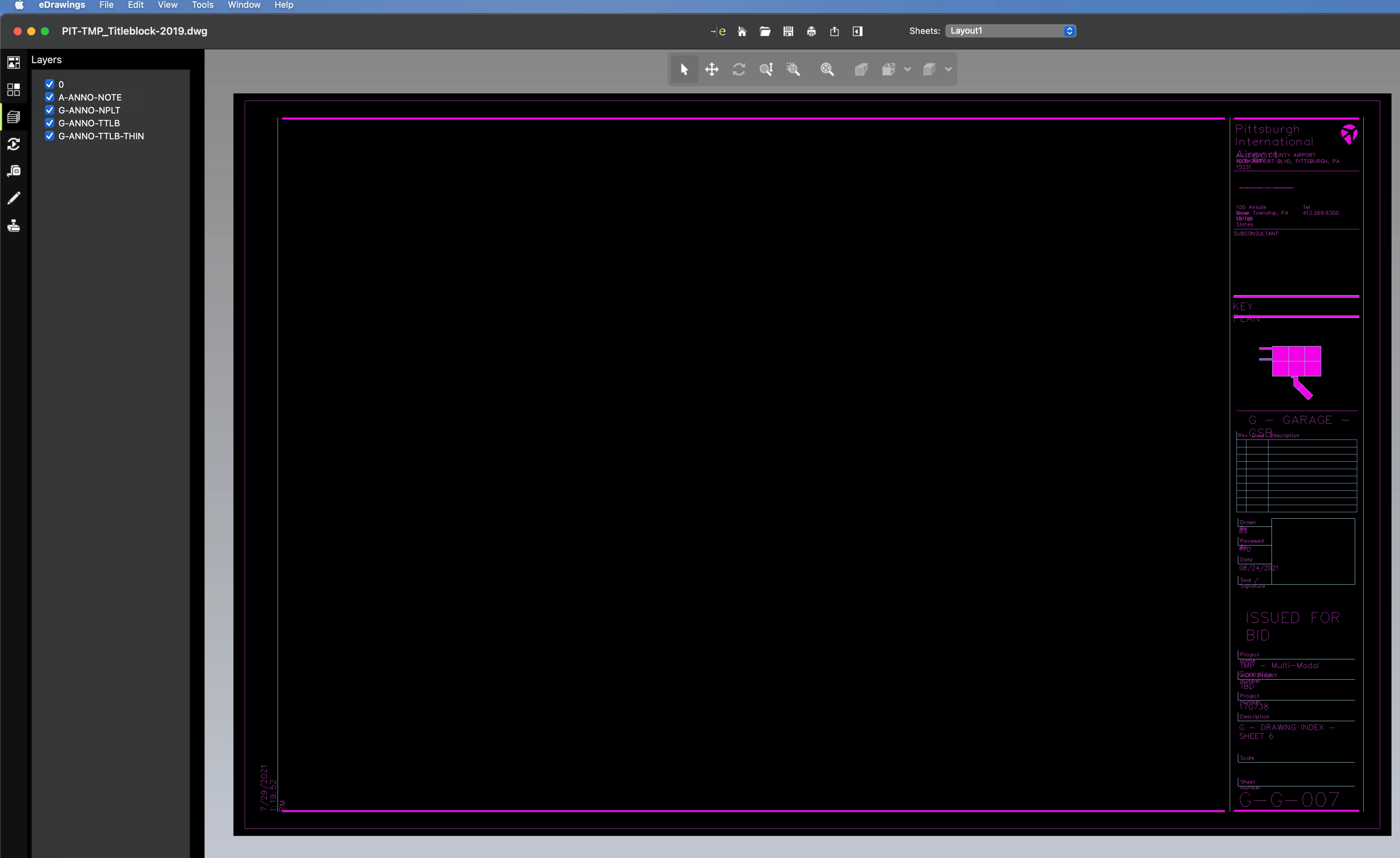
When I opened the file with Fit to Artboard chosen, and Scale lineweights unchecked, it opened with reasonable-looking lineweights, but the fills and strokres are still blues and pinks. 

Those colors must be in the original CAD file somehow, because it the colors were there when I opened the file in a CAD viewer program as well. 

Illustrator: 

eDrawings:


2 replies

Brad @ Roaring Mouse
Community Expert
Community Expert
July 29, 2021

Those are the strokes on the line objects.

When you open the .dwg, you are presented with options for import size: which one did you pick? because this is very very very tiny, so the strokes applied (which are all less that 1pt) are overwhelming.


When you OPEN an .dwg in Illustrator, best thing is to re-open and select either Original Size, or Scale to Fit Artboard when prompted. To help control the strokes, make sure scale lineweights is not checked.


If you are PLACING the file into an existing artboard, select Place, then click on the .dwg in the dialog, making sure Show Import Options is checked... and there you will be presented with the same options as above.


Regardless, you will have to do some massaging of the stroke lineweights and colors for your won purposes. In fact, many times, .dwg strokes come in with a lineweight of "0".


adamk38272848
Participating Frequently
July 29, 2021

I tried opening it in all those different ways. It does seems like some of the line weights are "0". but hard for me to tell with all the pink. It would take massaging but I don't know what the original lines were.  Was hoping to easily import.


Here's a link to the existing DWG file. https://drive.google.com/file/d/1OOvGywzIPQBFEgtWWn_5SdyHqwgr7G5A/view?usp=sharing


Should I ask them to export it in a different file format from AutoCad?

SJRiegelCorrect answer
Legend
July 29, 2021

When I opened the file with Fit to Artboard chosen, and Scale lineweights unchecked, it opened with reasonable-looking lineweights, but the fills and strokres are still blues and pinks. 

Those colors must be in the original CAD file somehow, because it the colors were there when I opened the file in a CAD viewer program as well. 

Illustrator: 

eDrawings:


Legend
July 29, 2021

Those colors are directly on the fills and strokes in the PDF. Can you share the original DWG, so we can see if we get the same issue when opening it into Illustrator?

adamk38272848
Participating Frequently
July 29, 2021

Okay good to know. I just tried to upload the original .dwg file but it says it's not supported on this support page..

Adam

Legend
July 29, 2021

If you have something like Dropbox, you could post a link to the file.