
Inspiring
November 16, 2017
Answered

Pink Template on Text Boxes

  • November 16, 2017
  • 2 replies
  • 3362 views

I cannot figure out what this is......

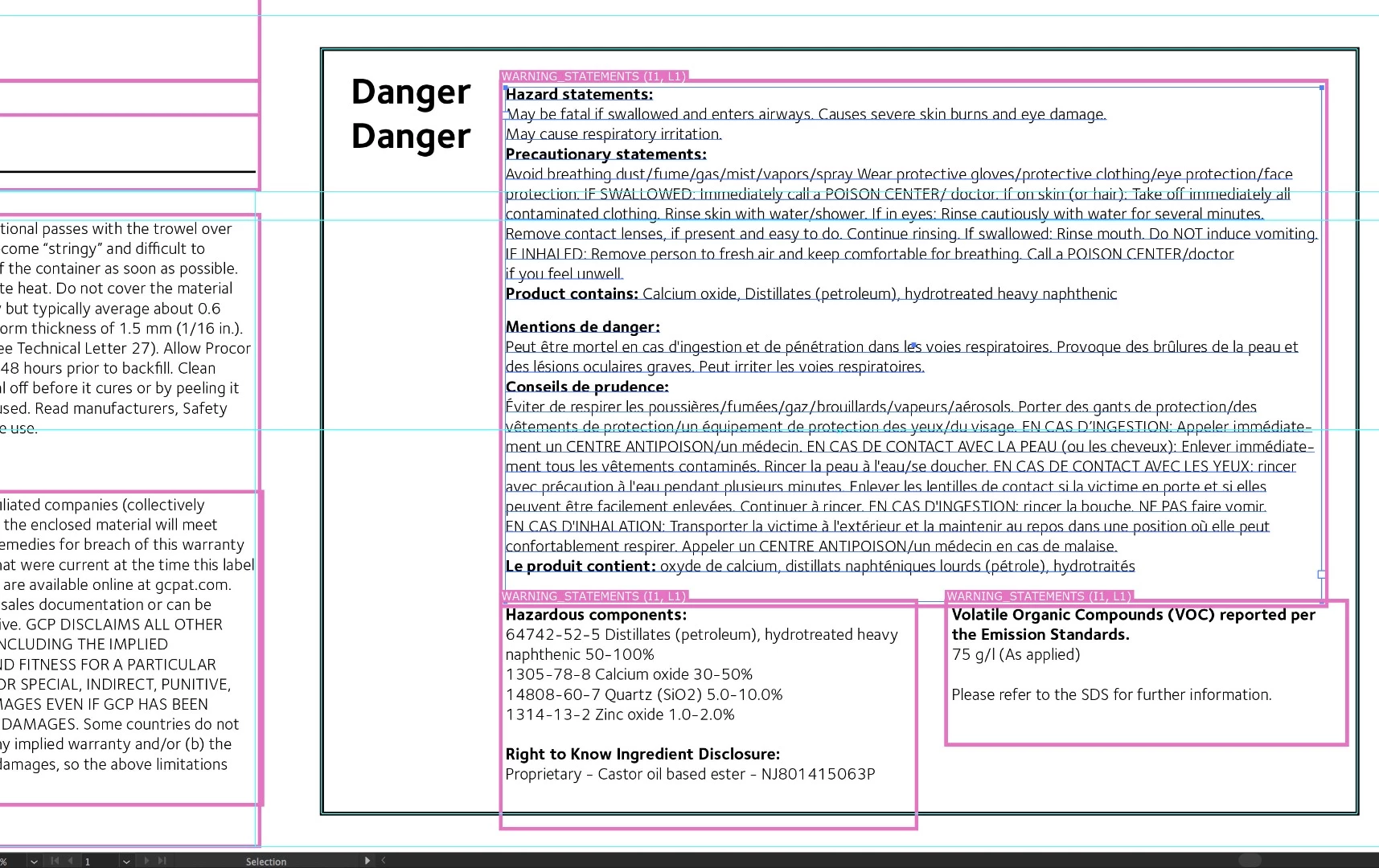
Anyone know what these Pink boxes are all about.

Imported a PDF into AI CC 2017 for Mac that looks like it was created in Adobe Illustrator CC 17 for Windows.

Appears to be some kind of style sheet or template. Not sure how to make them go away. Have researched the web and coming up empty.

Anyone? Ideas?

Note: I import the same PDF into AI CC 2018 and they don’t appear……….
    This topic has been closed for replies.
    Correct answer bradb56638941

    Bod – a-Bing!

    It was Esko Dynamic Art 3rd Party Plugins.

    Opened the pallet and Wala. There was all of the Text template Headings you see in the Pink Boxes.

    Deleted them in the Pallet and they disappear on the screen. That explains why I'm not seeing them on my 2018 AI software (Not running Esko Desk Pack because Esko is not caught up with Adobe yet..........which is a BIG problem!!)

    Thank you so much Raghuveer for the 3rd party plug-in suggestion. ............and thanks to all who chimed in to help me with this frustration.

    2 replies

    bradb56638941AuthorCorrect answer
    Inspiring
    November 16, 2017

    Bod – a-Bing!

    It was Esko Dynamic Art 3rd Party Plugins.

    Opened the pallet and Wala. There was all of the Text template Headings you see in the Pink Boxes.

    Deleted them in the Pallet and they disappear on the screen. That explains why I'm not seeing them on my 2018 AI software (Not running Esko Desk Pack because Esko is not caught up with Adobe yet..........which is a BIG problem!!)

    Thank you so much Raghuveer for the 3rd party plug-in suggestion. ............and thanks to all who chimed in to help me with this frustration.

    Raghuveer_Singh
    Inspiring
    November 16, 2017

    Happy to help Brad

    With Best Regards,

    Raghuveer Singh

    Doug A Roberts
    Community Expert
    Community Expert
    November 16, 2017

    can you show the layers palette? are they on a template or non-printing layer perhaps?

    Inspiring
    November 16, 2017

    Thanks for responding Doug. There is only one layer with sub-layers. I have tried toggling all of these off. Does not make a difference. Overprint Preview toggled on or off does not make a difference either.

    Doug A Roberts
    Community Expert
    Community Expert
    November 16, 2017

    are they objects you can select?