


Copy link to clipboard
Copied
Do the strokes in illustrator get pixelated only with the color black when it is superimposed on a dark color, does it help?
Сообщение отредактировано: Anna Lander


 1 Correct answer


Is the smoothing option turned on in Preferences > General?


Explore related tutorials & articles
 7
Replies
7
7
Replies
7


Copy link to clipboard
Copied
Hi Fran,
Illustrator is vector (except for drop shadows, Gaussian blur, etc.)
Strokes in Illustrator should not get pixelated.
Can you reword your question and show a screen shot, including the Appearance panel?
I moved your query from Forum comments to Illustrator.
~ Jane
Copy link to clipboard
Copied
The color black 100 K in CMYK documents will always have a thin white/grey edge. This is a screen rendering issue and won't affect printing.

Copy link to clipboard
Copied
Do the strokes in illustrator get pixelated...?
On your monitor, yes. Your monitor is a raster-based imaging device. So everything you actually see on your monitor is, in fact, a raster image, even if it is being rasterized from vector-based objects.
Vector-based artwork is resolution-independent. That does not mean it never gets rasterized. It always gets rasterized, both on your monitor and when printed. The resolution independent advantage of vector-based graphics is not a matter of if the rasterization occurs, but when.
While working in any program like Illustrator, the vector paths you draw are being rendered to the monitor as a raster image that has the resolution of your monitor. So you will always see a measure of "pixilation" if the pixels on your monitor are large enough for your eyes to see. But if you zoom in, your artwork is re-rendered on-the-fly. So the "pixilation" is still there, but it does not get worse, as it would if the artwork were, itself, a raster image.
When sending your vector-based artwork to a printer, it is re-rendered at the higher resolution of the printing device.
That, in a nutshell, is what "resolution independence" is all about: Rasterization is inevitable. But it can automatically be performed at the maximum resolution of the output device, because it occurs at the time of final output.
JET
Copy link to clipboard
Copied
example of how the image is pixelated with the color black. is there any way to avoid this? 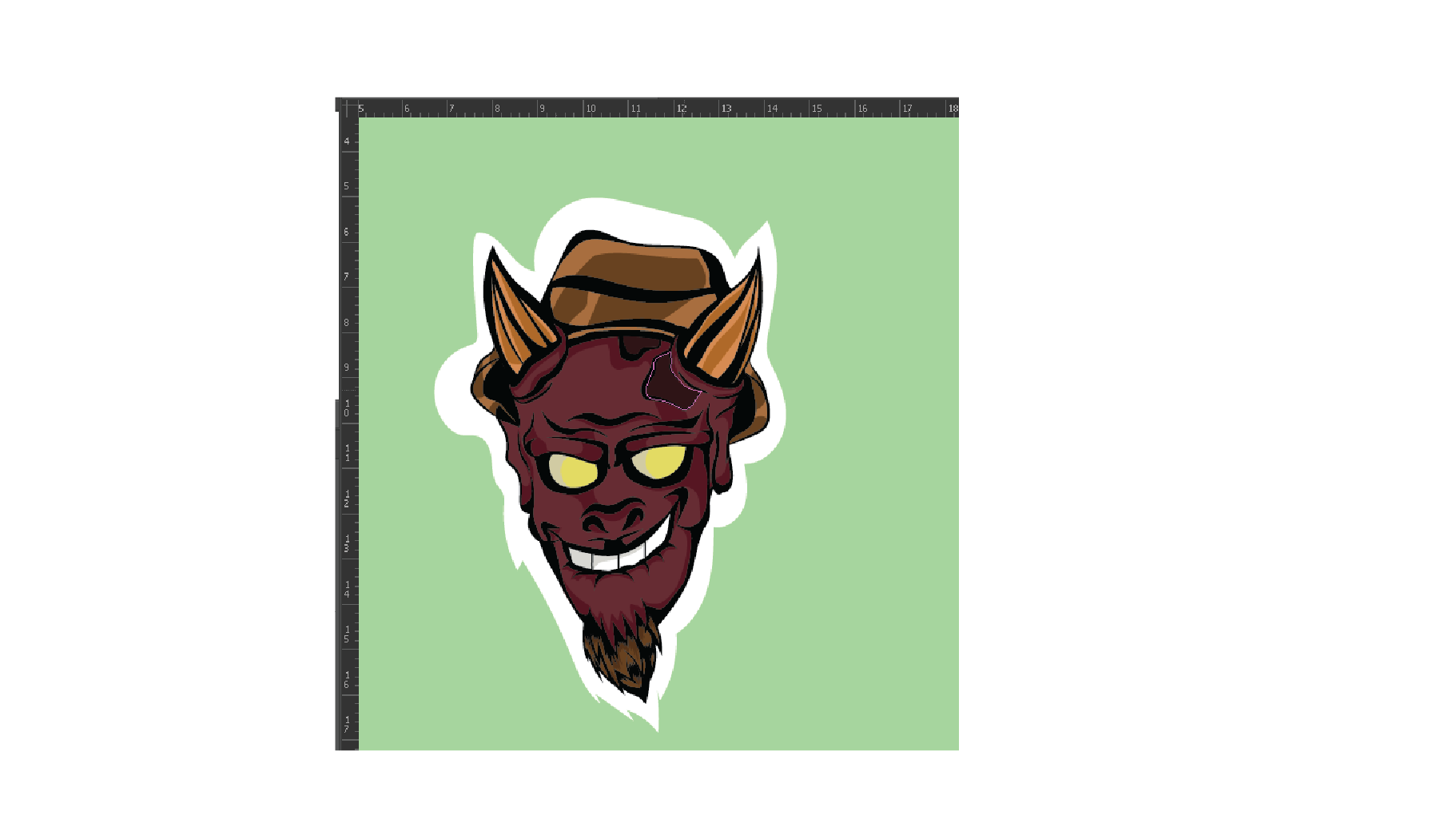
Copy link to clipboard
Copied
Is the smoothing option turned on in Preferences > General?

Copy link to clipboard
Copied
Make sure the pixel preview is unchecked.


Copy link to clipboard
Copied
no.
correct answer. lol


Get ready! An upgraded Adobe Community experience is coming in January.
Learn more
 AdChoices