Pascal62
Participant
January 23, 2017
Answered

Placing and distributing multiple objects in Illustrator

  • January 23, 2017
  • 3 replies
  • 3831 views

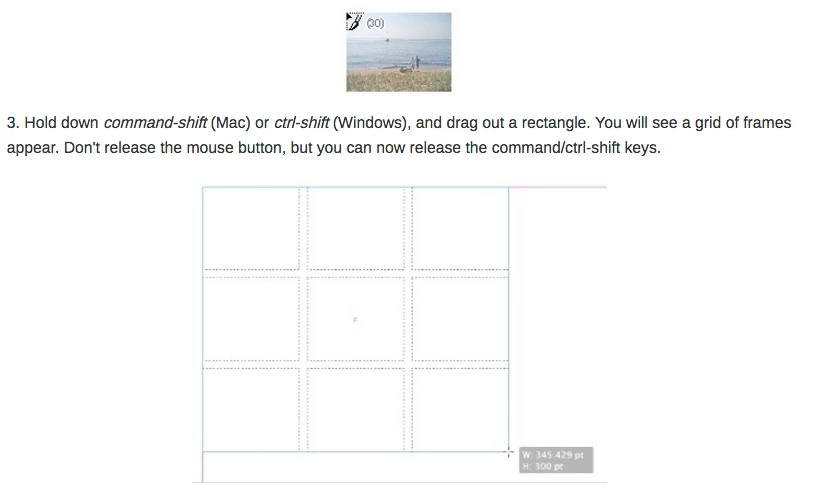
Is there a way in Illustrator to import (File >Place) multiple objects and place them in a grid like in InDesign? In InDesign you use the cmd + shift (mac) and draw a rectangle, adding columns and rows with the right/left and up/down arrows. I have tried these steps in Ai without success.

Thank you for your help
    This topic has been closed for replies.
    Correct answer cinziamarotta

    Hi Pascal,

    you can get a similar result in Illustrator with some more step than in InDesign.

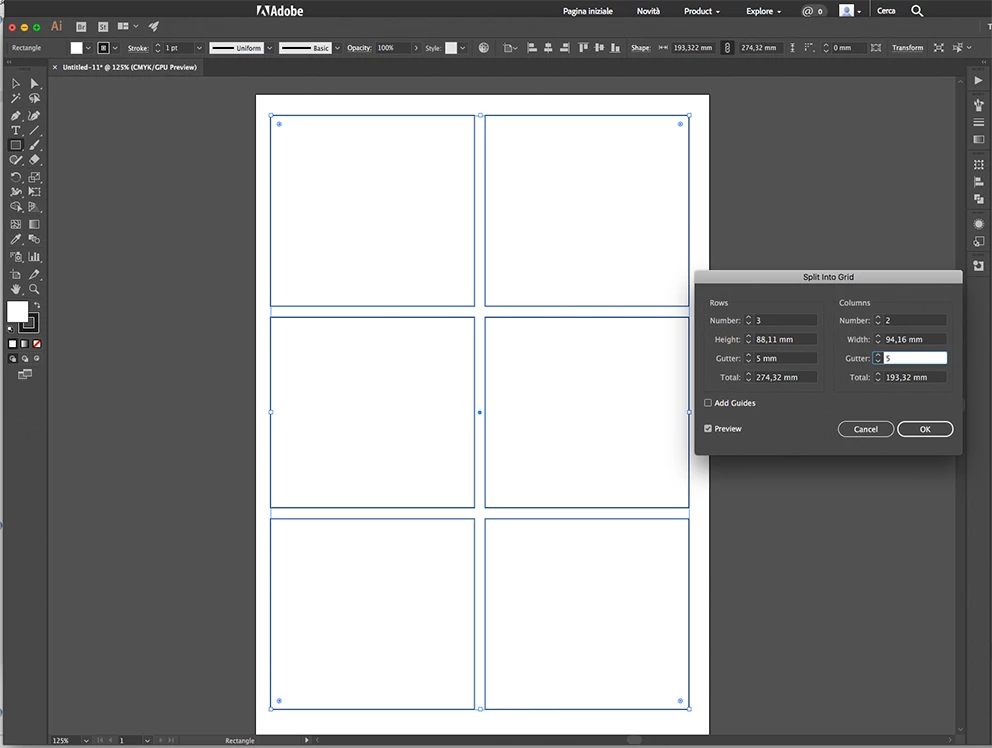
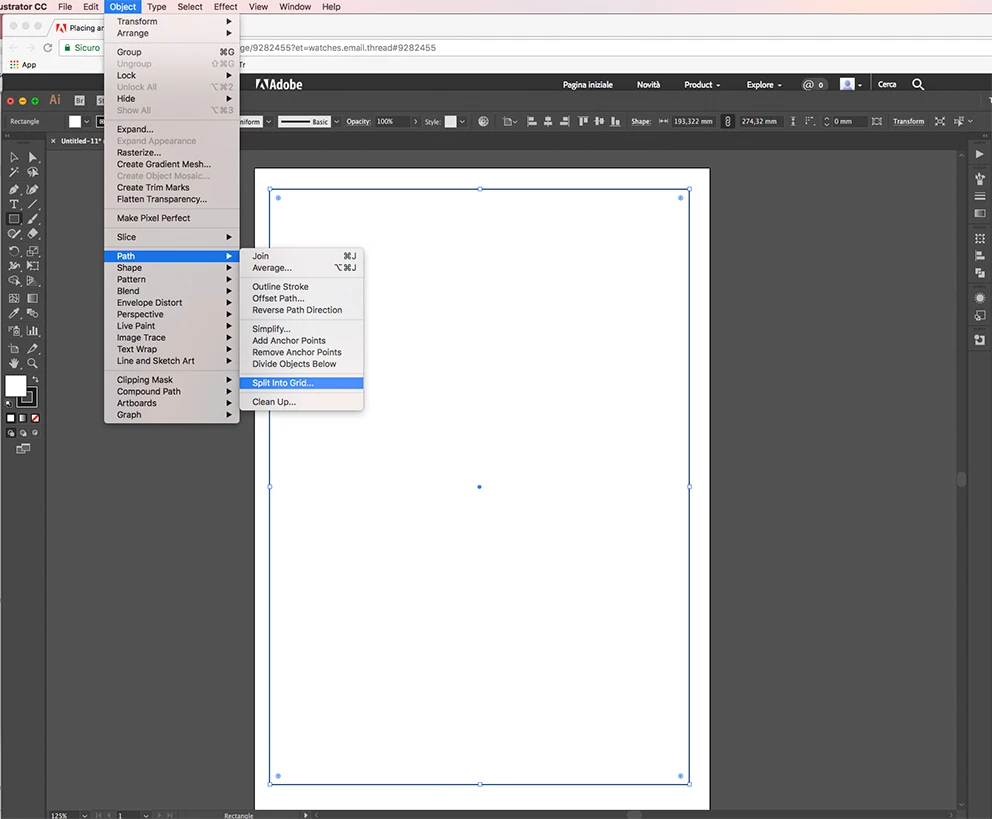
    Draw an object with the dimensions you want for placing the photos, then select menu OBJECT > PATH > SPLIT TO GRID

    So you can use the frames for the clipping masks

    3 replies

    cinziamarotta
    cinziamarottaCorrect answer
    Participating Frequently
    January 23, 2017

    Hi Pascal,

    you can get a similar result in Illustrator with some more step than in InDesign.

    Draw an object with the dimensions you want for placing the photos, then select menu OBJECT > PATH > SPLIT TO GRID

    So you can use the frames for the clipping masks

    Kurt Gold
    Community Expert
    Community Expert
    January 23, 2017

    Which version of Illustrator are you using?

    Doug A Roberts
    Community Expert
    Community Expert
    January 23, 2017

    not natively. there may be plugins that work like this but i'm not aware of one.

    Pascal62
    Pascal62Author
    Participant
    January 23, 2017

    Thank you for your response.

    On Mon, Jan 23, 2017 at 11:29 AM, dougofakkad <forums_noreply@adobe.com>

    Pascal62
    Pascal62Author
    Participant
    January 23, 2017

    Hi Kurt,

    Thanks for responding. I am currently using the latest version of Adobe Illustrator CC.

    Thanks for your help.

    Pascal