
Participant
May 29, 2020
Answered

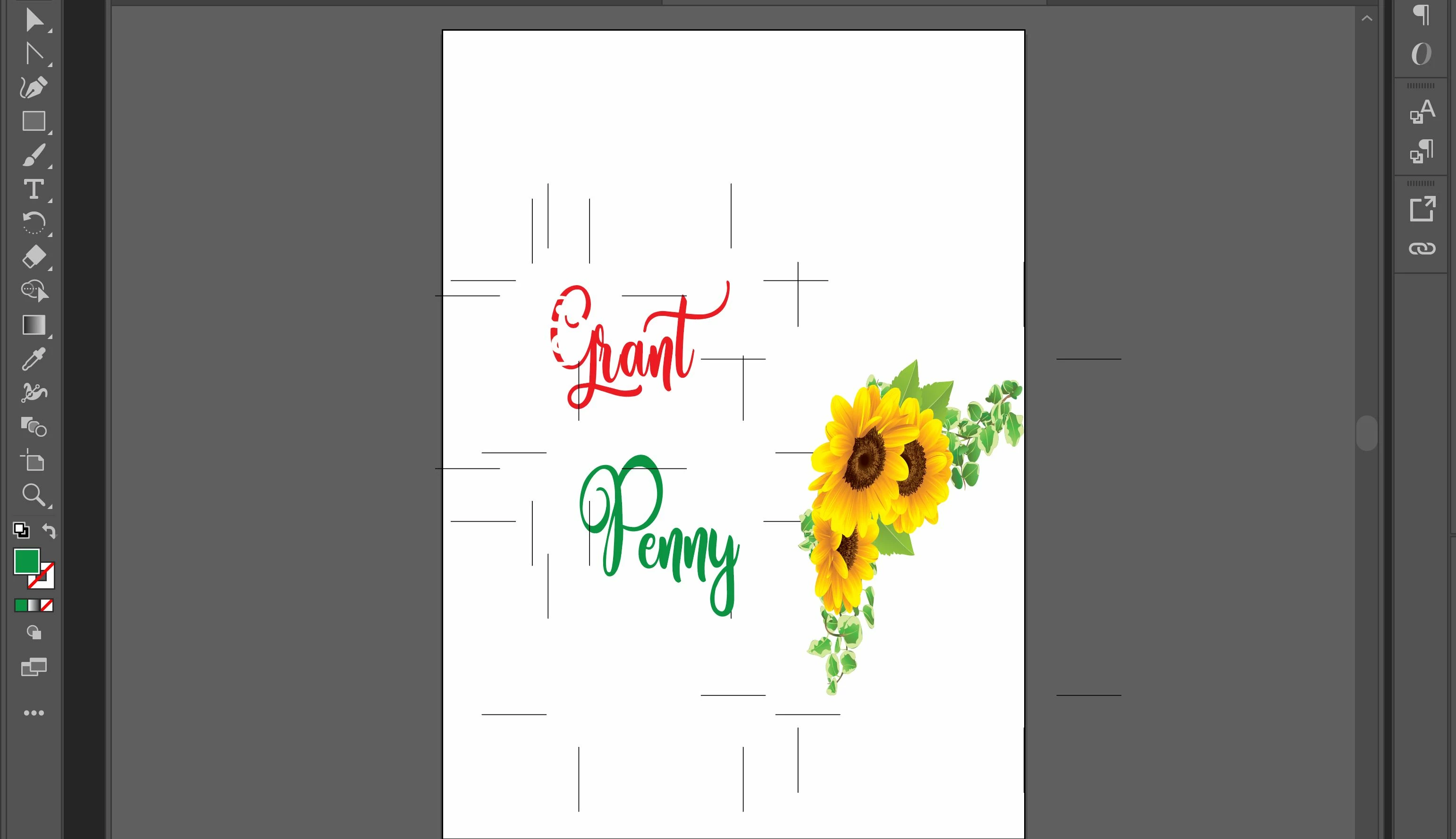
please help, how do I remove random black lines that are showing on all bounding boxes

  • May 29, 2020
  • 3 replies
  • 3298 views

 I have hidden all options in "view" but there are still random lines that show up around the edges of bounding boxes. I cannot remove them. If I move the text or image, the lines go with them. The lines are all the same size and are in line the same way.
 

This topic has been closed for replies.
Correct answer Ton Frederiks

Can you check (with an object selected) in the Appearance panel if the Crop Marks effect is applied?

3 replies

Ton Frederiks
Community Expert
Community Expert
May 29, 2020

Good to hear that solved it.

First I thought it was the Mondrian effect, but Larry gave me the idea for the Crop Marks effect 🙂

Ton Frederiks
Community Expert
Ton FrederiksCommunity ExpertCorrect answer
Community Expert
May 29, 2020

Can you check (with an object selected) in the Appearance panel if the Crop Marks effect is applied?

Larry G. Schneider
Community Expert
Community Expert
May 29, 2020

Thanks Ton, I couldn't remember exactly how to apply them.

Larry G. Schneider
Community Expert
Community Expert
May 29, 2020

They look like Trim Marks from placed items. Can you show the Layer panel with the contents shown?

Participant
May 29, 2020

Here is the project with the layer pannel. I have circled the lines in red.