
Inspiring
January 30, 2023
Question

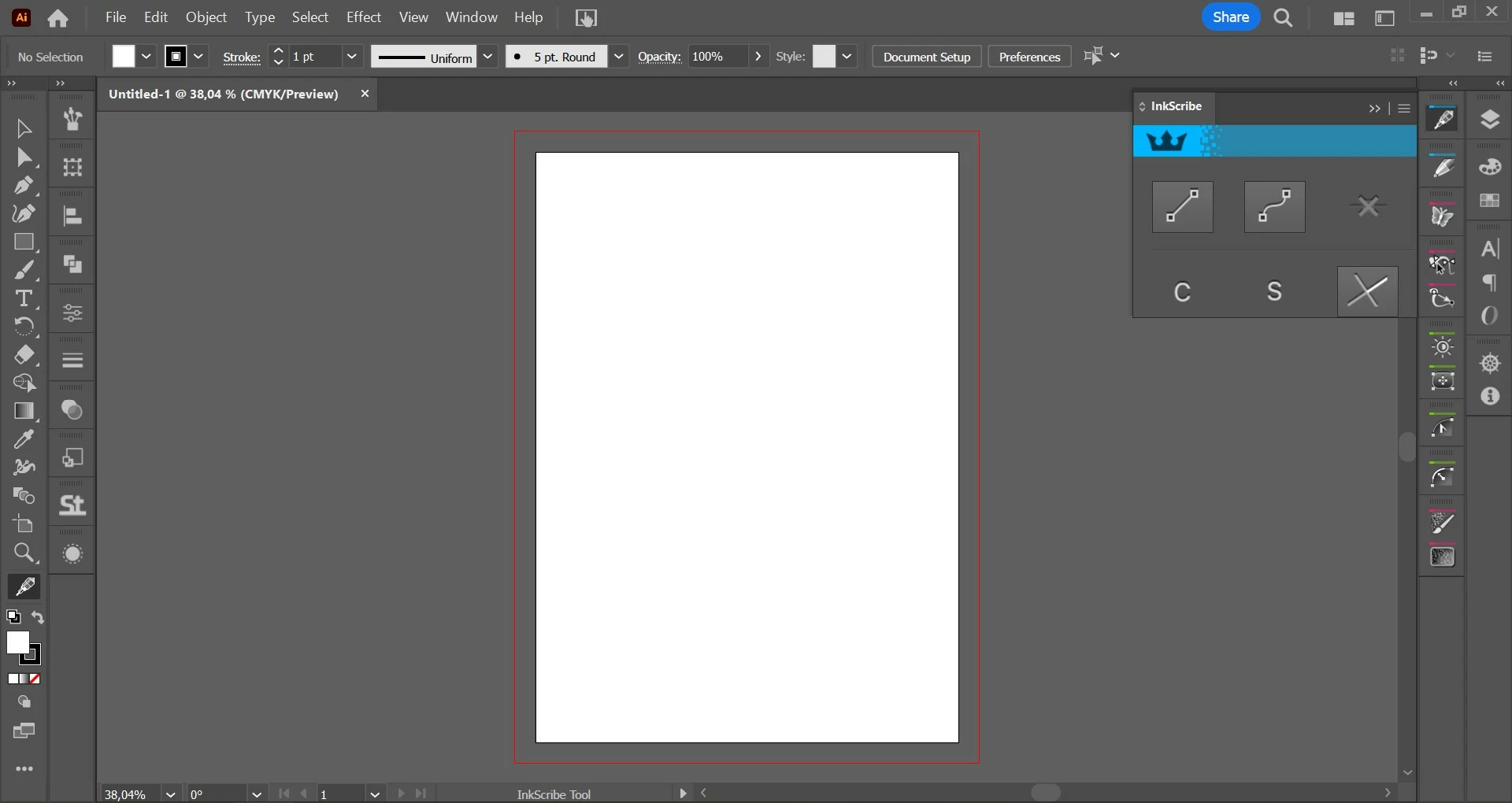
Plug-in interfaces appears too big on graphic tablet
  • January 30, 2023
  • 4 replies
  • 1966 views

hello,
I am using Illustrator v27.2 and Huion Kamvas 13 graphic tablet. When I am working on a Huion plugins interfaces looks so big and much of options are not showing as you see in a picture I attached. 

How can I solve this problem?

Thanks.

This topic has been closed for replies.

4 replies

Inspiring
February 3, 2023

Hello I am still looking a solution for this problem.

Anshul_Saini
Community Manager
Community Manager
February 3, 2023

Hi @cemc18303069,


We are sorry for the trouble. In addition to Kevin's suggestion, would you mind trying the following steps:

  • Set Display resolution to 1920x1080 on both screens and scaling set to 100%
  • Set the Illustrator UI to Small from the preferences.
  • If this doesn't help, Rename the CEP folder to CEP.old from the following location:
    C:\Program Files (x86)\Common Files\Adobe
    Then rename the extensions folder to extensions.old in the following location:
    C:\Program Files\Common Files\Adobe\UXP
  • If that doesn't help either, uninstall the application using the CC Cleaner tool and reinstall it from the Creative Cloud Desktop app.


If nothing helps, I recommend contacting Huion & Astute plugin support for further investigation.


Let us know how it goes.


Thanks,

Anshul Saini

Anshul_Saini
Community Manager
Community Manager
February 13, 2023

Hello,

Thank you for your kind response. I tried steps that you suggested but none of them worked for me. As you mentioned, I will contact with Huion and Astute Graphics support. 


Hi @cemc18303069,


Have you received any updates or solutions from the Huion or Astute Graphics support team?

Let us know if you find any workaround or solution to this.


Thanks,

Anshul Saini

Kevin Stohlmeyer
Community Expert
Community Expert
January 30, 2023
Inspiring
January 30, 2023

Thank you so much. I checked the Astute Graphics post but they mentioned the solution is change UI Scaling to small. But I cant see the changing UI Scaling options in version 27.2. 

Thanks again. 

Kevin Stohlmeyer
Community Expert
Community Expert
January 30, 2023

I'm on a Mac but you don't have this option under preferences?


Ann Bens
Community Expert
Community Expert
January 30, 2023

Moved to Ai forum.

MarekMularczyk
Community Expert
Community Expert
January 30, 2023

Hi,

This is a Premiere Pro forum, not Illustrator forum. You need to post it on Illustrator forum.


Adobe Community ExpertAdobe Certified Professional
Inspiring
January 30, 2023

Oh I am sorry. Please delete it