
Participant
May 15, 2021
Question

png has white background in illustrator

  • May 15, 2021
  • 1 reply
  • 2139 views
 

i've never had this issue before so i'm super confused, it was working fine up until last night? i create a png by removing the background of my image and i'll usually export it as a png w transparency ticked and open in illustrator or just drag straight from photoshop into illustrator and go as usual but now i'm getting this? it's got a white background? this is how it looks in photoshop after i've removed the background:
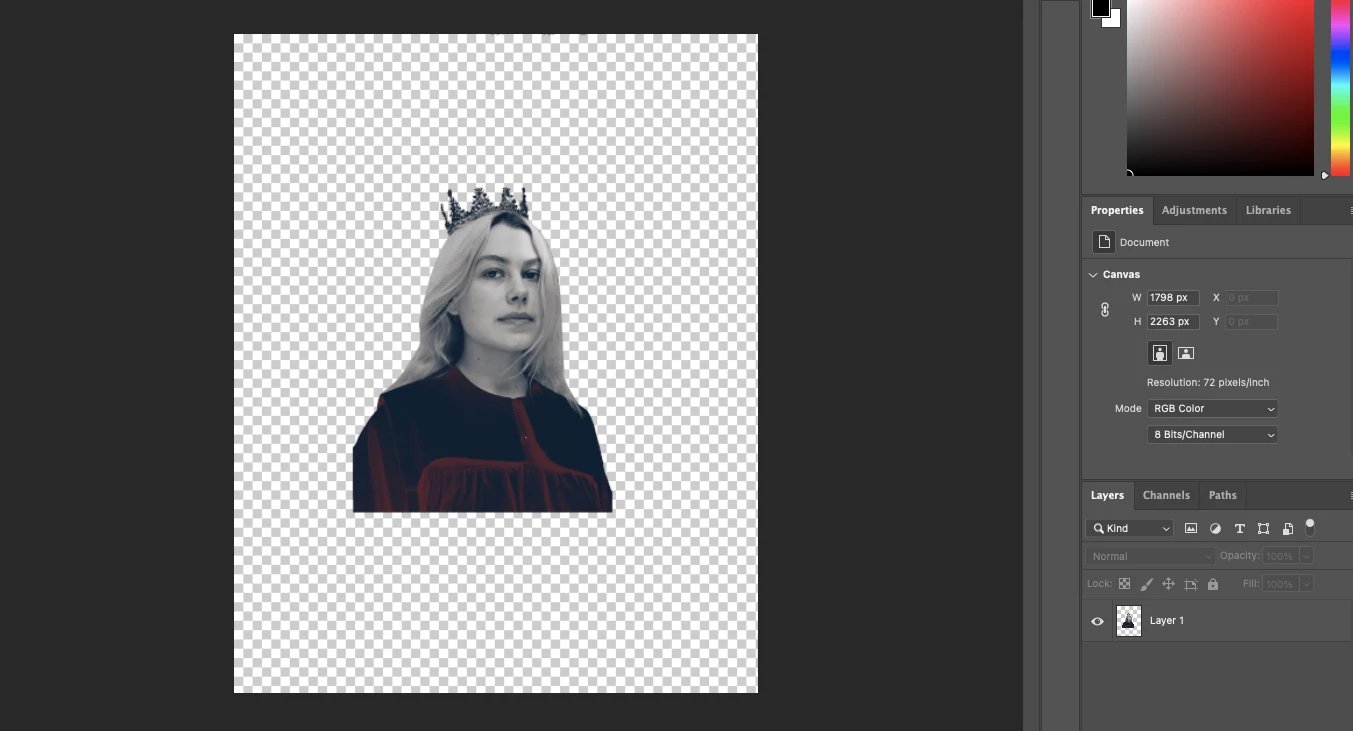
 

and this is what i get when i drag, copy & paste or place into illustrator:
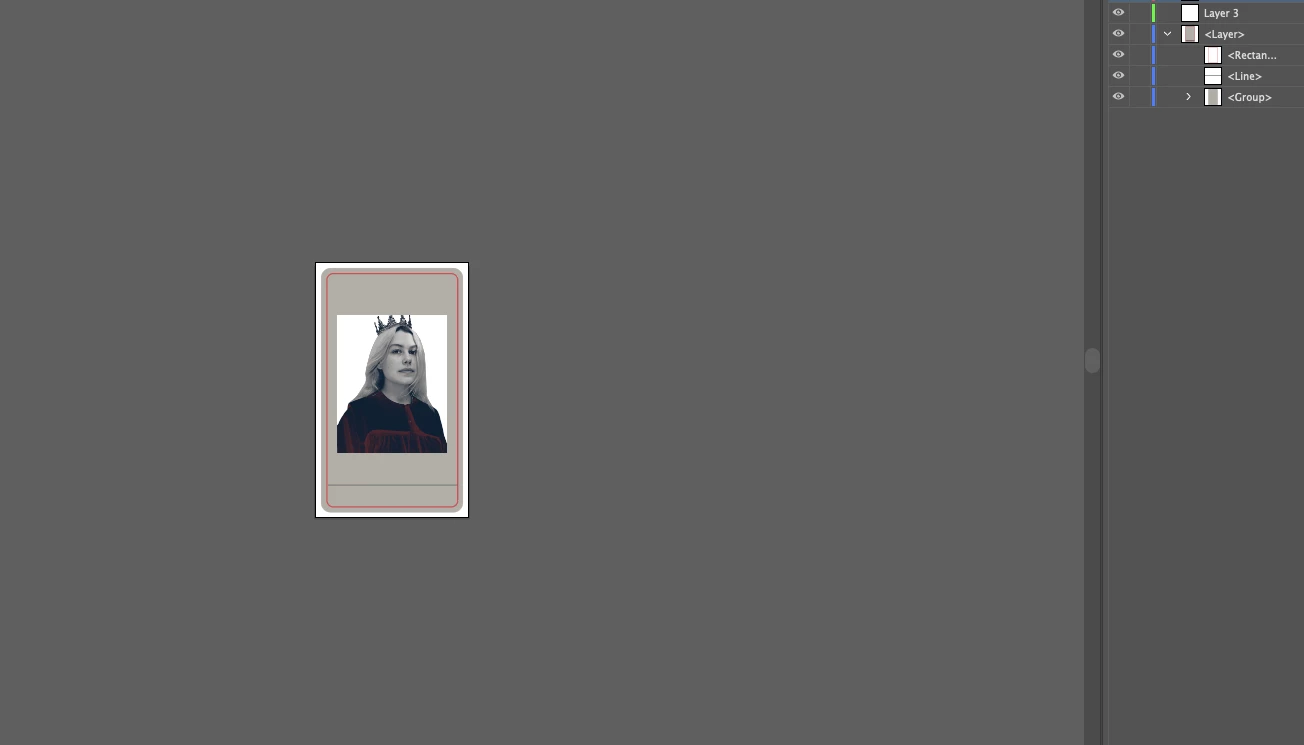
1 reply

Jacob Bugge
Community Expert
Community Expert
May 15, 2021

Aria,


Just to make sure: are you sure the whiteness is in the PNG and not just the nothingness behind it?


In other words, what happens if you click View>Show Grid/Transparency Grid or place a coloured rectangle behind the whole thing?


Aria5E73Author
Participant
May 15, 2021

another one w a coloured rectangle too! its so confusing idk why this is happening now 😞

Jacob Bugge
Community Expert
Community Expert
February 6, 2025

Did you find out a solution?


Viktoriia,


I am afraid I never saw the latest post by Aria.


It seems that she used a stroked rectangle rather than a filled one to show up red all the way round her.


What happens if you try the Transparency Grid, the fainter Grid, or a filled rectangle?


You can show it as Aria did, please use the Insert Image button at the top of the Reply box (looks like moon over mountains).