
Participant
May 31, 2019
Answered

Polar Grid greyed out

  • May 31, 2019
  • 1 reply
  • 3096 views

Hi, I've found the polar grid tool really useful in the past but it's now dissapeared in the main toolbar and in the extra one it's greyed out or un-selectable.

I'm in the 'advanced' settings in 'essential classic' but I have also tried the other options. In 'Automation' it's not greyed out but it doesn't select it. Thank you
This topic has been closed for replies.
Correct answer Myra Ferguson

Where would I find it on the Toolbar? I've looked for it under all the existing tools. In Automation where it's visible it is not draggable.


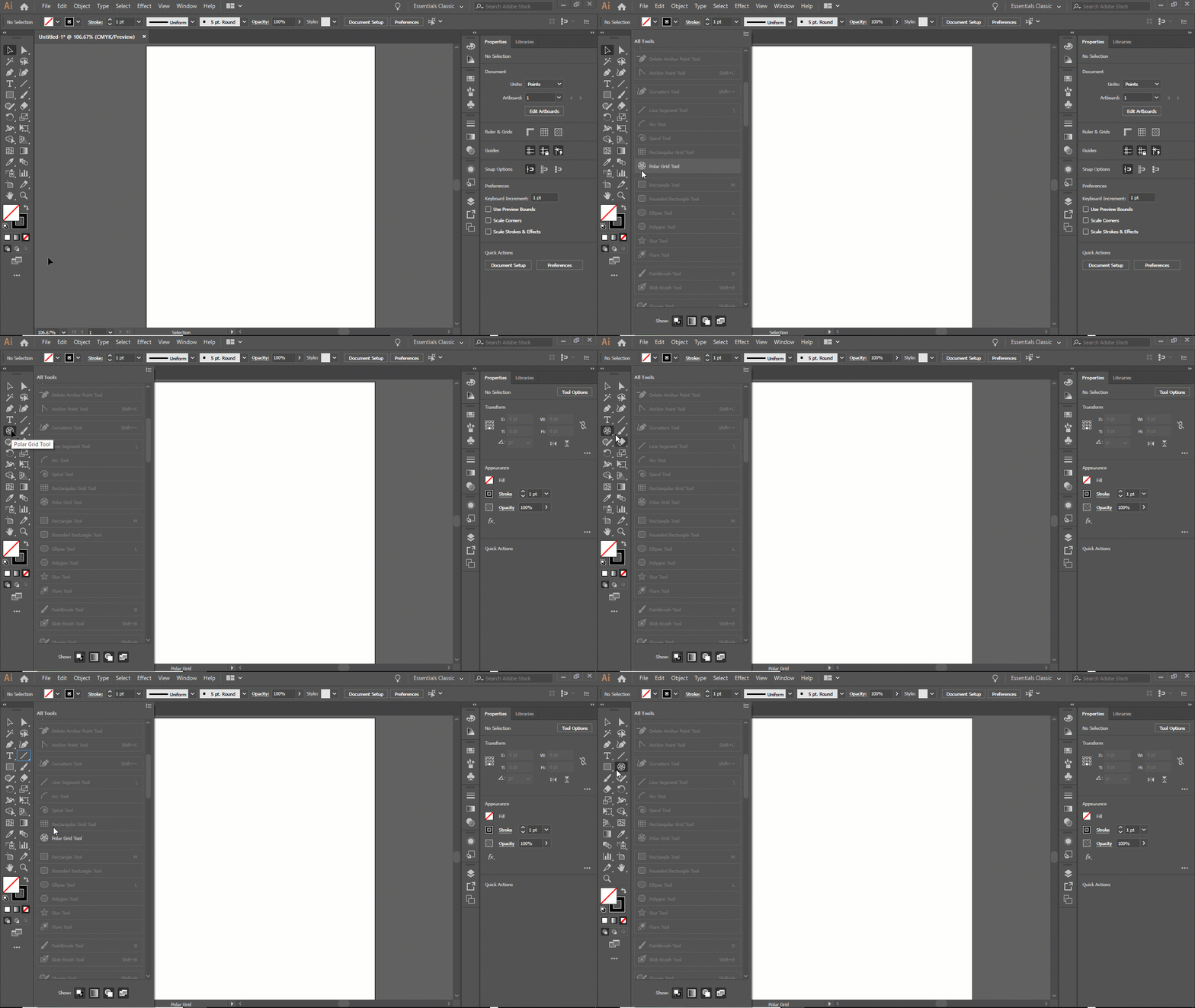
It may not look draggable, but see what happens when you try dragging it from All Tools to the Tools panel. Think of the All Tools as a drawer to store tools that aren't out on your Tool panel. If it's grayed out in All Tools, it's in your Tools somewhere. If not, then drag it over. You can nest it with other tools or make it stand alone in the Tools panel. Here I first put it with the Rectangle Tool, then put it back, then put it between the Rectangle Tool and the Paintbrush Tool so that it stands alone.

1 reply

Monika Gause
Community Expert
Community Expert
May 31, 2019

Can you please show a screenshot of the greyed-out tool?

When was your last computer restart?

Participant
May 31, 2019

I will try restarting my computer

Thank you

Participant
May 31, 2019

It may not look draggable, but see what happens when you try dragging it from All Tools to the Tools panel. Think of the All Tools as a drawer to store tools that aren't out on your Tool panel. If it's grayed out in All Tools, it's in your Tools somewhere. If not, then drag it over. You can nest it with other tools or make it stand alone in the Tools panel. Here I first put it with the Rectangle Tool, then put it back, then put it between the Rectangle Tool and the Paintbrush Tool so that it stands alone.


yes you're right, I didn't hover over another tool to drop it