

Exit
  • Global community
    • Language:
      • Deutsch
      • English
      • Español
      • Français
      • Português
  • 日本語コミュニティ
  • 한국 커뮤니티
0

Position of object

Community Beginner ,
Mar 18, 2021 Mar 18, 2021

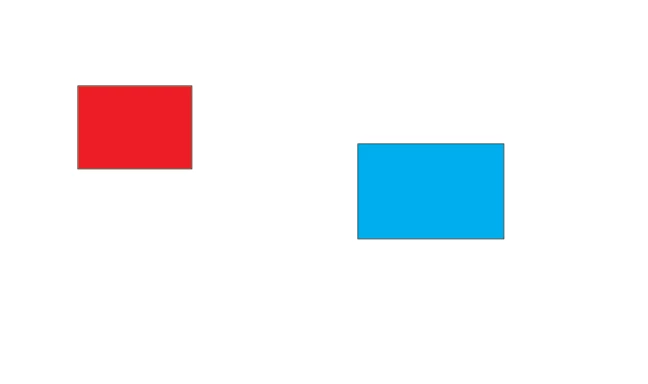
I have two basic rectangles.

How can I (with jsx) compare their coordinates and determine which one is more to the left (has a lower X coordinate value)? and put the message in alert

KaOP.png

TOPICS
Scripting
637
Translate
Report
Community guidelines
Be kind and respectful, give credit to the original source of content, and search for duplicates before posting. Learn more
community guidelines

correct answers 1 Correct answer

Community Expert , Mar 18, 2021 Mar 18, 2021

You can access the left and top properties of PageItem. So...


var item1 = selection[0];
var item2 = selection[1];
var leftmost;
if (item1.left < item2.left) {
    leftmost = 'item1';
} else {
    leftmost = 'item2';
}
alert(leftmost + ' is leftmost\nitem1.left = ' + item1.left + '\nitem2.left = ' + item2.left);


Also of interest might be: position and geometricBounds.

Translate
Adobe
Community Expert ,
Mar 18, 2021 Mar 18, 2021

You can access the left and top properties of PageItem. So...


var item1 = selection[0];
var item2 = selection[1];
var leftmost;
if (item1.left < item2.left) {
    leftmost = 'item1';
} else {
    leftmost = 'item2';
}
alert(leftmost + ' is leftmost\nitem1.left = ' + item1.left + '\nitem2.left = ' + item2.left);


Also of interest might be: position and geometricBounds.

Translate
Report
Community guidelines
Be kind and respectful, give credit to the original source of content, and search for duplicates before posting. Learn more
community guidelines
Mentor ,
Mar 20, 2021 Mar 20, 2021
LATEST

also visibleBounds

sometimes your measurements could be polluted by sharp mitre points or stroke weights. visible bounds (in theory) gives you the dimensions of the visible object including the stroke.


HOWEVER.. do not be deceived into thinking that it always gives the appropriate dimensions. Clipping masks can and will give you unexpected results because, for some reason, Illustrator consideres all of the "clipped artwork" (the art that is not visible because it extends beyond the clipping path) when giving you the dimensions.

To be clear, this issue is not specific to visibleBounds. any native method of getting the bounds of an object (left, top, width, height, visibleBounds,geometricBounds, and position) will have the same issue because ilustrator doesn't care whether art is invisible/clipped. it still counts. =(


just something to be aware of.. It's possible to write some logic to dig through the object and find the largest clipping path so that you can use that for your dimensions instead (since that will match the actual visual appearance of the shape)... However, depending on the artwork you're processing, this can get very expensive (in terms of time) because it would require a recursive loop to inspect all of the items inside the group.

Translate
Report
Community guidelines
Be kind and respectful, give credit to the original source of content, and search for duplicates before posting. Learn more
community guidelines
Community Expert ,
Mar 18, 2021 Mar 18, 2021

You can position position[0] to fetch X coordinates value and comapare X values


var _pageItems = app.activeDocument.pageItems;
for (var i = 0; i < _pageItems.length; i++) {
    alert("X : " + _pageItems[i].position[0] + "--- Y : " + _pageItems[i].position[1])
}


Best regards
Translate
Report
Community guidelines
Be kind and respectful, give credit to the original source of content, and search for duplicates before posting. Learn more
community guidelines