Answered

Not sure I'm totally understanding.
If you select an object and want to rotate it to a specific degree, you an type the degree in the Properties panel and hit Enter or Return.
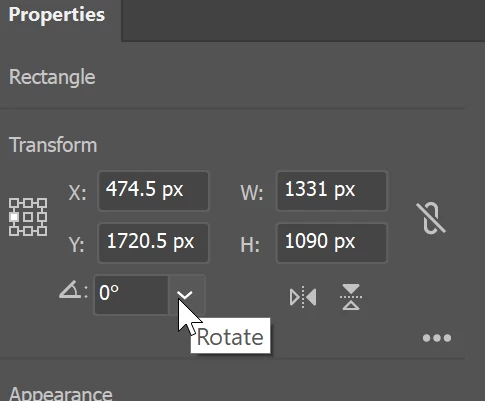
Or, you can choose Object > Transform > Rotate from the menu
If the object is not rotating correctly because the bounding box is not straight you can choose Object > Transform > Reset Bounding box
Sign up
Already have an account? Login
To post, reply, or follow discussions, please sign in with your Adobe ID.
Sign inSign in to Adobe Community
To post, reply, or follow discussions, please sign in with your Adobe ID.
Sign inEnter your E-mail address. We'll send you an e-mail with instructions to reset your password.
 AdChoices