
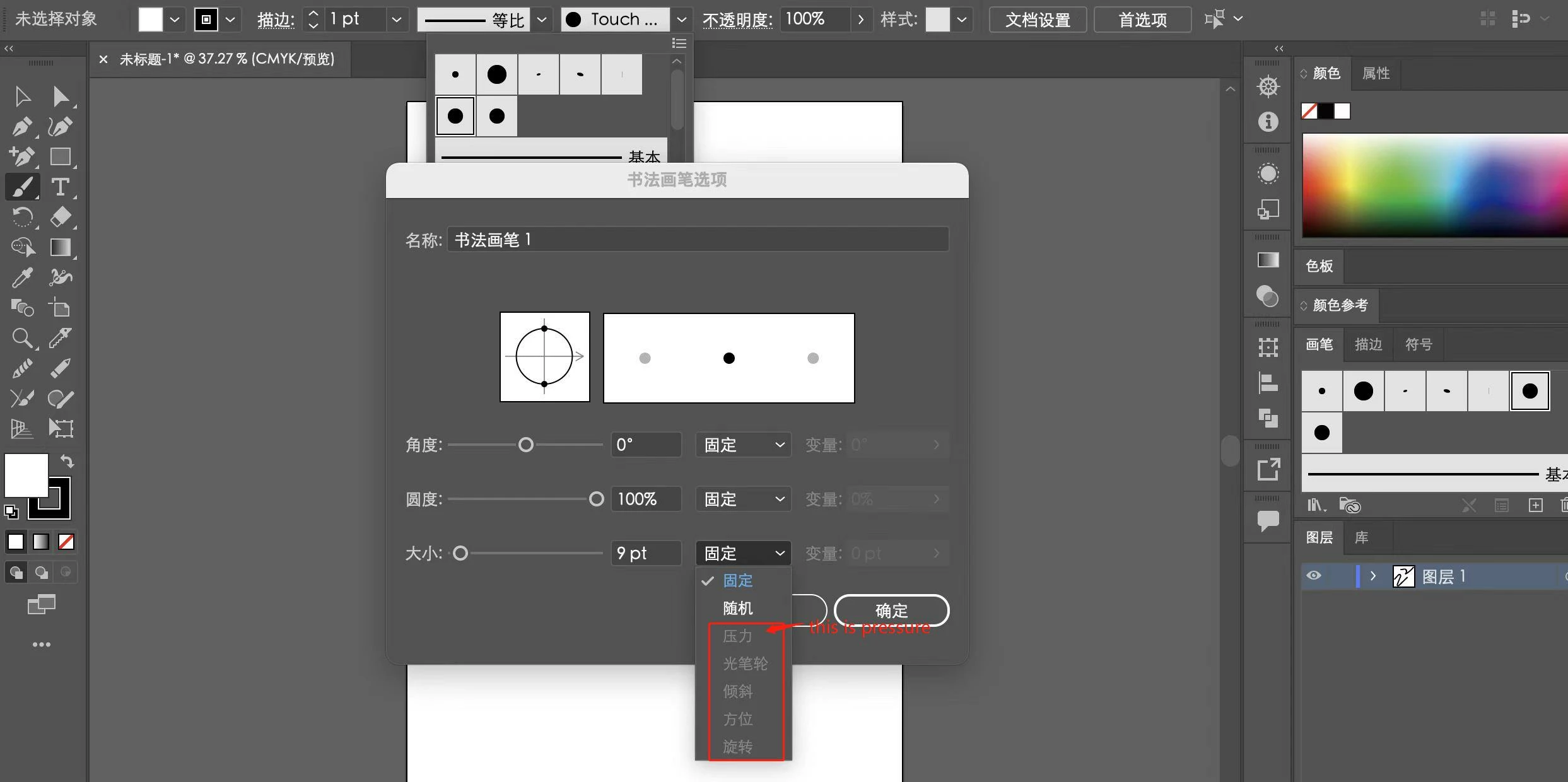
Pressure options for brush not available on Apple M1
Hello, I installed the hand-drawn board driver correctly and there is pressure in Adobe Photoshop. When I create a new calligraphy brush in Adobe Illustrator, the "pressure" is displayed in gray. I would like to ask how to solve it?
I have already reset it again according to the link below, but still can’t solve the problem:
https://helpx.adobe.com/illustrator/kb/illustrator-cc-crash-wacom-drivers.html
I even tried several lower versions of Adobe Illustrator, but this situation persists.
Then I asked Wacom's official website customer service how to resolve the situation. After some online testing and inspection by the technical customer service, the customer service finally stated that this situation was not caused by the hand-drawn board and the driver, but may be caused by Adobe Illustration.
Adobe Illustrator version number currently in use (M1 chip): 26.0.1
System version: MacOS Monterey 12.0.1
Hand-painted board model: Wacom ctl-672
If someone is an Adobe Illustrator developer, it is hard to see if this situation is caused by the software or by other reasons? And is there a solution to this situation?


 AdChoices