
Preview window not showing art on PNG export
Hello, I have a customer that was having issues with Illustrator where the drop down menus would stop working and the saved files were corrupting. Tried a complete purge of all adobe apps and background files but the problem came back quickly. Next step I removed all adobe again, backed it up with Time Machine then erased and installed fresh OS Sonoma 14.4.1 (Mac mini M1 32GBs of RAM), restored data from backup and installed the newest versions of Photoshop, Illustrator, and Lightroom. Illustrator is now working perfectly without any issues except when she selects Export As, select Use Artboards and file type PNG, click Export. The next window that pops up you can choose Resolution, Anti-aliasting, Interlaced, and the Background color. Normally in this window she would get a tiny preview of her artwork in the next window that pops up. Starting after the first purge that preview went away despite two full reinstalls of the applications. I need to get this preview back for her as it was very helpful in her workflow. Attaching a picture of the preview box from my Mac showing the preview that she is missing. 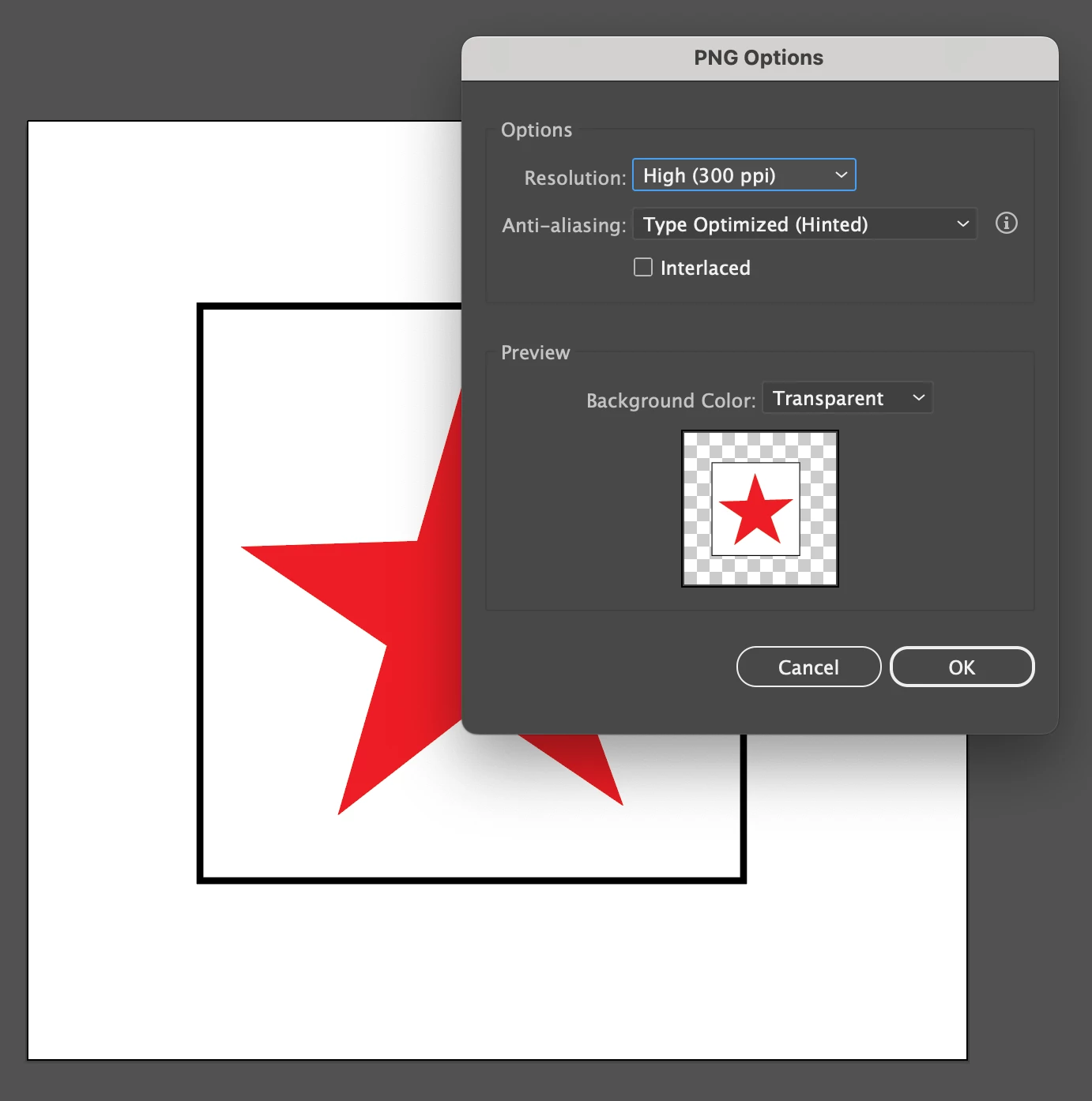
 AdChoices