
Participant
February 11, 2022
Question

Printing changes desaturates color

  • February 11, 2022
  • 5 replies
  • 440 views

This is my long standing issue. I had sume issues with updating, which have been resolved after our communication with adobe support. This solved this problem for new files, however, i still cannot recover my old files. 

Support suggested to copy and paste my projects into a new file, I did that, then agian without the mask, then  printed out a pantone of the most prominent color using both the new and the old file, both pantones came out without a problem (i'd actually be more satisfied if it came out wrong as well, then i'd have a hunch of the sollution). I even tried screenshoting and printing the screenshot to lose any possible data stored, still nothing. Then importing the screenshot to Illustrator and printing again. You can see, that the color of the project doesnt mach either of the pantones printed..
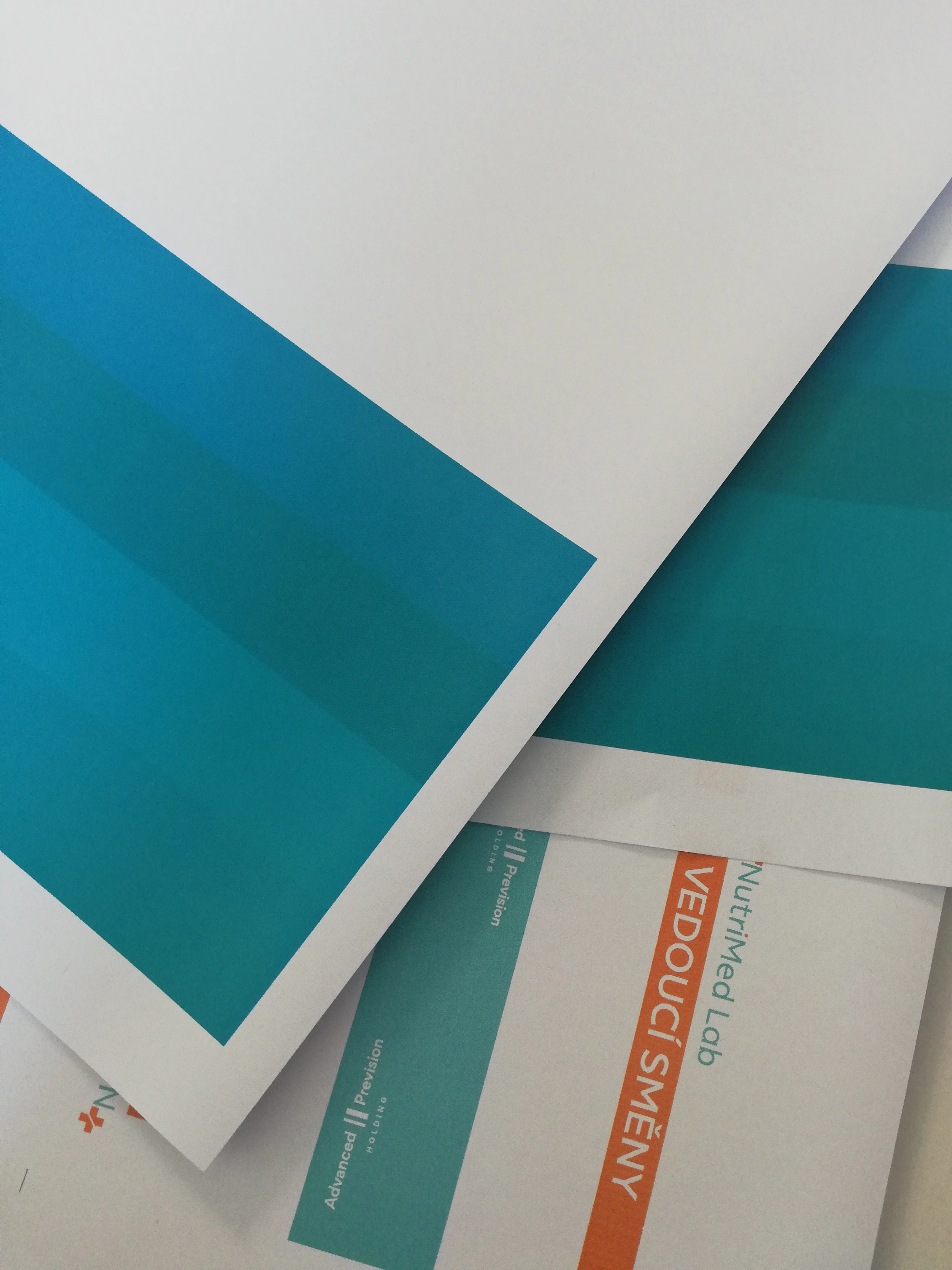
This has been driving me crazy, please help. Remaking all the project again is almost not an option. Thank you for suggestions.

This topic has been closed for replies.

5 replies

Inspiring
February 12, 2022

Use caution when comparing Pantone ink colors on your monitor ( transmissive ) vs. printed out of whatever printer you happen to be using ( reflective ).  Just out of curiosity, what is the printer you are using?  What type of paper?  Is it a laser?  Inkjet?  Thermal Transfer?  Are you using a RIP?  Is it a contract proofer?  The only real dependable way to print Pantone spot colors is using a press that has the actual Pantone ink loaded ( not CMYK ).  Anything else could be a shot in the dark.   

Monika Gause
Community Expert
Community Expert
February 11, 2022

You probably need to check your color management settings. In the application and when printing. And also maybe check what the printer driver is adding on top of that.

Participant
February 11, 2022

How do I check the printers driver?


Monika Gause
Community Expert
Community Expert
February 11, 2022

You might start with reading the documentation. And then checking out if the settings are correct.


And you will absolutely need to learn color management.

Met1
Legend
February 11, 2022

"both pantones came out without a problem"

so your problem has a solution.

If you're now just looking for a why it's hard to say without knowing how your original files were set up.

Are these .ai files, .pdf files?

Is there transparency in the files, do you have transparency and spot color?

Participant
February 11, 2022

They were made as .ai, but i tried printing as both .ai and .pdf. .pdfs Looked same as .ai in illustrator, but it printed out wrong.


c.pfaffenbichler
Community Expert
Community Expert
February 11, 2022

»Support suggested to copy and paste my projects into a new file, I did that, then agian without the mask, then  printed out a pantone of the most prominent color using both the new and the old file, both pantones came out without a problem«

Your description seems unclear to me. 

Do the colors print as expected or not? 


What are the documents’ Color Spaces? 

Are there actual Spot Colors involved? 

Participant
February 11, 2022

the pantones did, not the project

c.pfaffenbichler
Community Expert
Community Expert
February 11, 2022

The pantones, the project – what do you mean? 

Does the ai file contain actual Spot Colors or not? 

Are the Spot Colors in-gamut for your printer? 

Participant
February 11, 2022

Actually, that photo is very bad, but even still you can see that the project is way less saturated then the pantones