
Participating Frequently
February 17, 2020
Question

Printing from illustrator, pink is incorrect canon iP8750

  • February 17, 2020
  • 7 replies
  • 2684 views

Hi, I have just purchased a ip8750 printer, installed all drivers in the set up process.

I have created a file in Adobe Illustator, document settings were cmyk, 300dpi.

I have then selected print, let illustrator determine colours, printer profile sRGB IEC61966-2.1, Renering intent Relative Colorimetric.

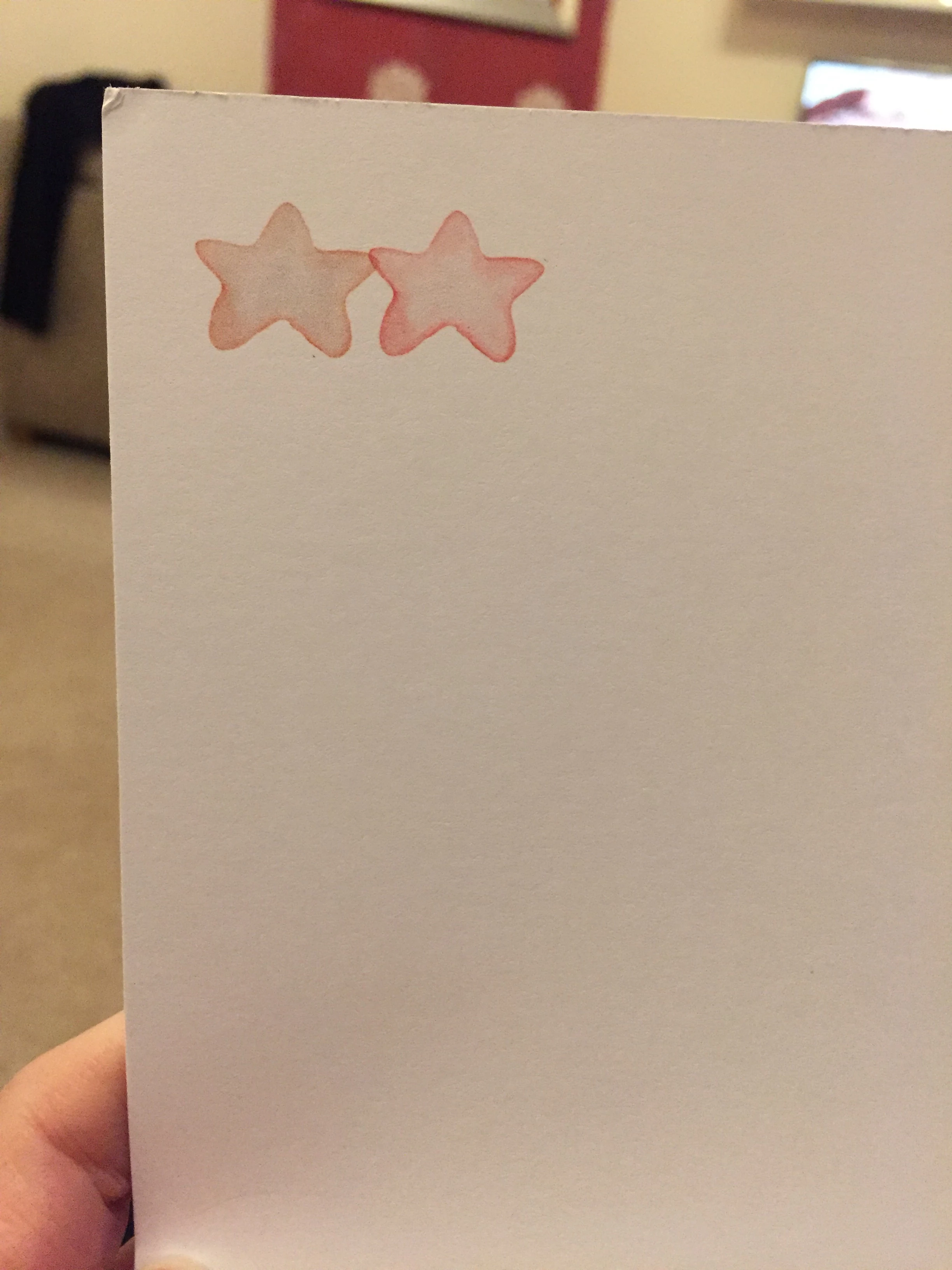
The document printed but pinks had a slight peachy colour to them, I have then used the exact same settings as above and printed on my MG3600 and colours are perfect.

I read somewhere to try turning off colour management for the printer so I selected Setup at the bottom of the print section, selected my printer then preferences, then clicked the Main Tab, Colour/ intensity set to Manual, then seleted Set, and then Matching Tab, and selected None.

Reprinted, this didn't help.

I have also tried saving document as a pdf, opened this in Microsoft Edge, printed with both printers again and still the IP8750 prints the pinks with a peachy coloured tint, and the MG3600 was perfect.

I need to print with the new IP8750 as it prints A3.

I have tried selecting other profiles in the print section but none seem to give the correct result.

I am printing on smooth cardstock, but tried plain paper, colours are still the same.

Am I missing something, as just can not work out what to do?

Thank you

Picture shows the difference from each printer
 

This topic has been closed for replies.

7 replies

Participant
August 3, 2021

Hi, I am having the exact same issue as you when printing pinks with my newly purchased Canon IP8750. It seems this printer doesn't print a true pink but a peachy pink? Printed fine on my old HP printer.

Could I ask you if you have managed to resolve this issue and if so how you did please? It's extremely frustrating....

Many thanks 🙂

Monika Gause
Community Expert
Community Expert
August 3, 2021

Did you read the complete thread?

Participant
August 3, 2021

I did yes, I just wondered if the person who posted it had resolved it another way.  I've tried to print pink in a new RGB document and it still comes out peachy not pinky. I've calibrated my monitor and that's not it either.  I can't believe Canon produce a printer that can't even print a true RGB pink?  Worked great on my non post script old A3 HP printer.

Jacob Bugge
Community Expert
Community Expert
February 18, 2020

0202,


Looking through the user manual, downloaded from here,

https://www.canon.co.uk/support/consumer_products/products/printers/inkjet/pixma_ip_series/pixma_ip8750.html?type=manuals&language=


I am afraid that the iP8750 is a dedicated photo/similar printer that will only work (properly) with RGB documents; the only ICC profiles mentioned are RGB, and Cyan/Magenta/Yellow are only mentioned on pages 280 and 282 in connexion with colour adjustment.


As far as I can see, with a CMYK document there is no way round its double conversion CMYK > RGB > CMYK, so the least worst way is to create in RGB to limit the conversion number to one, which would conflict with the creation of documents for general (PostScript based) print.


Here is a search for their A3 printers with PostScript (93 in total),

https://www.canon.co.uk/search/?q=postscript%20a3


I fear you may have received wrong/inadequate information/advice from the seller, and I hope there is a way to start over.


Jacob Bugge
Community Expert
Community Expert
February 18, 2020

0202,


I (now/again/still) believe the issue is that the printer driver overdoes its job and makes the double conversion because it is set to work with RGB, so when it fails to find the RGB colours straight away it creates them by conversion from your CMYK, and then converts them to deviating CMYK.


In that case the question is: can you find/remove a setting that forces the printer to simply use your CMYK straight away, in other words do as it is told as does the MG3600?


LD0202Author
Participating Frequently
February 18, 2020

Hi Jacob, other than trying it this way ‘tried turning off colour management for the printer so I selected Setup at the bottom of the print section, selected my printer then preferences, then clicked the Main Tab, Colour/ intensity set to Manual, then seleted Set, and then Matching Tab, and selected None.’ I can’t find another way.’ I can’t find another way, from a google search I don’t think anyone else has found another way either.


Just thinking I could try to print something away from illustrator and see what the results are like just to rule out the printer being an issue but what would be a good test?


(I have silhouette software opened the same file and printed that from there, there’s less settings and the print still come at as above for both printers)

Jacob Bugge
Community Expert
Community Expert
February 17, 2020

0202,


What happened to Acrobat/Reader?


LD0202Author
Participating Frequently
February 17, 2020

I have downladed the adobe reader, the results are still the same. The older canon mg3600 printed the colour correctly and the new canon ip8750 is still printing incorrectly. 


I have clicked on the edit tab, then color settings, I have tried a few different combinations but all give me the same result. 


This is how I started - I clicked File, New, entered my page size, set Color Mode to CMYK, ppi300

I have a then placed a png file that I purchased, which is 300 dpi, RGB, transparent background


Can someone go through each step in the color setting section to show me how they would set it up...

(I'm in the UK if this makes any difference).


Settings ?

Working spaces

RGB?

CMYK?

Colour management prolicies

RGB?

CMYK?


Also which settings to select when I save as a pdf


Adobe PDF Preset - I selected [high quality print]

Unselected optimize for fast web view

Output, color conversion - I selected convert to desination (preserve numbers)

Destination? not sure which is best, as tried a few


As I say one printer prints it perectly the other is incorrect.

Thank you

Jacob Bugge
Community Expert
Community Expert
February 17, 2020

0202,


I overlooked the Canon in the heading.


I am afraid that the printer is without PostScript (emulating) driver option, so saving a copy as PDF may be the only way.


"I have also tried saving document as a pdf, opened this in Microsoft Edge,"


Without really knowing about Microsoft Edge, I believe that may be an unfortunate way.


What happens if you simply select/open the PDF and print it on the iP8750?


LD0202Author
Participating Frequently
February 17, 2020

When I open a pdf files they automatically open in microsoft edge, if I right click on the pdf and choose where to open it, it gives me options such as internet explorer and chrome. 

Larry G. Schneider
Community Expert
Community Expert
February 17, 2020

Please download a recent version of Adobe Reader and try printing from that software. You should get better results.

Randy Hagan
Community Expert
Community Expert
February 17, 2020

A couple things I'd suggest:


1) Get with your Canon rep (or if you don't have one, canon.com). You may find printer-specific drivers and ICC profiles which will get you the results you're looking for.

2) As mentioned, you can see funky shifts transitioning from CMYK document intent, to RGB color settings, back to CMYK printer interpretations of the rgb color settings. Try transitioning to US Web Coated (SWOP) v2 for your CMYK settings, and turn your RGB Color Management Policies to Off. We're not necessarily seeing if we get the correct color, but only if that gets you different color. If it does, this'll inform you, and us, of what actions need to be done to correct for your issues.


After you check out these options, and inform us of your results, we will be better able to suggest where you can go from that point.


Hope this helps,


Randy

LD0202Author
Participating Frequently
February 17, 2020

Hi Randy, I tried your suggection but the rpint still looks the same on each printer.

Randy Hagan
Community Expert
Community Expert
February 18, 2020

Actually, that’s kinda good news, because it lets us isolate the problem to the printer and printer drivers.


Did you check the Canon UK site for updated drivers and color profiles? I think you are going to find your answers there, rather than chasing color issues with your Adobe software. When you get things fixed on the printer side, you will get the results you’re looking for.


Good luck,


Randy

Jacob Bugge
Community Expert
Community Expert
February 17, 2020

0202,


I believe we can be looking at the sometimes disastrous effect of a non PostScript (emulating) printer (driver), namely a double conversion CMYK > RGB > CMYK (where the least worst way can be to create in RGB to limit the conversion number to one). If you can, what happens if you use a PostScript (emulating) driver?


If it is an HP printer, I believe it should be possible to find a PostScript emulating driver.


LD0202Author
Participating Frequently
February 17, 2020

Hi, It's a canon printer, how would I use a PostScript (emulating) driver? sorry I'm failry new to this.