
kevind82335850
Inspiring
July 21, 2017
Answered

Printing to a Lexmark X748de

  • July 21, 2017
  • 2 replies
  • 906 views

While I'm here I have a question that has been bothering me for a while.  I often create quickie diagrams for my company in Illustrator such as this.

But when I print it icomes out something like this.

Never any rhyme or reason as to what is missing...it is never just bitmap images, or all vector, or all on a certain layer.

I have tried various settings in the printer drivers with no success.  Printability is enabled for all layers.  My workaround is to save as PDF and print.

Thoughts?
    This topic has been closed for replies.
    Correct answer Mike_Gondek10189183

    Yes I would agree this is a postscript /driver issue. Try Lexmark website, login, and see if they have a new driver.

    What color type are those lines set to Spot, CMYK, RGB?

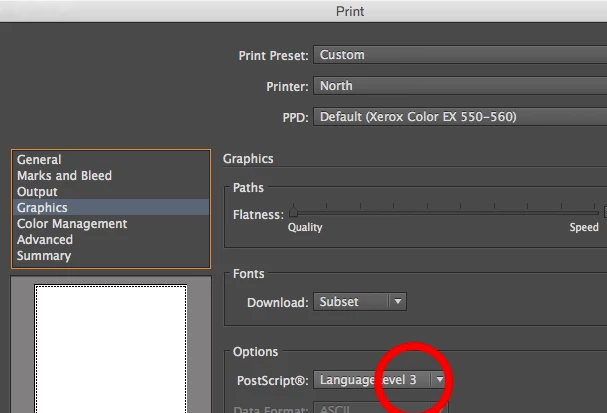
    You should be set to level 3, but try level 2 just incase. We probably could edit your prefs to make level 2 default if needed. Don think hat will help, but you never know.

    2 replies

    kevind82335850
    Inspiring
    July 27, 2017

    I do not mind sharing the file...however I know it is not an issue with the file itself.  This has literally happened to hundreds of documents over the course of 2 years. 

    I guess I should clear something up as well, in the above example, it will print like the pictured above, each time to the Lexmark printer.  Subsequent prints do not randomly change the printout (if that makes sense).

    Also printing to a Canon inkjet printer has absolutely no problems.

    So the issue has to do with printing to this Lexmark 748de.  I was thinking some sort of software, driver, Post Script issues?

    Mike_Gondek10189183
    Community Expert
    Mike_Gondek10189183Community ExpertCorrect answer
    Community Expert
    July 27, 2017

    Yes I would agree this is a postscript /driver issue. Try Lexmark website, login, and see if they have a new driver.

    What color type are those lines set to Spot, CMYK, RGB?

    You should be set to level 3, but try level 2 just incase. We probably could edit your prefs to make level 2 default if needed. Don think hat will help, but you never know.

    kevind82335850
    Inspiring
    July 28, 2017

    Long process of contacting Lexmark, but our drivers/firmware were many years and many versions out of date.  After updating things seem to be printing 100% better.....nothing missing!  Thanks Mike.

    Srishti Bali
    Legend
    July 21, 2017

    Hi kevind,

    This seems to be issue with file itself. Would you mind sharing your file?

    Regards

    Srishti