



Marahlago
Participating Frequently
October 3, 2021
Question

Problem importing a stock vector eps into Illustrator

  • October 3, 2021
  • 4 replies
  • 3859 views

Hi all! I feel foolish, but I'm new to all this, I just tried to import and open a recently purchased Stock Vector graphic in .eps, and it wont open.  I get an error message that says:
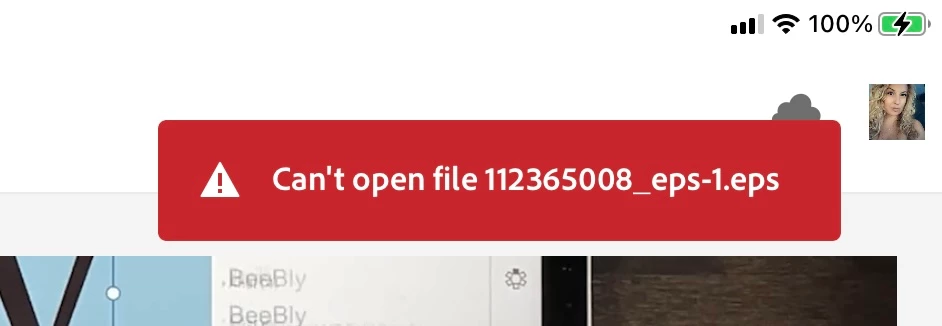
What in the world am I doing wrong? Please help

This topic has been closed for replies.

4 replies

michelew83603738
Community Expert
Community Expert
October 3, 2021

From the capture of your image here, it doesn't look like you are trying to open into AI directly (or Acrobat either) and while I am not sure of your workflow, that is probably the problem. Are you trying to import it to AI or are we assuming something that is not the case? Can you tell us exactly what you are trying to do? If you are trying to import to AI @barbara_a7746676 has the correct steps.

Marahlago
MarahlagoAuthor
Participating Frequently
October 4, 2021

Well, I'm not sure.  I open AI on my ipad.  When it opens, the screen looks like this...

On the bottom left, I have the open to import and open.  Is that the wrong method? I also opened a blank document and used the file import option from the left toolbar (once I held it down to see the different import options) in both cases I navigated to my files using browse (i think) found the file in my downloads and selected it...then I get the message I posted.


I do feel quite silly...thank you all for your help!

Monika Gause
Community Expert
Community Expert
October 4, 2021

"Import and open" is the way on an iPad.


This EPS file might be damaged. Or: as others already said: Illustrator on the iPad might just not be able to handle it.

Someone will need to take a  look at this. But since it's a Stock file, copyright doesn't allow you to share it. In order to reach the Stock Team directly I would suggest you ask in the Stock forum: https://community.adobe.com/t5/stock/ct-p/ct-stock?page=1&sort=latest_replies&filter=all&tabid=all

carlosgarro
Community Expert
Community Expert
October 3, 2021

Are you using an iPad to open the file?


Marahlago
MarahlagoAuthor
Participating Frequently
October 4, 2021

I am...is that the problem?

barbara_a7746676
Community Expert
Community Expert
October 3, 2021

It would help if you describe the exact steps you are taking to open the eps file in Illustrator.


These are some options:

  • File > Open. Navigate to your eps and open it.
  • Open Illustrator and drag the eps into the Illustrator window
  • Open the eps in Acrobat. Acrobat will convert it to PDF. Choose File > Export To > Encapsulated Postscript. Try opening the resulting eps in Illustrator
  • In the process of downloading the eps from wherever you bought it, it may have gotten corrupt. Try downloading again.
Marahlago
MarahlagoAuthor
Participating Frequently
October 4, 2021

I did retry the re download.  I will try your conversion method from PDF back to eps!

Ares Hovhannesyan
Community Expert
Community Expert
October 3, 2021

On which device you try to open it?

Marahlago
MarahlagoAuthor
Participating Frequently
October 4, 2021

I'm on an iPad Pro

Doug A Roberts
Community Expert
Community Expert
October 4, 2021