Participating Frequently
February 6, 2023
Question

Problem of double layers of strokes after Image Trace

  • February 6, 2023
  • 2 replies
  • 639 views

I am having this problem and not sure at what part of the process it is occuring. My ultimate goal is to take a photograph and convert it to discrete stroked sections to run through a vinyl cutter. 


But here are the steps I take:


- Place a photograph into Illustrator - it has been cleaned up in Phtoshop

- Run Image Trace - color, fills, usually with cutout Method (but same thing happens with abutting)

- Expand

- Clean up image - at this point it is just fills of different colors, no strokes

- When I select all and assign a stroke value, it adds double layers of strokes - but not in total, just in parts; so it is very hard to isolate and clean up. This causes a problem when I run the vinyl cutter because it runs twice in parts. 


I have tried to merge, flatten, all kinds of things, and nothing works.


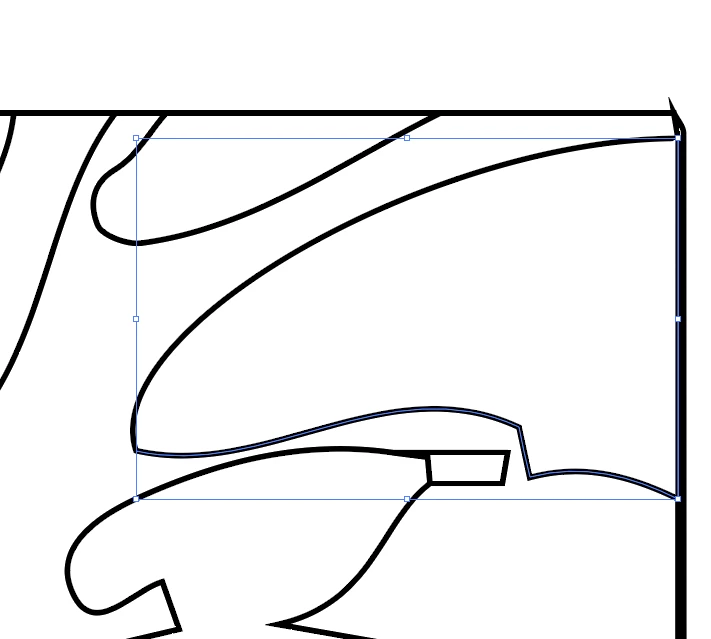
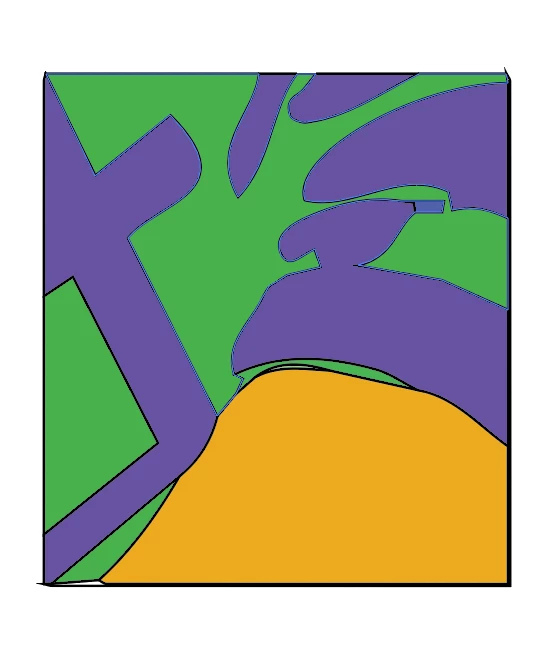
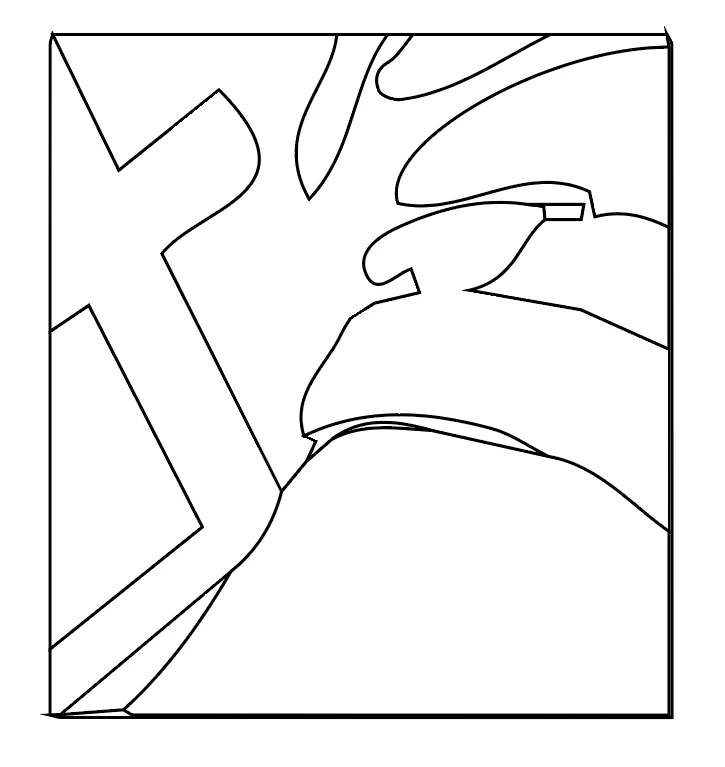
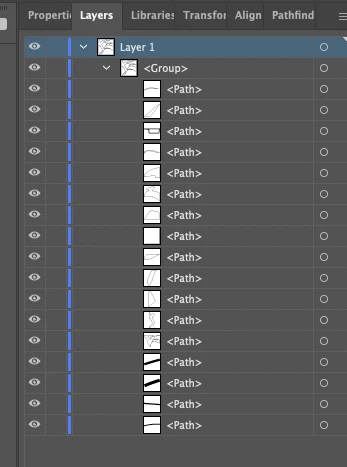
Trying to attach several images here to help explain. In the first, there is the expanded fills; in the second is the strokes, fills removed; third is the layers; fourth is where I have clicked on a stroke and deleted it, which removes a segment and leaves the second layer beneath. But like I said, it is not two full layers, but partial - some parts have two layers of strokes, some only one. 


This is causing me hours of extra work to clean up large images - any advice would be greatly appreciated!
This topic has been closed for replies.

2 replies

Met1
Legend
February 7, 2023

I've found, that depending on the complexity of the art, Image Trace may add extra shapes which are not readily apparent in the original but Illy is seeing enough of a color change to assume it's something that needs it's own outline - I'm guessing if I played with the Advanced adjustments more I could finesse the result but oftentimes it's not really worth the extra time and I can make my own adjustments/compromises...

JA2023Author
Participating Frequently
February 8, 2023

Thanks - yes, I think that is true. As far as I can tell I've gotten it to the best point in image trace, but it definitely generates some extra shapes, but the problem is how to get rid of them afterwards in the most efficient way. 

Monika Gause
Community Expert
Community Expert
February 6, 2023

In those parts if creates shapes with slightly different colors. WHen you check the info section in the Image Trace panel - does the number of colors match what you can count in the image? Probably there are more than what you counted.

JA2023Author
Participating Frequently
February 6, 2023

No, they are actually exactly the same or even less than the original image (the original photo is often very limited colorwise)...could less than be a problem?

Monika Gause
Community Expert
Community Expert
February 6, 2023

Thanks for looking at it. I've tried every option in Pathfinder and none of them solve it. Thanks again for trying!


Can you please show screenshots of what you are doing and then what is happening?