
Copy link to clipboard
Copied
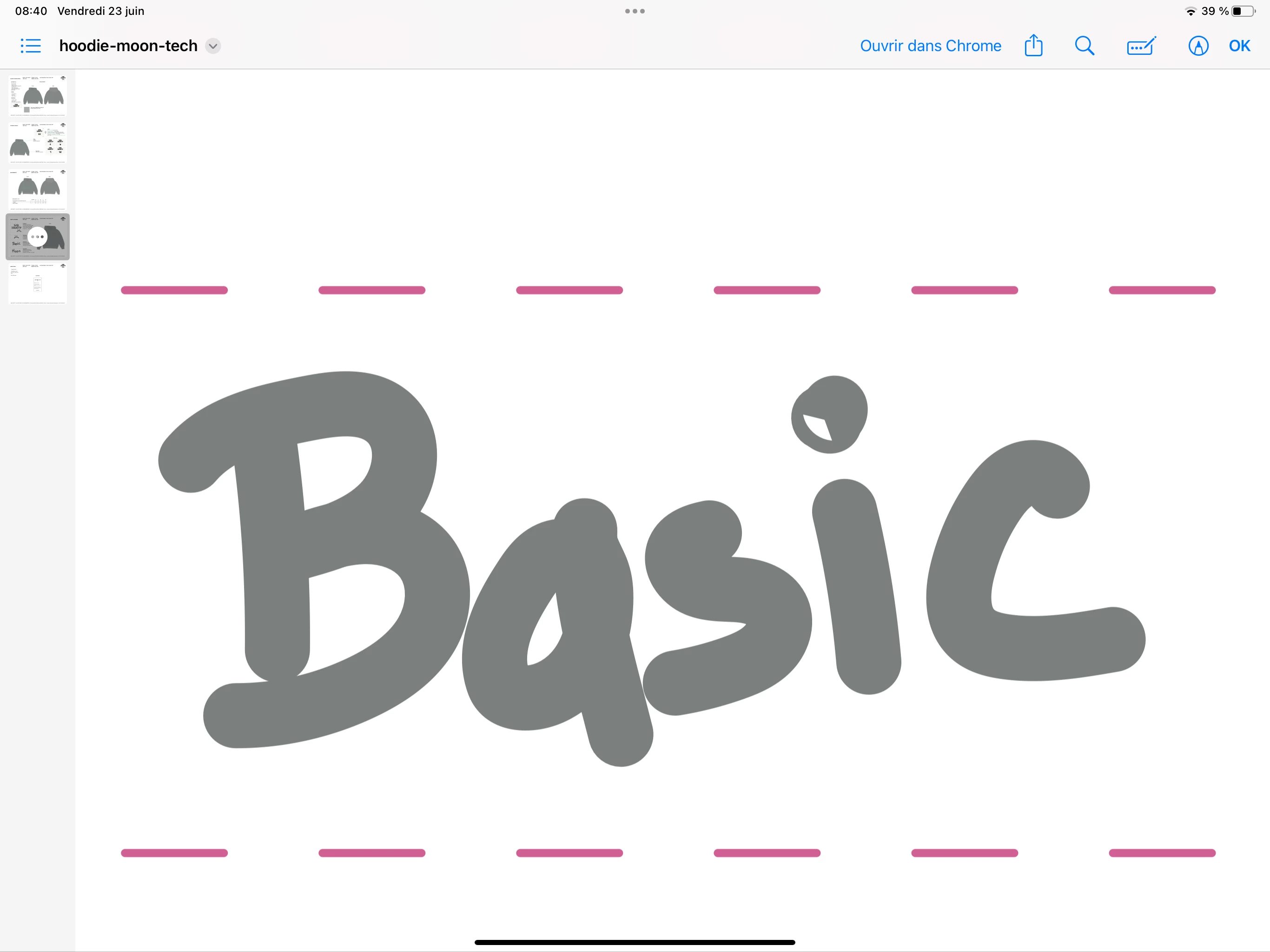
Do you know why we see a hole in the i when I open the pdf or print it?
Whereas on Illustrator there is none.
If you know respond to this post or email me (personal detail removed by moderator)
Thank you.
PDF :
:
AI Illustrator :
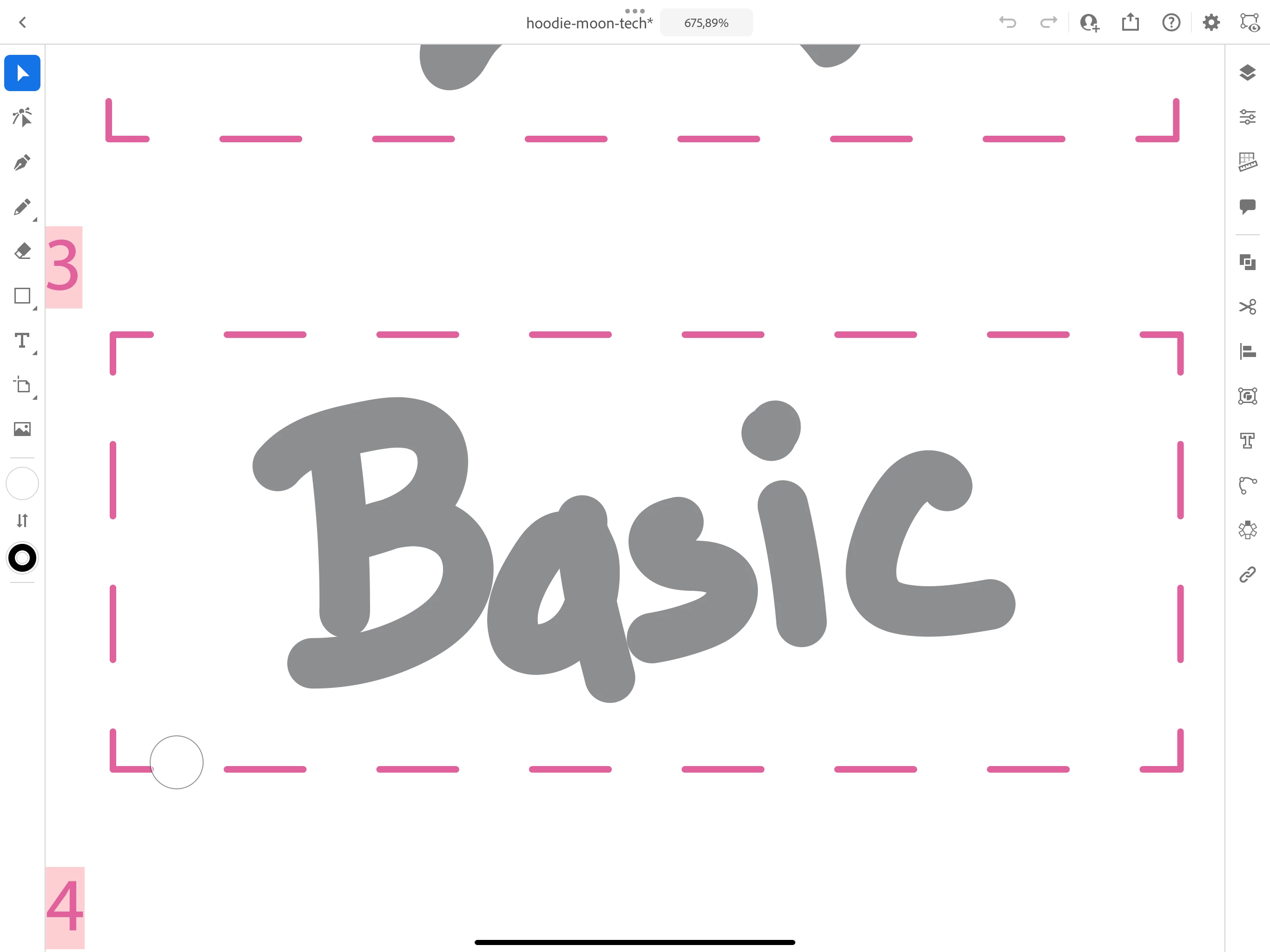
Check in wireframe view for any non expected element, is this mobile Illustrator?
cmd+y is wireframe view where you can view only vector lines and dots and check for anything you would not expect to be there.
You need to look at the dot of the i and correct the shape, there's overlapping strokes which may affect the export when stroke thickness is added. You might not see it in Illustrator but in wireframe it's there
You will have to outline the stroke and then use the Shape Builder tool on it.
Copy link to clipboard
Copied
Check in wireframe view for any non expected element, is this mobile Illustrator?
Copy link to clipboard
Copied
There it’s on ipad but it’s the same on mac
I didn’t understand what's wireframe
Copy link to clipboard
Copied
Copy link to clipboard
Copied
Copy link to clipboard
Copied
Have you drawn this with a brush? If that brush is self-overlapping then these things could happen.
Can you provide the AI file?
Copy link to clipboard
Copied
I used the brush of caligraphy with rounded edge on the ipad to reproduce my writing.
Here is the file ai :
https://mega.nz/file/5xZgTDaa#Q2vUk9CI3AECEfXeJsVyUDIUMiQUJXDozpKi21TRR04
Copy link to clipboard
Copied
Copy link to clipboard
Copied
So which brush or other should I use for writing to reproduce my writing without the lines overlapping?
Copy link to clipboard
Copied
I tried to remove the overlapping trait it’s worse
Copy link to clipboard
Copied
You will have to outline the stroke and then use the Shape Builder tool on it.
Copy link to clipboard
Copied
i don't understand can you show me how you do that ?
Copy link to clipboard
Copied
Copy link to clipboard
Copied
@Sad Society30673765wtro schrieb:
i don't understand can you show me how you do that ?
That's weird. I'm pretty sure you could outline a stroke on the iPad, but couldn't get it to work in the current version. It should be in the menubar on the right. Then the Pathfinder respectively Shapebuilder are there as well.
So without the option to outline the stroke only thing you can do on the iPad is use the blob brush. The stroke will then be outlined automatically.
Get ready! An upgraded Adobe Community experience is coming in January.
Learn more