
Problem with Aligning/Distributing groups with sub-layers without destroying layer grouping
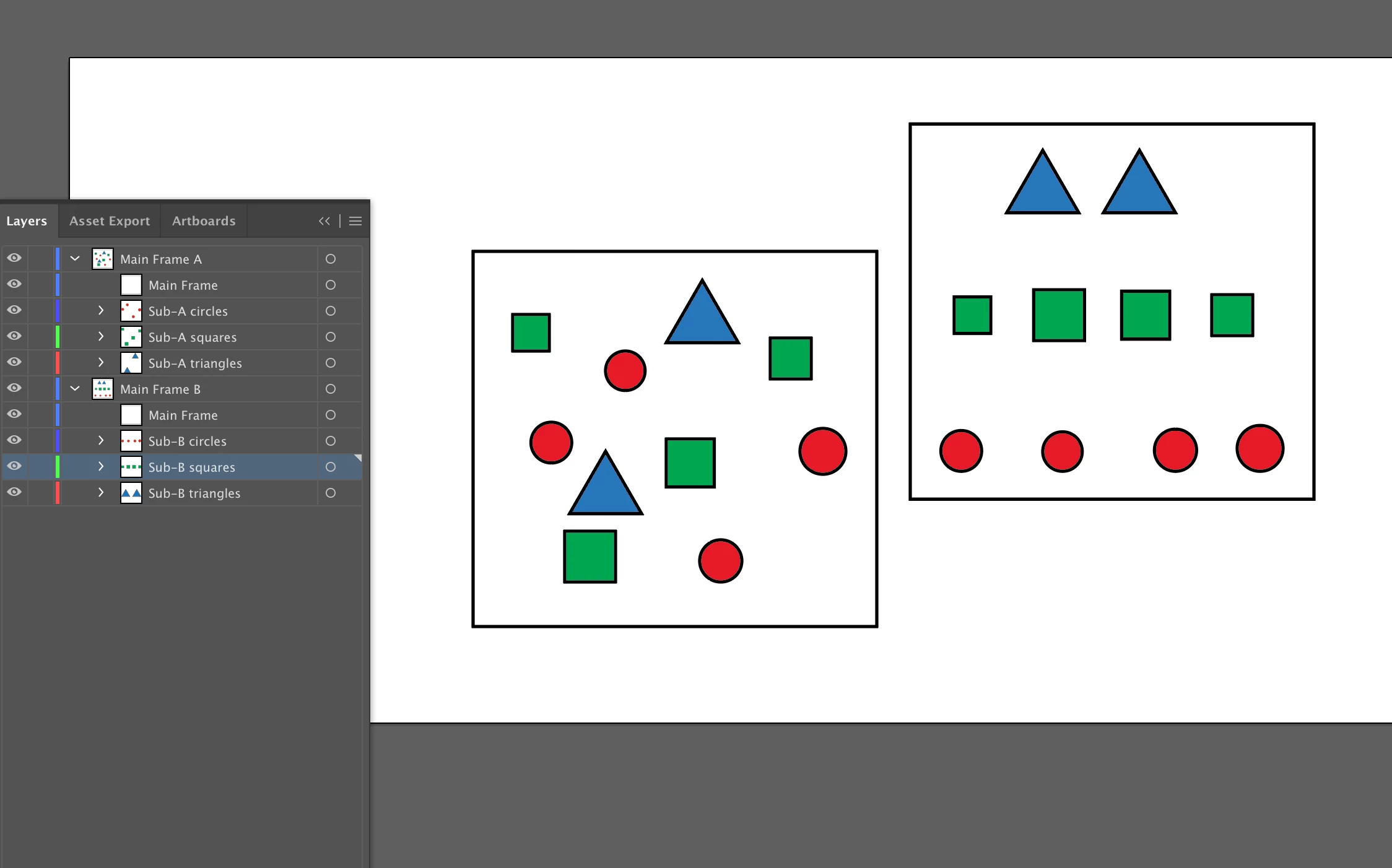
The picture below is a screen capture illustrating the issue that I am facing.
I would like to align, distribute or center "Main Frame A" and "Main Frame B" along with all it's sublayerd contents without destroying the layering separation.
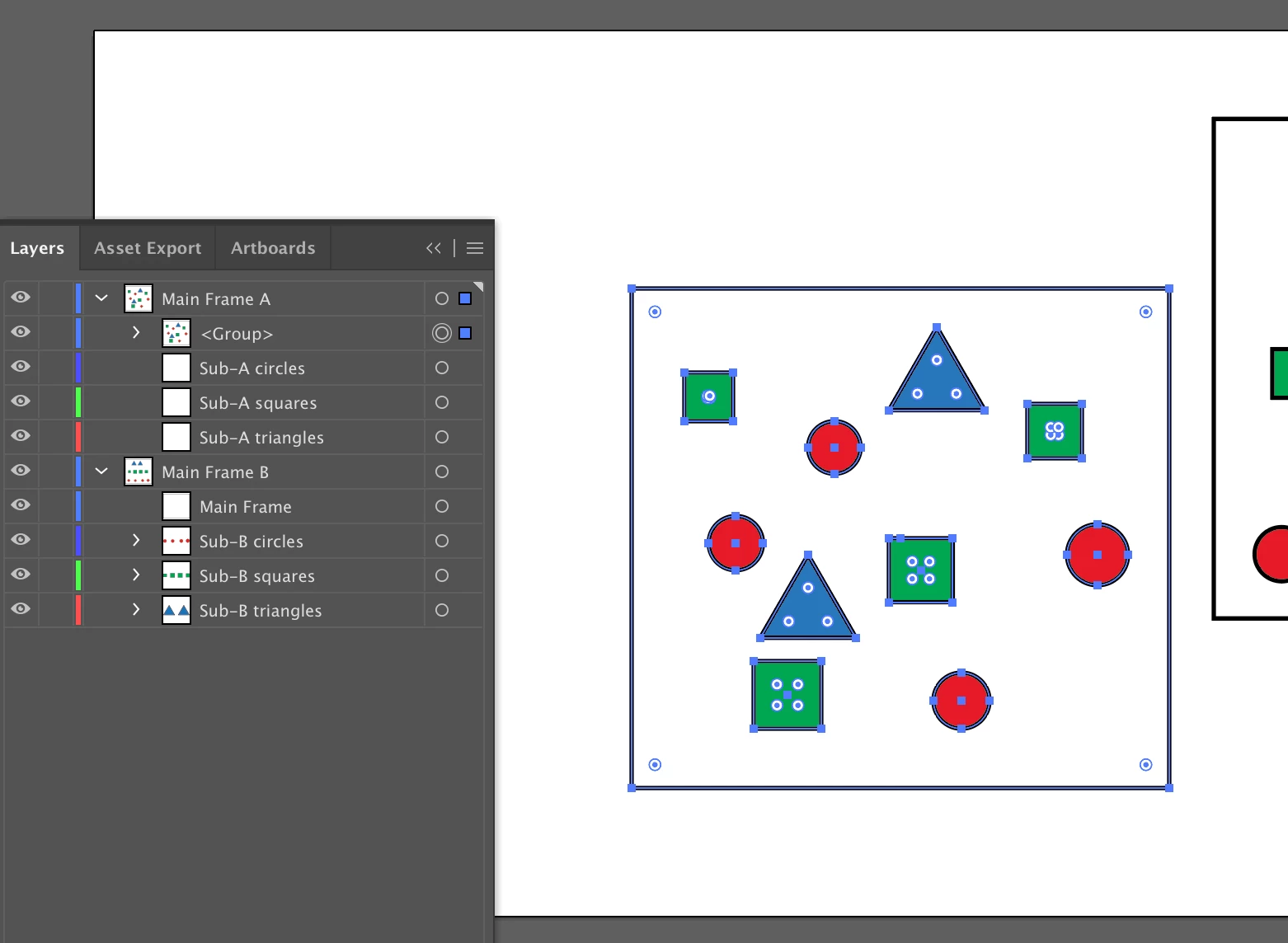
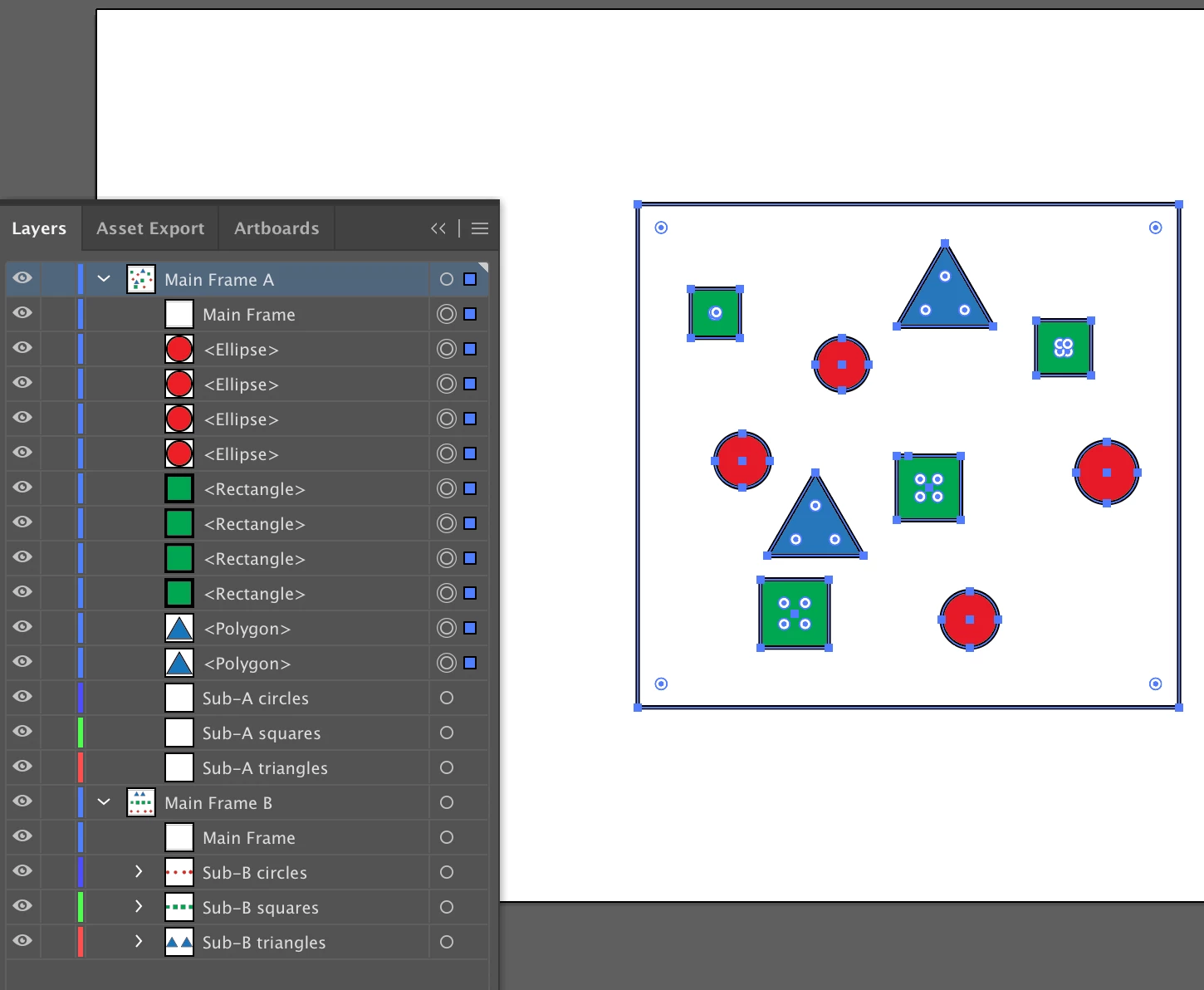
I know I can just select all objects in A, group and then I will be able to align the object to artboard, distribute etc. etc. without any issues. However, the second I group, everything will collapse into the top sublayer in an irreversible manner (second picture). If I ungroup after I do my needed operation, illustrator just throws everything back out into the main layer.
I've tried looking for solutions, but as far as I can tell, work arounds (like "save selection") for other similar issues do not work here.
Thanks.
 AdChoices