
Participant
August 27, 2020
Answered

Problem with strokes on text

  • August 27, 2020
  • 5 replies
  • 812 views

I'm trying to add an outside stroke to a text... I understand I can't allign a stroke on editable text, so I converted my text to paths and added my outside stroke. But now my stroke is covering each other up! See screenshot:
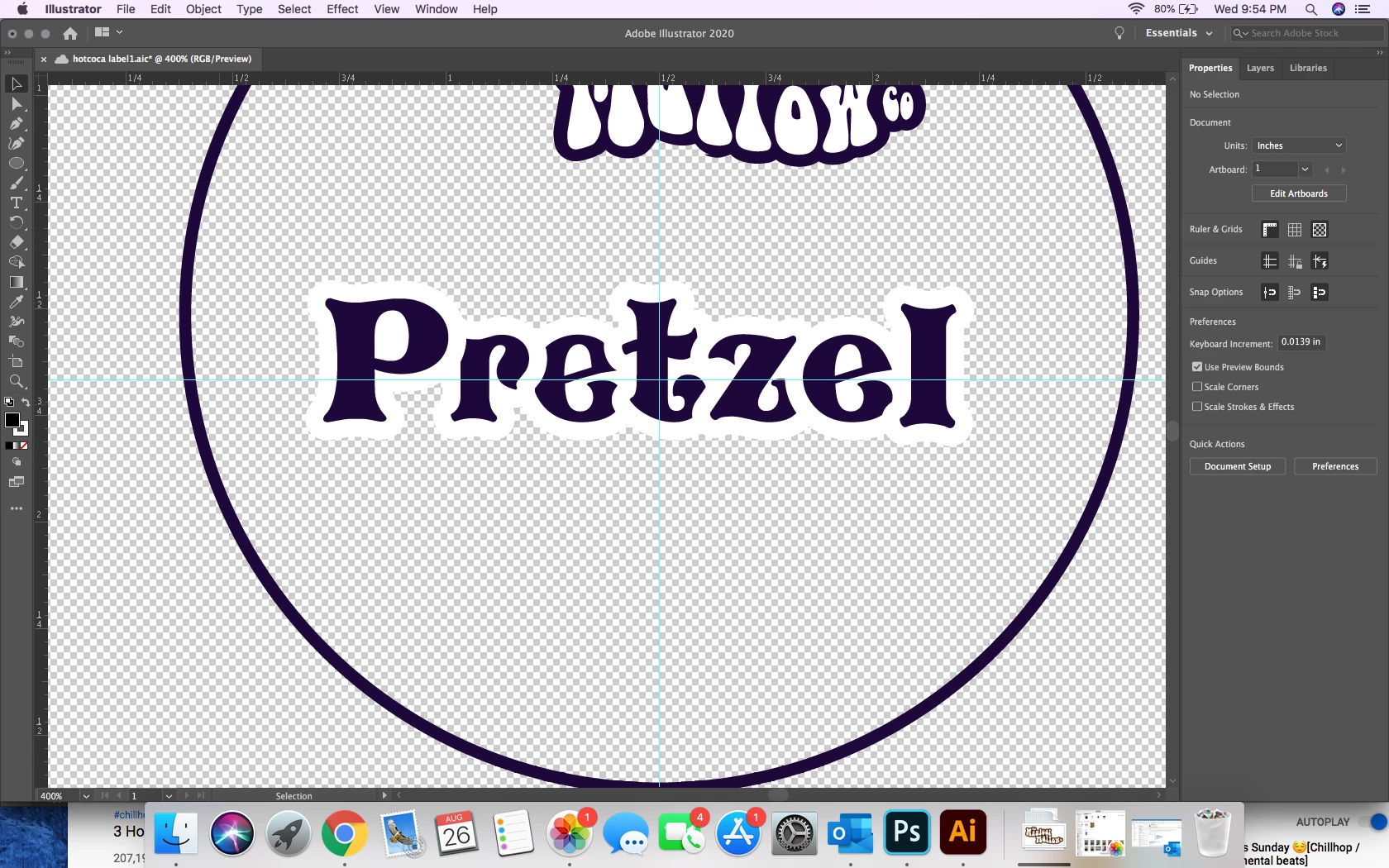


How can I get my letters to not cover each other up with the stroke, but without altering the spacing? Thanks!
This topic has been closed for replies.
Correct answer Grant H

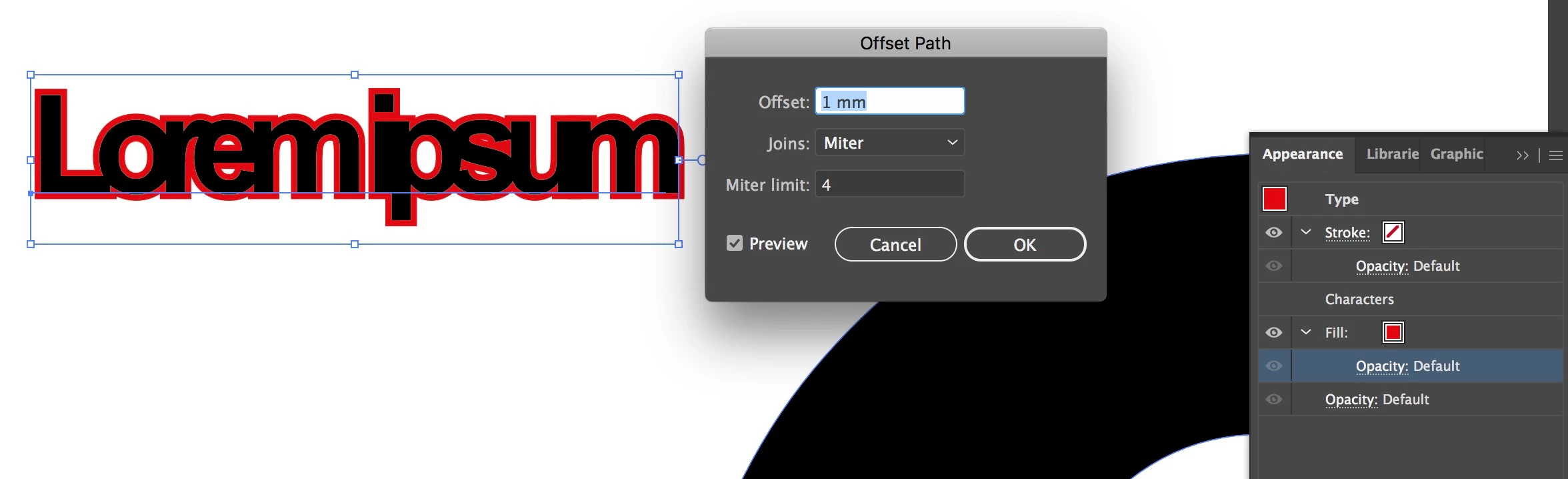
You could keep the text live by rather adding a fill in the appearence pallet with an offset underneath the character, see screenshot.


5 replies

applepress
Participant
July 27, 2023

Bring the black type to the front

Jacob Bugge
Community Expert
Community Expert
August 27, 2020

Daniela,


To elaborate on the answers by Grant and Ton with Stroke beneath the Characters, since the unchangeable alignment of the Stroke on live Type is centred, (the inner) half of it is hidden and that is why you can just double the Stroke Weight.


Ton Frederiks
Community Expert
Community Expert
August 27, 2020

You can kep your text live.

Add a stroke in the Appearance panel and drag the  Stroke item below the Characters item.

Grant H
Community Expert
Grant HCommunity ExpertCorrect answer
Community Expert
August 27, 2020

You could keep the text live by rather adding a fill in the appearence pallet with an offset underneath the character, see screenshot.


Mylenium
Legend
August 27, 2020

You have to expand the stroke to fills and merge them into a single area underneath.


Mylenium