Exit
  • Global community
    • Language:
      • Deutsch
      • English
      • Español
      • Français
      • Português
  • 日本語コミュニティ
  • 한국 커뮤니티
0

Problemas color illustrator

New Here ,
Jan 14, 2021 Jan 14, 2021

Hola, estoy teniendo problemas con los colores en illustrator, pareciese que al abrir y cerrar un archivo reiteradas veces las paletas van perdiendo saturacion. Cuando comparo con archivos anteriores con la misma paleta noto que los mas recientes estan apagados. No tengo idea de que podria estar pasando. 
Gracias.

TOPICS
Performance
788
Translate
Report
Community guidelines
Be kind and respectful, give credit to the original source of content, and search for duplicates before posting. Learn more
community guidelines
Adobe
Community Expert ,
Jan 14, 2021 Jan 14, 2021

What are your Color Settings?

Is your Document Color Mode RGB or CMYK?

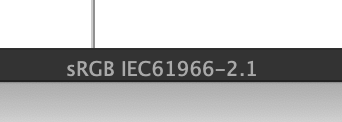
What is your Document Color Profile?
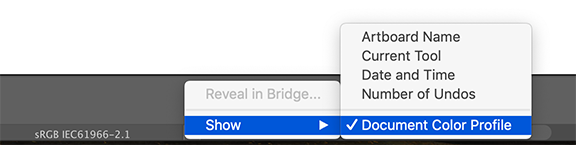
Doc profile.png

Translate
Report
Community guidelines
Be kind and respectful, give credit to the original source of content, and search for duplicates before posting. Learn more
community guidelines
New Here ,
Jan 28, 2021 Jan 28, 2021
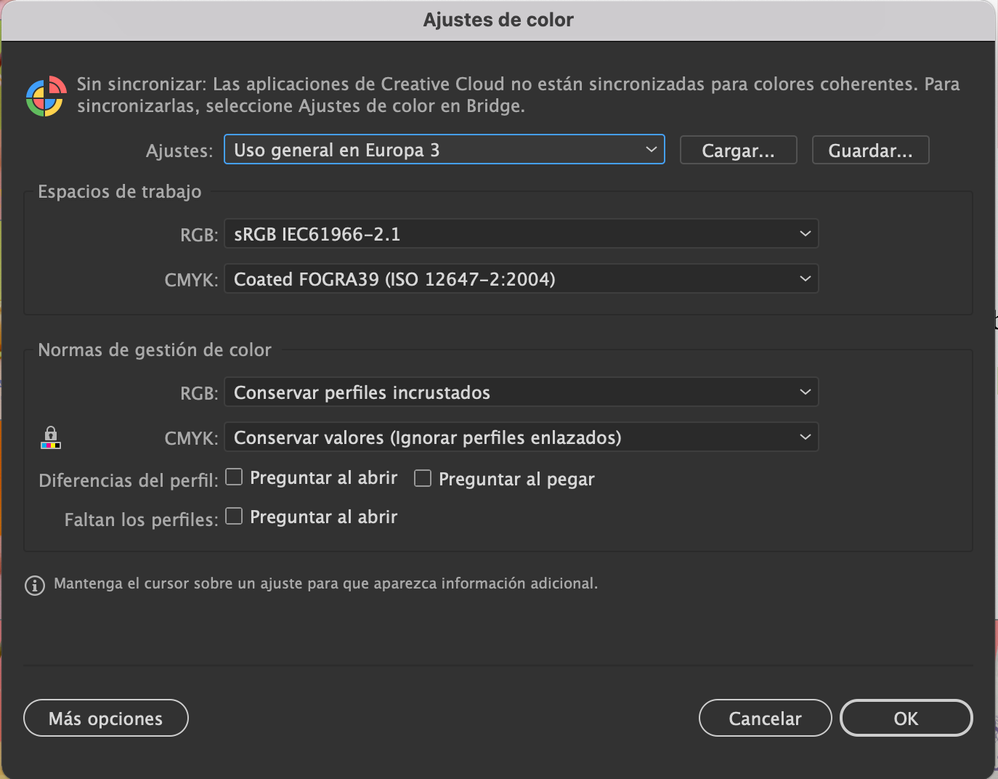
Hello, I attach the configuration of my color profile. Color Settings RGB.
Thank you!

[image: Captura de Pantalla 2021-01-28 a la(s) 12.37.35.png]
Translate
Report
Community guidelines
Be kind and respectful, give credit to the original source of content, and search for duplicates before posting. Learn more
community guidelines
Community Expert ,
Jan 28, 2021 Jan 28, 2021

Cannot see your image, please use the Insert Photos button.

insert photos button.png

Translate
Report
Community guidelines
Be kind and respectful, give credit to the original source of content, and search for duplicates before posting. Learn more
community guidelines
New Here ,
Feb 08, 2021 Feb 08, 2021
Hello, I am still waiting for an answer about my query.
Translate
Report
Community guidelines
Be kind and respectful, give credit to the original source of content, and search for duplicates before posting. Learn more
community guidelines
Community Expert ,
Feb 08, 2021 Feb 08, 2021

And I still cannot see your image.

Translate
Report
Community guidelines
Be kind and respectful, give credit to the original source of content, and search for duplicates before posting. Learn more
community guidelines
New Here ,
Feb 08, 2021 Feb 08, 2021

I was responding to the email, now if you see the image?
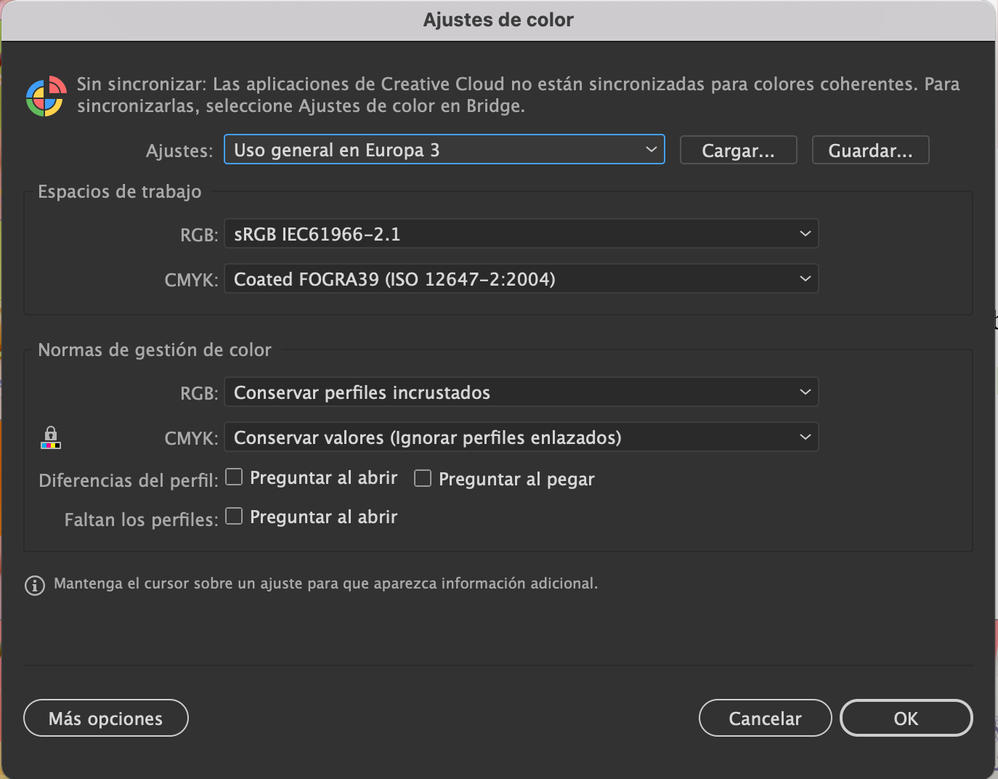
Captura de Pantalla 2021-01-28 a la(s) 12.37.35.png

Translate
Report
Community guidelines
Be kind and respectful, give credit to the original source of content, and search for duplicates before posting. Learn more
community guidelines
Community Expert ,
Feb 08, 2021 Feb 08, 2021

Is your Document Color Profile different from your RGB or CMYK working space?

Translate
Report
Community guidelines
Be kind and respectful, give credit to the original source of content, and search for duplicates before posting. Learn more
community guidelines
New Here ,
Feb 08, 2021 Feb 08, 2021

RGB

Translate
Report
Community guidelines
Be kind and respectful, give credit to the original source of content, and search for duplicates before posting. Learn more
community guidelines
Community Expert ,
Feb 08, 2021 Feb 08, 2021

Is your Document Color Profile different from your RGB or CMYK working space?

Your working profile is sRGB, but what is your document profile?

Check at the bottom of your document window for your document profile.
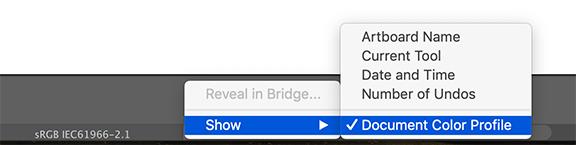
Doc profile.png

Translate
Report
Community guidelines
Be kind and respectful, give credit to the original source of content, and search for duplicates before posting. Learn more
community guidelines
New Here ,
Feb 09, 2021 Feb 09, 2021

Captura de Pantalla 2021-02-09 a la(s) 13.31.27.png

Translate
Report
Community guidelines
Be kind and respectful, give credit to the original source of content, and search for duplicates before posting. Learn more
community guidelines
Community Expert ,
Feb 09, 2021 Feb 09, 2021

Thanks, Lucila

there does not seem anything special with your color settings and document profile.

There have been more posts about colors changing on their own.

Unfortunately a clear solution has not been given.

Is it a particular document or more documents with this problem?

Can you share such a problem document? WeTransfer, Dropbox, Google, CC folder filesharing...

Translate
Report
Community guidelines
Be kind and respectful, give credit to the original source of content, and search for duplicates before posting. Learn more
community guidelines
New Here ,
Feb 09, 2021 Feb 09, 2021

Hello, it is with multiple files. In one of the screenshots that I sent you earlier (I will attach it again) the color management settings do not match. Is that the problem? What is the proper configuration?Captura de Pantalla 2021-01-28 a la(s) 12.37.35.png

Translate
Report
Community guidelines
Be kind and respectful, give credit to the original source of content, and search for duplicates before posting. Learn more
community guidelines
Community Expert ,
Feb 09, 2021 Feb 09, 2021

If it says that color settings are not synchronized it means that the color setting in illustrator are different from other Adobe apps, like Photoshop or InDesign.

You can synchronize them with the color settings in Adobe Bridge.

I don't think that would be causing the problem, but I am curious what the difference could be.

Translate
Report
Community guidelines
Be kind and respectful, give credit to the original source of content, and search for duplicates before posting. Learn more
community guidelines
New Here ,
Feb 10, 2021 Feb 10, 2021

I don't know what the correct configuration is, could you help me?
On the other hand, I really need to solve this problem since it is bringing me many problems with the projects, the change of colors in a visual identity is somewhat problematic.
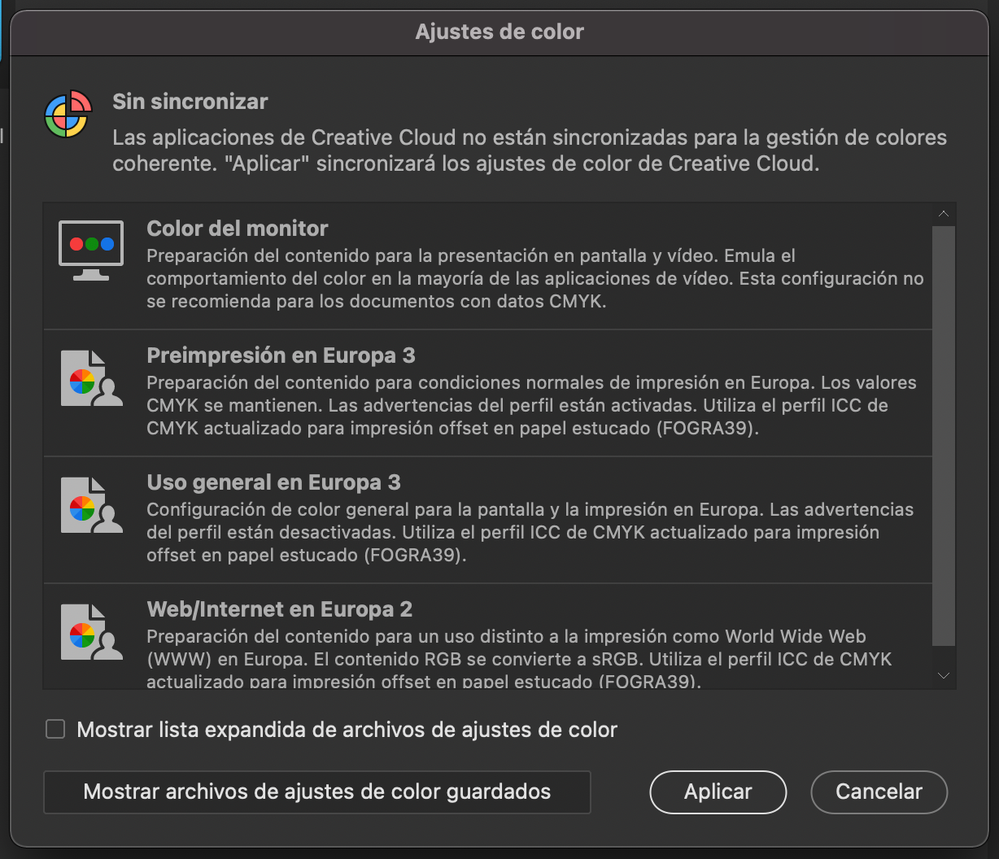
Captura de Pantalla 2021-02-10 a la(s) 12.44.38.png

Translate
Report
Community guidelines
Be kind and respectful, give credit to the original source of content, and search for duplicates before posting. Learn more
community guidelines
Community Expert ,
Feb 10, 2021 Feb 10, 2021

To get the settings the same as in your Illustrator, select the Uso general en Europa 3 and click Aplicar.


Translate
Report
Community guidelines
Be kind and respectful, give credit to the original source of content, and search for duplicates before posting. Learn more
community guidelines
Community Expert ,
Feb 10, 2021 Feb 10, 2021

Is it a particular document or more documents with this problem?

Did you try to copy the contents of your document and paste it into a new document to see if the problem goes away?

Can you share such a problem document? WeTransfer, Dropbox, Google, CC folder filesharing...

Did you contact Adobe Support with this problem?

https://helpx.adobe.com/contact.html

Translate
Report
Community guidelines
Be kind and respectful, give credit to the original source of content, and search for duplicates before posting. Learn more
community guidelines
New Here ,
Jul 13, 2022 Jul 13, 2022

Hola, como estas? Retomo este hilo. Sigo teniendo el mismo problema con el illustrator, me altera los colores al trabajar mucho tiempo seguido en un archivo groseramente, es imposible trabajar asi, necesito ayuda. Donde puedo enviarte los archivos para que no queden aca en el foro? Gracias.

Translate
Report
Community guidelines
Be kind and respectful, give credit to the original source of content, and search for duplicates before posting. Learn more
community guidelines
New Here ,
Jul 13, 2022 Jul 13, 2022

Te adjunto aca dos capturas de pantalla del mismo documento, la de arriba es de ayer a la noche y la de abajo de hoy a la tarde, en ningun momento lo cerre ni me salto ningun cartel de alerta de nada.
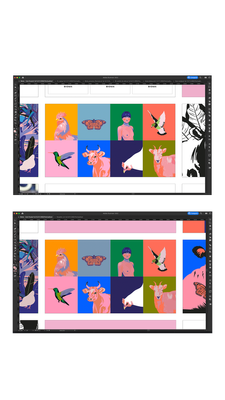
Bioma_Manual.png


Translate
Report
Community guidelines
Be kind and respectful, give credit to the original source of content, and search for duplicates before posting. Learn more
community guidelines
Community Expert ,
Jul 13, 2022 Jul 13, 2022
LATEST

Lucila, like I said before, there have been more posts about colors changing on their own.

Unfortunately a clear solution has not been given. I would recommend to contact Adobe support, they can look into your system:

https://helpx.adobe.com/es/contact.html?rghtup=autoOpen

Translate
Report
Community guidelines
Be kind and respectful, give credit to the original source of content, and search for duplicates before posting. Learn more
community guidelines