Participant
August 24, 2022
Answered

Problemas para criar arquivos no Illustrator 2022

  • August 24, 2022
  • 1 reply
  • 392 views

Olá, boa noite.


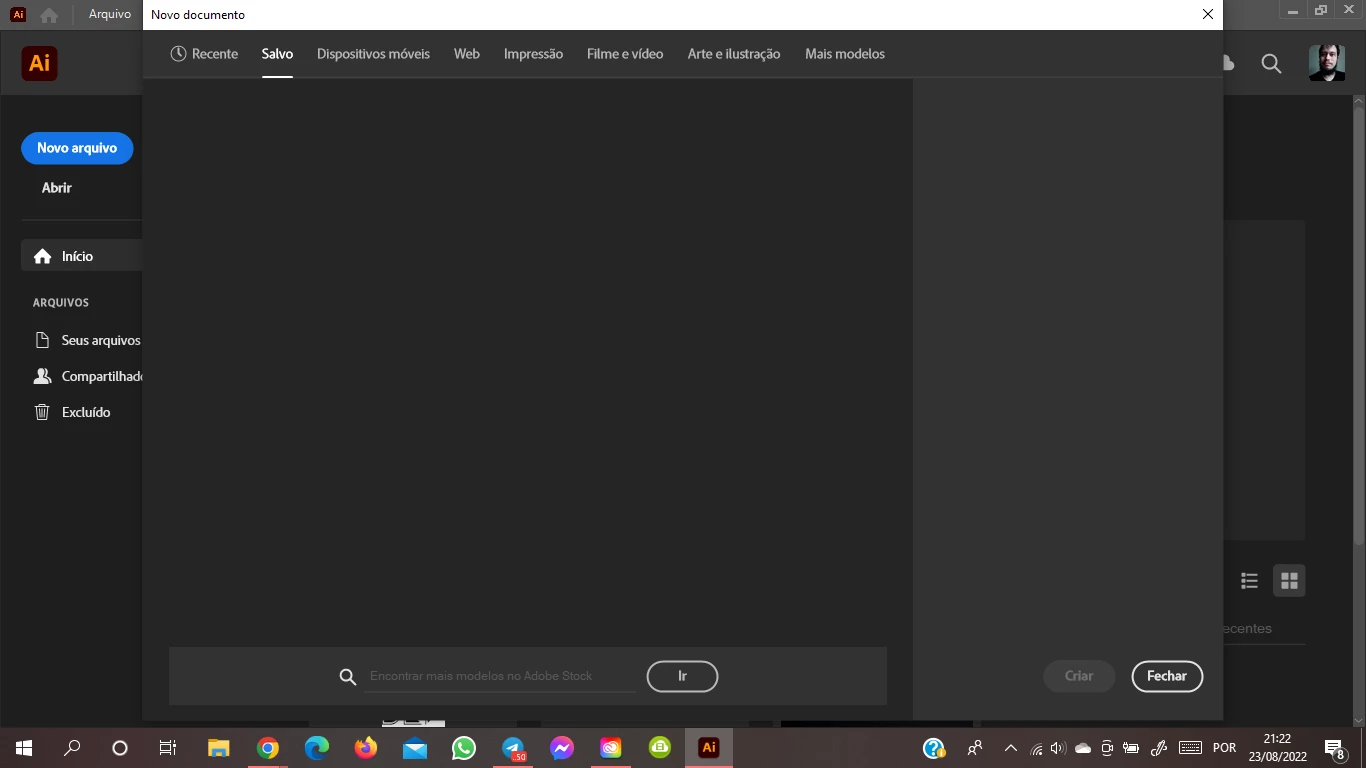
Estou com um problema no Illustrator, quanto à criação de novos arquivos. Ocorre que quando clico no botão "Novo arquivo" e abre a janela correspondente, as guias "Recente" e "Salvo" surgem incompletas, impossibilitando a criação de novos arquivos (geralmente eu utilizo essas duas guias para os meus projetos. As outras guias abrem normalmente.


Houve uma atualização do Illustrator hoje que eu acreditei que resolveria esse problema, o que não aconteceu. Como posso resolver esse problema? Tem mais gente passando por isso também?


Agradeço desde já a atenção, boa noite.


This topic has been closed for replies.
Correct answer Anubhav M

Hello ricardo860254,


Sorry to hear about this experience. I would request you try resetting Illustrator's preferences by following the steps shared in this article (https://helpx.adobe.com/illustrator/kb/troubleshoot-preference-issues.html) and sharing your observations.
Disclaimer: Please note that resetting preferences will remove all custom settings, and Illustrator will launch with the defaults. You may take a backup of these settings from the location mentioned in the article. 
 

Also, try renaming the UXP folder from the following location to UXP.old, relaunch Illustrator, and check if it helps:
C:\Program Files\Common Files\Adobe\UXP


Looking forward to hearing from you.


Thanks,
Anubhav

1 reply

Participant
August 24, 2022

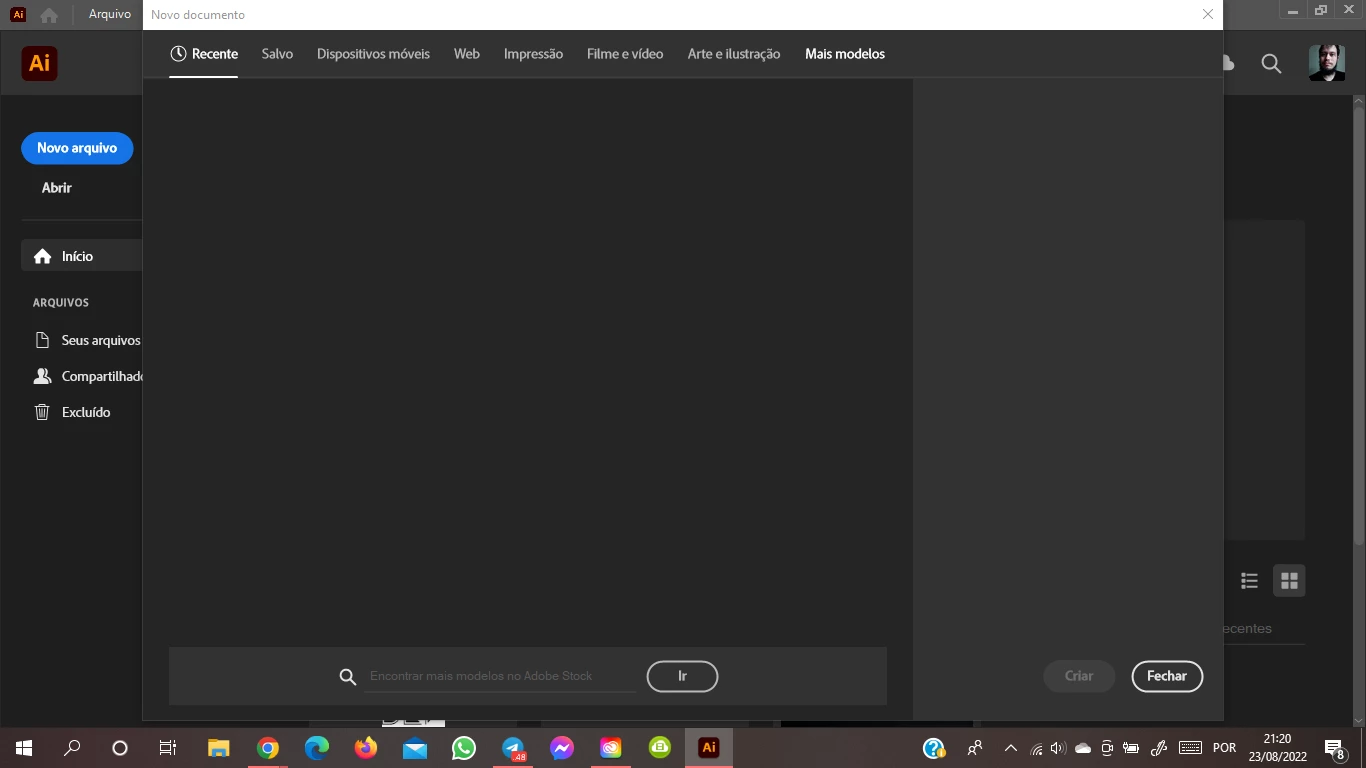
Só gostaria de acrescentar que a guia "Mais modelos" também aparece incompleta, segue o print do que aparece pra mim.


Anubhav M
Community Manager
Anubhav MCommunity ManagerCorrect answer
Community Manager
August 24, 2022

Hello ricardo860254,


Sorry to hear about this experience. I would request you try resetting Illustrator's preferences by following the steps shared in this article (https://helpx.adobe.com/illustrator/kb/troubleshoot-preference-issues.html) and sharing your observations.
Disclaimer: Please note that resetting preferences will remove all custom settings, and Illustrator will launch with the defaults. You may take a backup of these settings from the location mentioned in the article. 
 

Also, try renaming the UXP folder from the following location to UXP.old, relaunch Illustrator, and check if it helps:
C:\Program Files\Common Files\Adobe\UXP


Looking forward to hearing from you.


Thanks,
Anubhav